
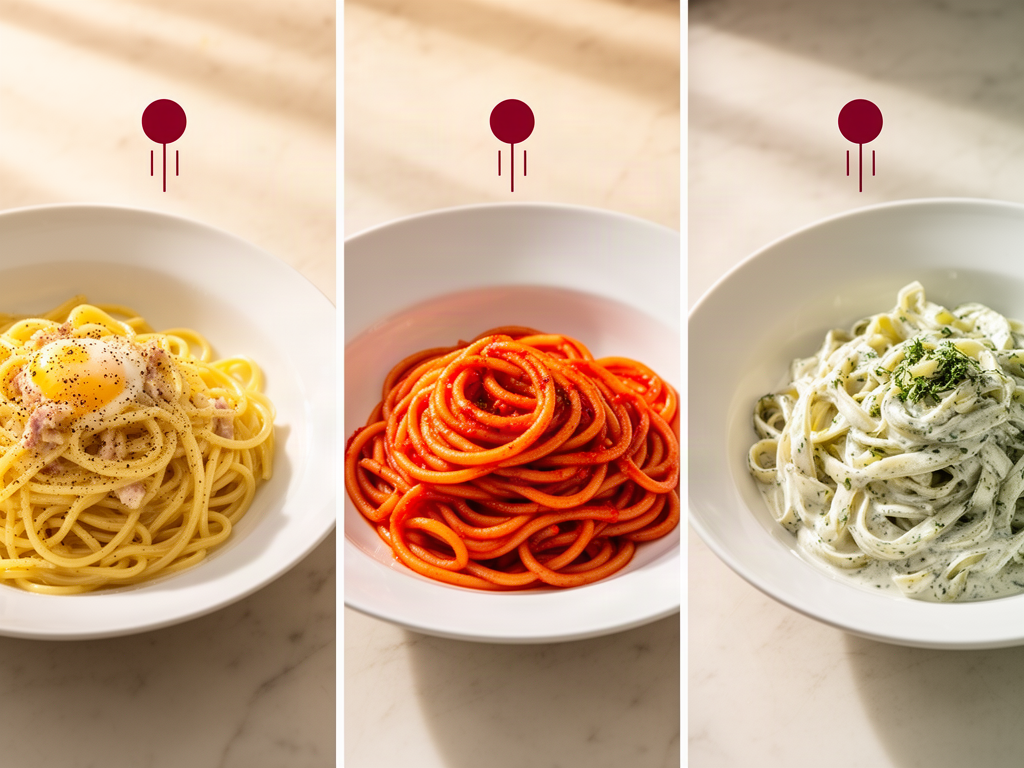
How to Compare Food Photos Across Multiple Trips: A Serious Foodie’s Guide
John the smoothie monster
John lives for smoothie bowls and cold-pressed juices. He uses Savor to remember his best blends.
How to Compare Food Photos Across Multiple Trips: A Serious Foodie's Guide You're scrolling through your phone at 11 PM, trying to remember: was that carbonara...
How to Compare Food Photos Across Multiple Trips: A Serious Foodie's Guide
You're scrolling through your phone at 11 PM, trying to remember: was that carbonara in Rome three years ago actually better than the one you just had in London?
Your camera roll holds the evidence - 2,400 food photos spanning dozens of cities - but zero context. No dish names. No ratings. Just a graveyard of unsearchable JPEGs that tell you nothing about which meal changed your life and which one was just... fine.
The problem isn't memory. It's method. Most food lovers treat their camera roll like a diary, but it's actually just a shoebox. And without a system for comparison, every great meal slowly fades into the same vague "it was good" fog.
This guide shows you how to move from digital hoarder to culinary curator - with the exact tools, workflows, and frameworks to compare dishes across years, continents, and price points.
Table of Contents
- The Core Problem: Why Food Photos Don't Work as Memory
- The Search Phase: Finding the Photos
- The Visual Face-Off: Comparison Tools
- The Data Phase: Choosing a Long-Term Tracker
- The Pro Workflow: Tasting Journal Framework
- From Digital Hoarder to Curated Critic
- Frequently Asked Questions
The Core Problem: Why Food Photos Don't Work as Memory
A photo captures light. Not flavor. Not context. Not the moment three weeks later when you're trying to explain to a friend why that specific bowl of ramen was the best thing you ate all year.
The typical food lover's workflow looks like this:
- Take a photo of something extraordinary
- Post it to Instagram Stories with a vague "😍" caption
- Never look at it again
- Three months later, scroll for 180 seconds trying to find "that pasta place"
- Give up and order something mediocre
The issue isn't taking the photo. It's capturing the decision-making data you'll need later: What made it great? How does it compare to the version you had last year? Would you order it again at this price?
Without that information, every comparison becomes a guessing game between two photos that both "look good."
The Search Phase: Finding the Photos
Before you can compare, you need to locate. And if you've been traveling for years, that's harder than it sounds.
Natural Language AI Search
Modern photo apps have gotten surprisingly good at identifying food types. iOS 27's Visual Intelligence includes nutritional insights and the ability to search for recipes or details by tapping a recognized food photo. This means you can now search "Neapolitan pizza 2024" and your phone will surface every margherita, marinara, and diavola from that year.
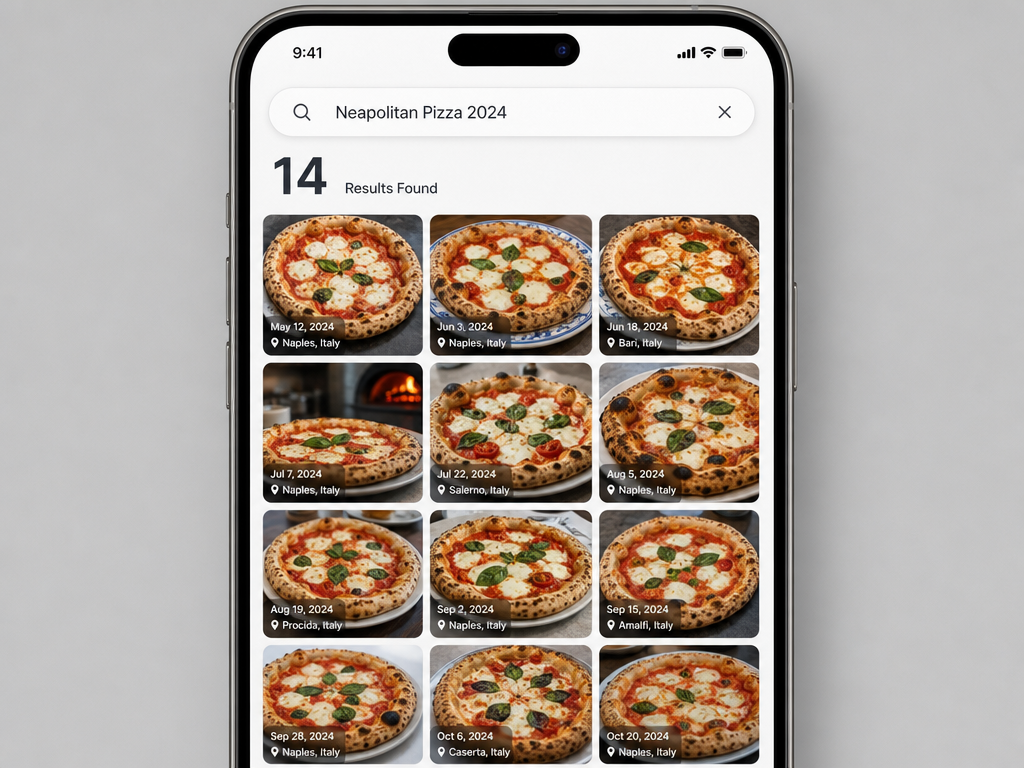 Leverage natural language AI search in modern photo apps to instantly surface specific dishes from years of travel history using keywords like location and year.
Google Photos offers similar functionality. Type "ramen Tokyo" and it'll pull every bowl from your last trip. The key limitation: it can't distinguish between "good ramen" and "life-changing ramen." It just knows what ramen looks like.
The Album Method
If your camera roll predates advanced AI, you'll need to build albums manually. Here's the fastest approach:
- Create albums by cuisine type (Italian, Japanese, Mexican)
- Create nested sub-albums by dish category (Pasta, Sushi, Tacos)
- Tag photos with location metadata if your camera didn't capture it automatically
This takes longer upfront but pays dividends later. Instead of scrolling through thousands of photos, you're narrowing to a specific subset. Looking for that great cacio e pepe? Check the Italian > Pasta album, filter by 2023.
The Screenshot Excavation
If you've been screenshotting menus, receipts, or Google Maps pins, those become goldmines for reverse-engineering context. A receipt tells you the date, location, and dish name. A menu screenshot reminds you what else you considered ordering. These aren't food photos, but they're critical supporting evidence.
One workflow: when you find a food photo you want to compare later, immediately take a second photo of the menu item or restaurant name. They'll live side-by-side in your camera roll, giving you instant context months later.
The Visual Face-Off: Comparison Tools
You've found the photos. Now you need to see them together.
The iOS Shortcuts Method
Apple's Shortcuts app includes a "Combine Images" action that lets you place two photos side-by-side with a single tap. Here's the three-step setup:
- Open Shortcuts, create a new shortcut
- Add "Select Photos" action (choose 2 as the selection limit)
- Add "Combine Images" action (choose "Side by Side" layout)
Save it to your home screen. Next time you want to compare that 2023 carbonara with the 2026 version, tap the shortcut, select both photos, and you've got an instant visual face-off.
The catch: this only works for visual comparison. You're still relying on memory to recall which one tasted better.
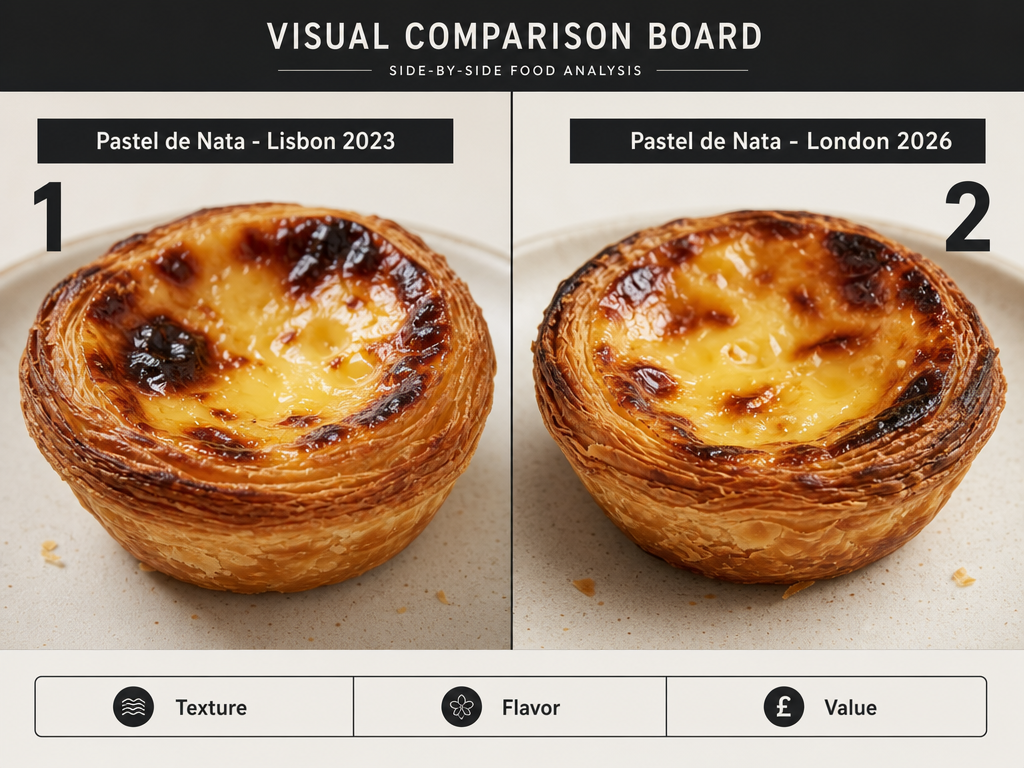 Creating a side-by-side comparison board allows foodies to objectively evaluate dishes across different years and locations, bridging the gap between memory and visual evidence.
The Notes App Board
For a low-tech alternative, open Apple Notes, create a new note titled "Carbonara Face-Off," and drag both photos into the same document. Add a quick sentence below each: "Rome 2023 - perfect pecorino sharpness, undersalted" vs. "London 2026 - too creamy, bacon instead of guanciale."
This creates a permanent comparison artifact you can reference later. It's searchable. It's shareable. And it forces you to articulate why you prefer one over the other.
The Split Screen Android Method
Android users can use split-screen mode to view two photos simultaneously. Open your gallery, select the first photo, then use the recent apps button to open a second gallery window. It's clumsier than iOS Shortcuts but gets the job done.
The larger problem: all of these methods assume you can remember the sensory details that matter. That's where the next phase comes in.
The Data Phase: Choosing a Long-Term Tracker
Photos capture appearance. Apps capture taste memory.
If you're serious about comparing dishes across trips, you need a system that lets you record what made each dish exceptional (or forgettable) at the moment you ate it. Here's how the major players stack up:
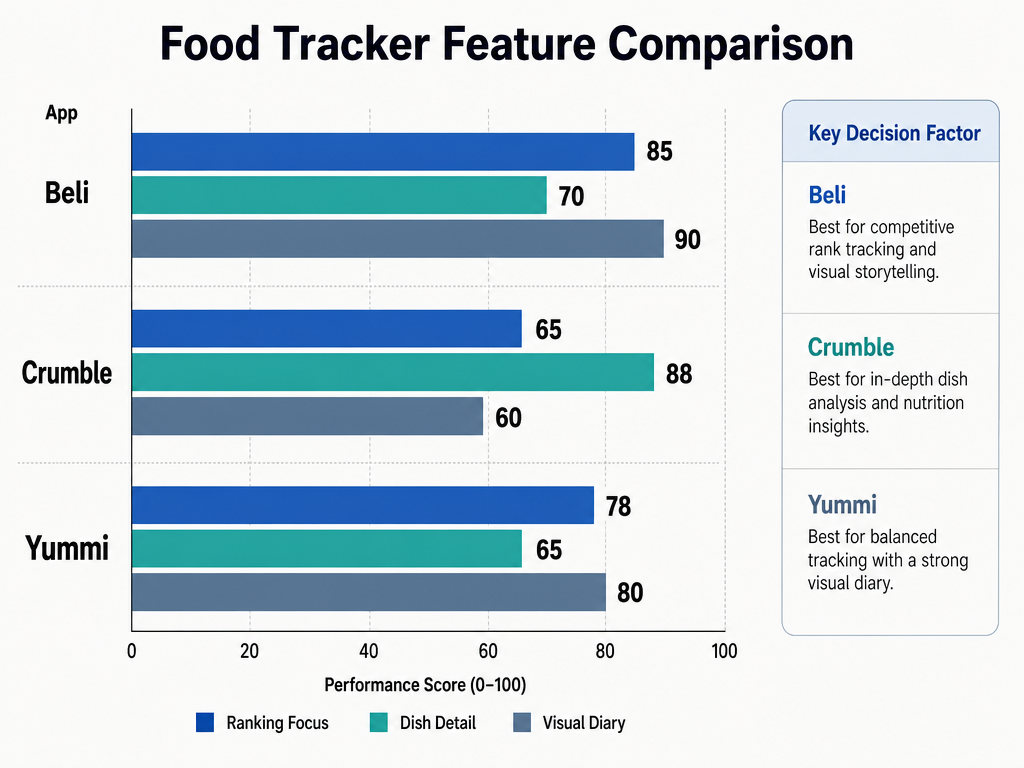 Different food tracking apps serve different needs; choose Beli for competitive rankings, Crumble for granular dish-level data, or Yummi for a visual-first travel timeline.
Beli: For the Competitive Ranker
Beli is described as a "food review app for people who love restaurants" whose tastes are aligned, positioning it as an alternative to traditional review platforms. Its core feature: head-to-head comparison. The app shows you two restaurants you've visited and asks: which was better?
After enough comparisons, it generates a ranked list. Your personal top 100. This approach forces you to make binary decisions, which feels more honest than assigning arbitrary star ratings. You can't claim everything was "great" when the app makes you choose.
Best for: Foodies who dine out frequently and want a constantly evolving leaderboard of their favorite spots.
Limitation: It ranks restaurants, not individual dishes. If a place served one incredible pasta and one mediocre salad, you're forced to rate the entire experience.
Crumble: For the Detail-Obsessed
Crumble allows per-dish ratings with tenth-of-a-star precision to distinguish between a restaurant's best and worst offerings. This is the anti-Yelp. Instead of giving "Trattoria Rosa" a generic 4 stars, you rate the carbonara 9.2, the tiramisu 7.8, and the house red 6.5.
This dish-level granularity is exactly what you need for cross-trip comparisons. You can search "all carbonara dishes rated above 9.0" and instantly see which versions earned your highest scores. Add tasting notes - texture, salt level, sauce consistency - and you've got a searchable flavor database.
Best for: Analytical eaters who want to remember why they loved (or didn't love) a specific dish years later.
Limitation: Manual entry. If you don't record notes at the table, you'll forget critical details by the time you open the app.
Yummi: For the Visual Storyteller
Yummi takes a "photo-first" approach where every meal becomes a geotagged "Foodprint" on a visual timeline. The app emphasizes the journey over the ranking. Scroll through your feed and you're retracing your culinary autobiography - that street taco in Oaxaca, the omakase in Kyoto, the croissant in Paris.
It's less about scoring and more about archiving. Each entry includes the photo, location, date, and an optional note. Great for remembering where you ate something, less useful for deciding which version was objectively better.
Best for: Travelers who want a map-based memory system and care more about the story than the score.
Limitation: Weak comparison tools. You can't easily pull up "all ramen dishes" and rank them side-by-side.
The Hybrid Approach
Many serious foodies use a combination: Crumble for dish-level scoring, Beli for restaurant rankings, and Yummi for travel nostalgia. The apps don't talk to each other, but your memory does.
If you're looking for the best apps to organize food photos or the best apps to track restaurant meals, our detailed guides break down even more options, including private journaling tools and social sharing platforms.
The Pro Workflow: Tasting Journal Framework
The difference between a food photo and a food memory is context. And the best time to capture that context is the moment you're still tasting it.
The Big Three Framework
Every dish you want to remember later should get three quick data points captured immediately:
- Texture - Was it crispy, creamy, chewy, tender, or something else entirely?
- Flavor Profile - What were the dominant notes? Sweet, salty, umami, acidic, spicy?
- Value - At this price point, would you order it again?
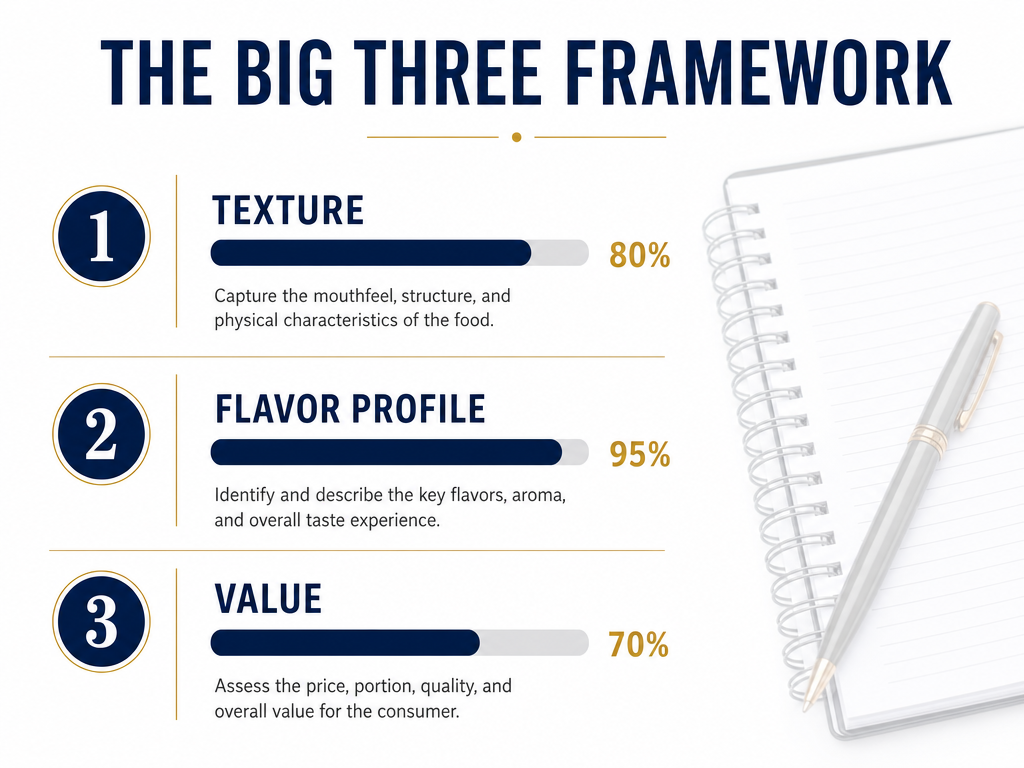 Standardizing your data capture with a specific framework ensures that future comparisons are based on objective criteria like texture and flavor rather than vague memories.
You don't need to write an essay. "Crispy edges, rich umami, worth every dollar" is enough. The goal is to give your future self a hook. When you're comparing two ramen bowls three years apart, "rich umami" beats "it was good" every time.
The 30-Second Capture Rule
If you wait until you get home to log a meal, you've already lost half the sensory detail. The texture memory fades first. Then the flavor balance. By the next morning, you're left with "it was salty" instead of "perfectly balanced salt with a clean finish."
The fix: capture notes while you're still at the table. Between the first bite and the last. You can use your tracking app of choice, or just fire off a quick note to yourself: "Pasta del Cambio - cacio e pepe - silky, peppery, needs more pecorino - 8.5/10."
That 30 seconds turns a photo into a searchable memory.
The Comparison Template
When you're actively comparing two dishes, structure your evaluation:
- Dish A (Location/Date): [Texture] - [Flavor] - [Score]
- Dish B (Location/Date): [Texture] - [Flavor] - [Score]
- Winner: [Why?]
Example:
- Carbonara - Rome 2023: Silky, sharp pecorino, perfect guanciale crunch - 9.5/10
- Carbonara - London 2026: Creamy, undersalted, bacon instead of guanciale - 6.5/10
- Winner: Rome by a mile. The London version was fine, but Rome had that mineral sharpness from real pecorino that made every bite interesting.
This forces you to articulate the differences. And when you're looking at these notes two years from now, you'll remember exactly why Rome won.
For more on building a comprehensive tracking system, check out our guide on how to track restaurant meals or explore the best apps to remember every dish you've eaten.
From Digital Hoarder to Curated Critic
The camera roll graveyard exists because we confuse documentation with curation. Taking a photo feels productive. But without context, it's just clutter.
The serious foodie's advantage isn't a better phone camera. It's a better system. A way to turn moments into memories. Photos into searchable archives. Taste into data.
Here's what changes when you build that system:
- You stop guessing which restaurant version was better
- You start making informed decisions about where to eat on your next trip
- You can actually answer "what was the best thing you ate in 2024?" with specifics
- Your food photos become a personal reference library instead of a liability
The tools exist. The frameworks work. The only missing ingredient is the decision to treat your food memories like they matter.
Because they do. That meal in Tokyo wasn't just dinner. It was a moment. And moments deserve better than a buried JPEG with no caption.
If you're ready to go deeper, explore our guides on modern food reviews, how to build a personal restaurant library, or the best food spotting apps to organize your camera roll. Each one builds on this same principle: stop documenting, start curating.
Frequently Asked Questions
What's the fastest way to find a specific dish photo from years ago?
Use your phone's native search with specific keywords combining dish type, location, and year. In iOS Photos or Google Photos, try searches like "ramen Tokyo 2023" or "pizza Naples 2024." If your photos include location data and your phone's AI recognizes food types, you'll narrow results significantly. For photos taken before advanced AI features existed, create manual albums organized by cuisine type and dish category.
Can I compare photos side-by-side on my phone without downloading extra apps?
Yes. iPhone users can use the built-in Shortcuts app to create a "Combine Images" shortcut that places two selected photos side-by-side. Android users can use split-screen mode to view two gallery windows simultaneously. For a zero-tech option, drop both photos into a single Apple Notes document and add written context below each image.
Should I use a food tracking app that focuses on restaurants or individual dishes?
It depends on what you want to remember. If you care about overall dining experiences and want a ranked list of favorite spots, use a restaurant-focused app like Beli. If you want to compare specific dishes across multiple restaurants - like rating every carbonara you've ever eaten - choose a dish-focused app like Crumble that allows per-dish ratings and detailed tasting notes.
How do I avoid forgetting important details about a dish after I've eaten it?
Capture three pieces of information within 30 seconds of your first bite: texture, dominant flavor notes, and whether you'd order it again at that price. These quick notes transform your photo from a visual-only memory into a searchable record. Use your phone's tracking app, or simply send yourself a text message with the dish name and those three data points.
What's the best way to organize food photos if I have thousands from multiple years of travel?
Start with a two-tier system: create albums by cuisine type (Italian, Japanese, Mexican), then add sub-albums by dish category (Pasta, Sushi, Tacos). Tag photos with location data if your camera didn't capture it automatically. For ongoing organization, use a dedicated food tracking app that indexes entries by dish name, restaurant, city, and rating so you can search and compare later without scrolling.
How do food tracking apps handle automatic visit logging?
Some apps can sync with your credit card or track Instagram Story tags to auto-log restaurant visits. Truffle can auto-log visits by syncing with credit cards or auto-tracking Instagram Stories tags, which reduces manual entry. However, automatic logging typically captures location and date but not dish names or tasting notes - you'll still need to add those details manually for meaningful comparisons.
What information should I record immediately after a meal to make future comparisons easier?
Record dish name, restaurant location, date, a 10-point rating, and at least one sentence about texture and flavor. For cross-trip comparisons, note what made this version different from others you've tried. Example: "Cacio e pepe - sharper pecorino than the London version, perfect pepper balance - 9.5/10." This gives your future self enough context to make informed decisions about where to eat next.
Is it worth rating dishes on a 10-point scale instead of using 5 stars?
Yes, if you eat frequently and want to distinguish between "very good" and "exceptional." A 10-point scale with decimal precision lets you separate a 9.2 carbonara from a 9.5 carbonara in a way that five stars can't. Over time, this granularity helps you identify exactly which versions of a dish earned your highest scores and why.