
Beyond the Camera Roll: Is Pepper the Ultimate App for Serious Foodies?
John the smoothie monster
John lives for smoothie bowls and cold-pressed juices. He uses Savor to remember his best blends.
Beyond the Camera Roll: The Serious Foodie’s Guide to Pepper App Your camera roll is a graveyard. Somewhere between photo 1,247 and 3,892 lies that perfect...
Beyond the Camera Roll: The Serious Foodie’s Guide to Pepper App
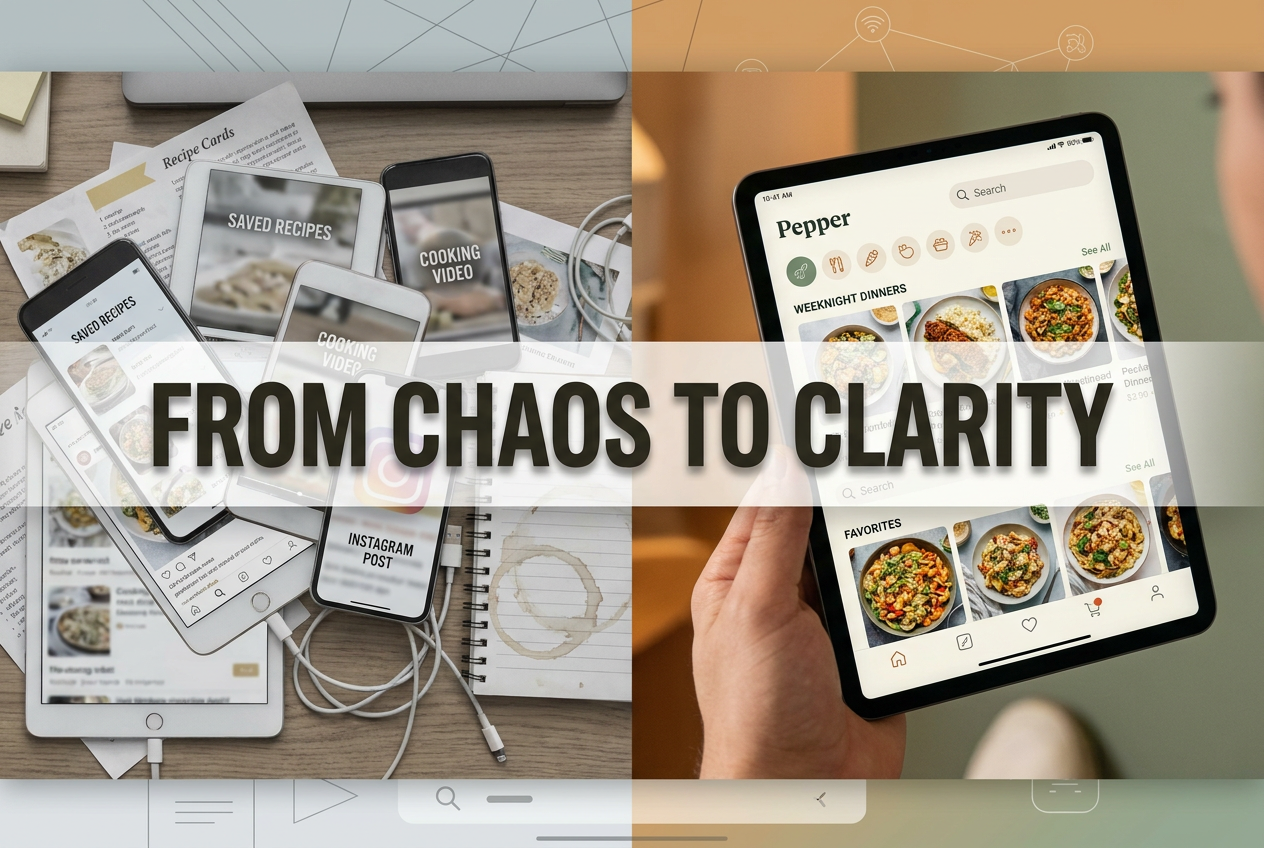
Your camera roll is a graveyard. Somewhere between photo 1,247 and 3,892 lies that perfect pasta recipe you saved from TikTok three months ago. You remember the moment - the seamless pasta water emulsion, the creator’s confident hand tossing bucatini in a glossy cacio e pepe - but the actual measurements? The exact technique? Gone. Buried under vacation snapshots and screenshots of Reddit threads you’ll never read.
This is the modern home cook’s paradox: we’re drowning in culinary inspiration but starving for organization. Recipe videos scroll past at 15 seconds per clip. Instagram saves pile up in digital chaos. That brilliant weeknight dinner you nailed once becomes impossible to recreate because you can’t remember if it came from @cookingwithshereen or that food blog you found at 2 AM.
Enter Pepper: a social recipe organizer positioning itself as "the Instagram of home cooking." With over 1 million users, AI-powered import technology, and a gamification layer that turns recipe collection into a dopamine-fueled hobby, Pepper promises to solve recipe rot - the phenomenon of saving content you’ll never actually use.
But does it deliver for the serious foodie in 2026? Or is it just another subscription app cluttering your home screen?
Table of Contents
- The Recipe Rot Crisis: Why Your Current System Is Failing
- What Makes Pepper Different: The Social Cookbook Revolution
- The Power User Features That Actually Matter
- The 2026 Gamification Layer: Virtual Charcuterie and Leaderboards
- The Serious Foodie Reality Check: What Pepper Gets Right (and Wrong)
- Pepper vs. The Competition: A Feature Breakdown
- Pricing Analysis: Is Pepper+ Worth $39.99 a Year?
- Who Should Actually Use Pepper
- Frequently Asked Questions
The Recipe Rot Crisis: Why Your Current System Is Failing
Let’s quantify your problem. If you’re cooking 3-5 times per week and actively saving recipes, you’re accumulating roughly 150-250 saved items annually. TikTok saves scattered across your "Saved" tab. Instagram bookmarks mixed with memes and travel inspiration. Pinterest boards titled "Weeknight Dinners" with 437 pins you’ve never opened.
The friction isn’t in finding recipes - it’s in retrieving the specific one you need when you’re standing in your kitchen with chicken thighs defrosting and 30 minutes until dinner.
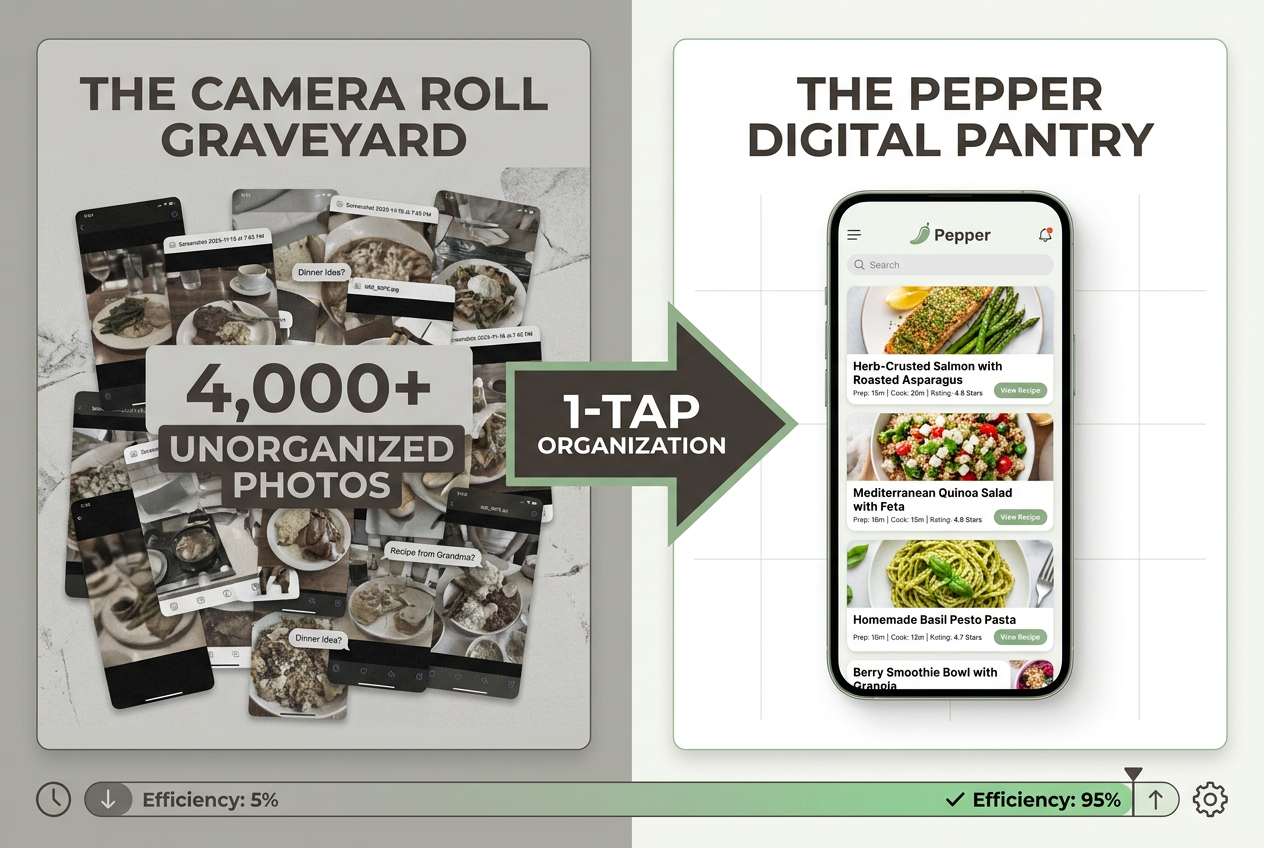 Transition from the ’Camera Roll Graveyard’ to a structured digital library. Pepper solves recipe rot by transforming chaotic screenshots into a searchable, professional cookbook.
This isn’t just about disorganization. It’s about the gap between culinary ambition and actual execution. You want to cook like the creators you follow. You’ve got the ingredients, the time, and the intent. What you don’t have is a system that makes "I saw this amazing recipe last month" translate into "I’m making it tonight."
Traditional solutions fall short:
- The Notes app approach: Works until you have 40 recipes titled "Pasta thing" with no photos or measurements
- Screenshot folders: Impossible to search, impossible to filter by ingredient or cuisine
- Bookmarking in browsers: Functional for web recipes, useless for social media content
- Manual recipe apps like Paprika: Require you to type everything yourself - a non-starter for the TikTok generation
The serious foodie needs infrastructure that matches the speed of content discovery. If you can find a recipe in 10 seconds, you should be able to save it in 10 seconds and retrieve it just as fast.
What Makes Pepper Different: The Social Cookbook Revolution
Pepper’s core thesis is simple: your recipe collection should look and feel like your social media feed, because that’s where you found the recipes in the first place.
The app positions itself as the "operating system for your culinary life" - a phrase that sounds like marketing fluff until you understand what they mean. Unlike Beli (which focuses on restaurant tracking) or ReciMe (which emphasizes minimalist design), Pepper is built around three interconnected systems:
1. Social Discovery: A feed of recipes from people you follow, similar to Instagram but focused exclusively on home cooking. Top creators like Tineke Younger (known for elevated weeknight dinners) and recipe developers from major food media populate the platform, turning Pepper into both a tool and a community.
2. The AI Import Engine: This is the killer feature. Pepper’s technology scrapes recipes from TikTok, Instagram, Pinterest, and traditional food blogs, then converts them into a standardized format: ingredient list, step-by-step instructions, prep time, and serving size. What takes you 10 minutes of manual transcription happens in one tap.
3. Shared Collections: Create collaborative cookbooks with partners, roommates, or friends. The "Date Night" folder you build together. The "Dinner Party Rotation" you share with your cooking club. The digital equivalent of your grandmother’s recipe box, except it syncs across devices and includes that viral butter chicken from last Tuesday.
For foodies who’ve spent years managing chaotic food photo libraries, Pepper represents a fundamental shift: treating home cooking with the same organizational rigor previously reserved for restaurant experiences.
The Power User Features That Actually Matter
The 1-Tap AI Importer: From Social Media to Structured Data
Here’s what happens when you tap "Import" on a TikTok recipe video:
- Pepper’s AI analyzes the video, caption, and comments
- Extracts ingredient quantities (including conversions from imperial to metric if needed)
- Sequences the cooking steps in order
- Estimates prep and cook time based on video length and technique
- Tags the cuisine type, dietary restrictions, and primary protein
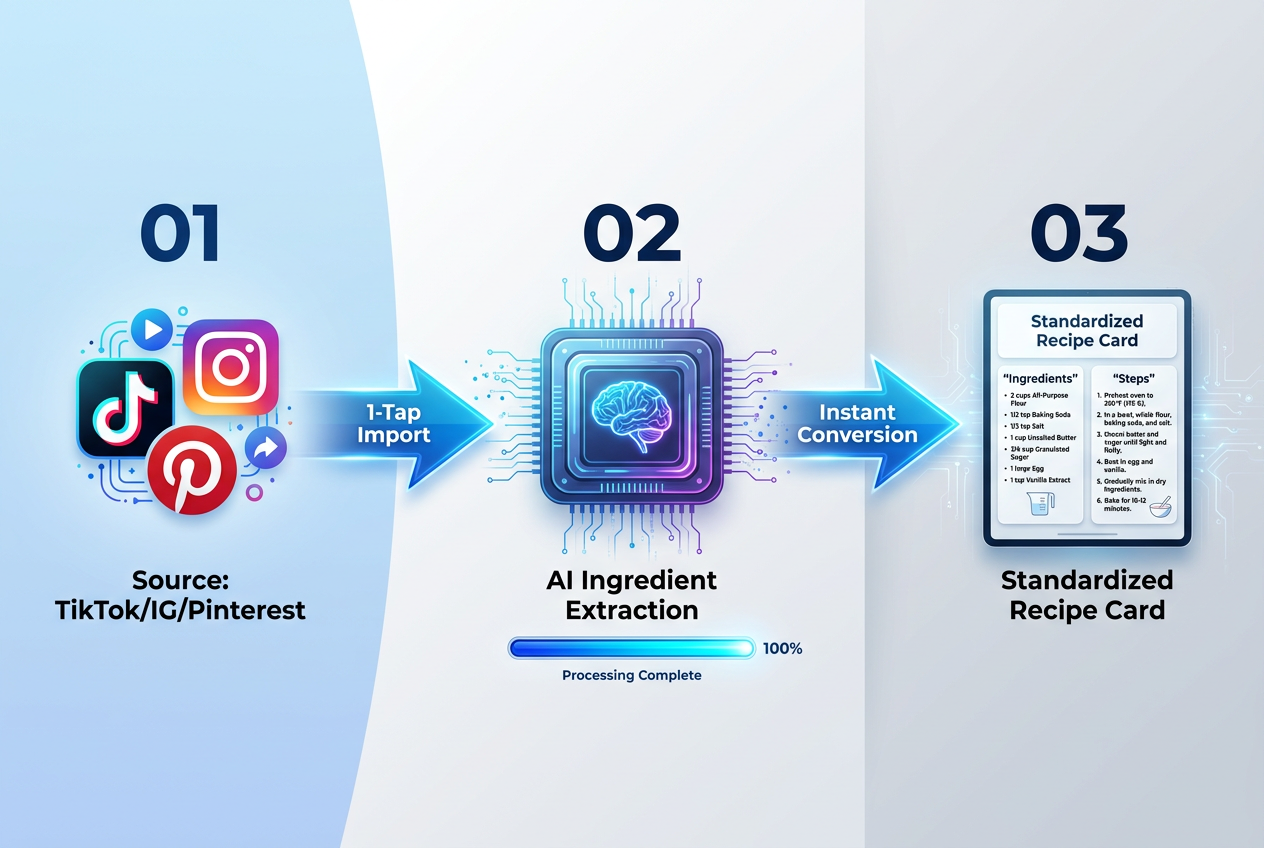 The 1-Tap AI Importer eliminates manual data entry. Pepper’s technology extracts ingredients and instructions directly from social media links into your personal cookbook.
The system isn’t perfect - more on that later - but it’s transformative for workflow. Instead of screenshot-save-forget, you’re building a searchable database. Need "quick chicken recipes under 30 minutes"? Filter by protein and cook time. Looking for "vegetarian pasta dishes you saved in October"? Filter by cuisine, diet, and date.
The 2026 update improved import accuracy by 40% according to user reports, particularly for recipes that list ingredients in the video itself rather than just the caption. The AI now recognizes on-screen text overlays and ingredient b-roll footage, pulling data that previous versions missed.
Shared Cookbooks: Collaboration Without Screenshots
The "Shared Cookbooks" feature turns recipe planning into a group project. Create a collection, invite collaborators via email or username, and start building together. Common use cases:
- Couples meal planning: Both partners add recipes throughout the week, avoiding the "what’s for dinner" standoff
- Dinner party prep: Collaborators each claim a course, ensuring no duplicate dishes
- Family recipe preservation: Import grandma’s handwritten recipes via photo upload, share with siblings
Unlike sharing a Google Doc of recipe links (which breaks when URLs change), Pepper stores the full recipe data. If the original TikTok gets deleted, you still have the instructions.
Physical Integration: From Digital to Print
The 2026 feature that surprised users most: physical cookbook printing. Select recipes from your digital library, customize the layout and design, and order a professionally bound cookbook. Starting at $49 for a 50-recipe hardcover, it’s positioned as a "keepsake" product - the millennial answer to the family recipe box.
Early reviews note the print quality rivals traditional cookbooks, with full-color photos and spot UV coating on the cover. For serious home cooks who’ve spent years building digital collections, it’s a way to make them permanent. Wedding gift potential: undeniable.
The 2026 Gamification Layer: Virtual Charcuterie and Leaderboards
This is where Pepper gets weird - and potentially brilliant.
Virtual Charcuterie Boards: The Recipe Equivalent of Pokémon Cards
In early 2025, Pepper introduced "Mystery Packs" - randomized collections of recipe ingredients you can unlock using "Spice" currency earned through app activity. Import a recipe? Earn Spice. Complete a recipe from your collection? Earn more Spice. Share a cookbook with friends? You get it.
Spend that Spice on Mystery Packs, which contain "ingredients" of varying rarity. Common items like "olive oil" or "garlic." Rare finds like "black garlic" or "nduja." Ultra-rare components like "fresh white truffles" or "XO sauce."
The goal? Build a complete virtual charcuterie board by collecting all items in a category (Italian cured meats, artisan cheeses, exotic spices). Complete a board, unlock exclusive recipe collections from featured chefs.
Yes, it’s absurd. Yes, it’s working. User retention numbers leaked in Q1 2026 showed a 35% increase in daily active users since the gamification rollout. Why? Because collecting virtual ingredients scratches the same dopamine itch as completing a Duolingo streak or hitting step goals on your fitness tracker.
For foodies who already treat ingredient sourcing like a treasure hunt - tracking down specific fish sauce brands or hunting for heritage tomatoes at farmers markets - the virtual version feels surprisingly natural.
The Leaderboard: Competitive Cooking Goes Digital
Weekly leaderboards rank users by:
- Number of new recipes imported
- Recipes marked "completed" (you actually cooked them)
- Community engagement (comments, shares, follows)
Top performers each week win "Pepper Plus" subscription extensions and featured placement on the Discover page. It’s turned recipe saving from a passive hobby into an active pursuit.
Critics argue it encourages quantity over quality - users importing mediocre recipes just to climb the rankings. Defenders note that the "completion" metric balances this by rewarding actual cooking, not just collecting.
The Serious Foodie Reality Check: What Pepper Gets Right (and Wrong)
What Works: The Pepper Promise Delivered
The UI is genuinely beautiful. Unlike cluttered recipe sites with auto-playing video ads and pop-ups begging for your email, Pepper’s interface is clean, intuitive, and fast. Recipe cards display full-screen photos, ingredients are listed in order of use, and steps are numbered clearly.
The Instacart integration is seamless. Tap "Add to Instacart" on any recipe, and ingredients populate your cart automatically. For users who already grocery shop via delivery, it eliminates the manual list-making step entirely.
The social feed works. Following skilled home cooks means your Discover page fills with recipes from people whose taste you trust, not algorithmic chaos designed to maximize engagement. It’s what food media should be: curation by humans you respect.
No blog fluff. Every recipe on Pepper exists as structured data: ingredients, steps, timing, yield. No 800-word story about how this pasta reminds the author of childhood summers in Tuscany. Just the recipe. For cooks who’ve suffered through SEO-optimized food blogs, this alone justifies the subscription.
What’s Missing: The Gaps in the System
AI hallucinations remain a problem. The import technology is impressive but imperfect. Users report issues with:
- Incorrect temperature conversions (200°C becoming 200°F instead of 392°F)
- Missing steps when recipes span multiple video parts
- Ingredient quantities that don’t match the original source
The 2026 update addressed many of these issues, but you’re still advised to double-check imported recipes against the source material before cooking.
No pantry inventory feature. Pepper knows what recipes you’ve saved. It doesn’t know what ingredients you currently have. Competitors like Mealime and SuperCook offer pantry tracking, suggesting recipes based on what’s already in your kitchen. Pepper’s team has acknowledged this gap but hasn’t announced a timeline for implementation.
The rising cost of Pepper+. At launch, the premium tier was $29.99/year. It’s now $39.99, a 33% increase. The free tier remains functional - unlimited saving, basic collections - but premium features (unlimited AI imports, physical cookbook creation, advanced filters) are increasingly locked behind the paywall.
For users who joined early at the lower price, grandfathering hasn’t applied universally. Some report being forced to the new tier upon renewal, sparking minor controversy in food-focused Reddit communities.
Pepper vs. The Competition: A Feature Breakdown
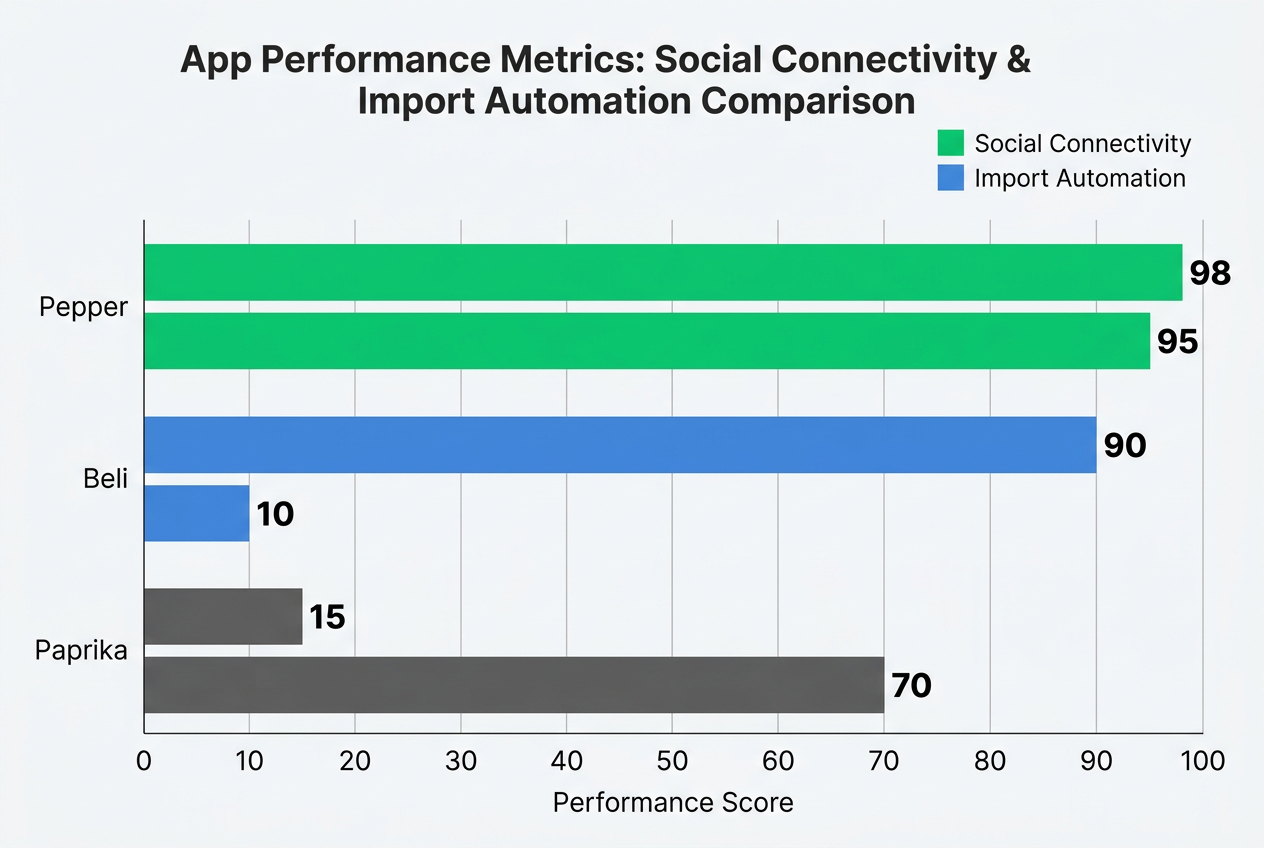 Pepper outperforms competitors by bridging the gap between social discovery and functional utility, offering the highest automation for home cooks on the market.
| Feature | Pepper | Beli | Paprika | ReciMe |
|---|---|---|---|---|
| Primary Focus | Home cooking, recipe organization | Restaurant tracking, dining discovery | Recipe storage, meal planning | Minimalist recipe collection |
| Social Features | High (feed, following, shared cookbooks) | High (curated lists, friend recommendations) | None | Low (basic sharing) |
| Import Method | AI-powered (social media + web) | N/A (not recipe-focused) | Manual browser extension | Manual entry or web scraping |
| Cost Structure | Freemium ($39.99/year for Plus) | Free with optional Plus ($29.99/year) | One-time purchase ($4.99 iOS, $4.99 Android, $29.99 Mac) | Freemium ($19.99/year for Pro) |
| Grocery Integration | Instacart, direct list export | N/A | Amazon Fresh, custom list export | Basic list export |
| Offline Access | Yes (saved recipes only) | Yes (all content) | Yes (all content) | Limited (cached recipes) |
| Physical Products | Cookbook printing | None | None | None |
| Best For | Social media recipe collectors | Restaurant enthusiasts | Traditional recipe hoarders | Minimalists seeking simplicity |
The verdict: Pepper dominates if your recipe sources are primarily TikTok, Instagram, and Pinterest. For web-based recipes from traditional food blogs, Paprika’s browser extension remains faster and more reliable. For restaurant discovery rather than home cooking, Beli serves a completely different purpose (though serious foodies often use both).
ReciMe positions itself as the "clean alternative," emphasizing speed and simplicity over social features. If the gamification and community aspects of Pepper feel like unnecessary clutter, ReciMe strips them away. The tradeoff: a much smaller recipe database and less robust import technology.
Pricing Analysis: Is Pepper+ Worth $39.99 a Year?
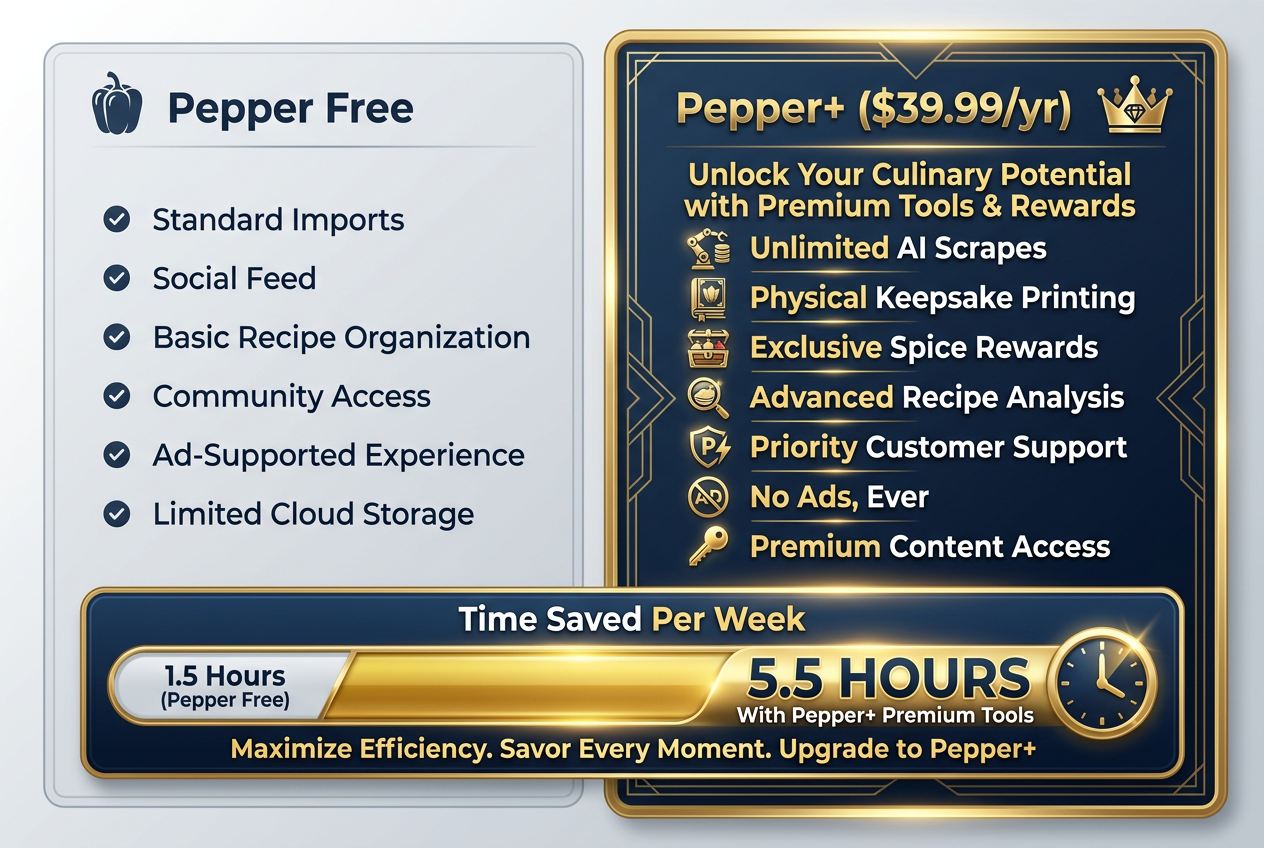 Pepper+ is designed for the high-frequency cook. The subscription offers a significant ROI in time saved by automating the most tedious parts of recipe management.
Free tier includes:
- Unlimited recipe saving (manual entry)
- 5 AI imports per month
- Basic collections and folders
- Community features (following, feed, comments)
- Recipe search and filtering
Pepper+ ($39.99/year) adds:
- Unlimited AI imports
- Advanced filters (cook time ranges, dietary restrictions, ingredient exclusions)
- Physical cookbook creation (first book 20% off)
- Priority customer support
- Early access to new features
Time-value calculation: If you import 3 recipes per week using the AI tool, that’s roughly 156 imports annually. At approximately 8 minutes saved per manual transcription (conservative estimate), you’re reclaiming 20.8 hours per year. At any reasonable hourly rate - even minimum wage - the subscription pays for itself in time saved.
The breakeven analysis: If you cook from saved recipes 3+ times per week and primarily source from social media, Pepper+ is defensible. If you cook 1-2 times weekly or prefer traditional recipe sites, the free tier or a one-time purchase app like Paprika makes more financial sense.
For foodies who already invest in organization tools and treat their recipe collection as a living archive, $39.99 annually is trivial compared to the cost of cookbooks or premium food media subscriptions.
Who Should Actually Use Pepper
Pepper is ideal for:
The Social Media Cook: You discovered bucatini cacio e pepe from a TikTok creator, perfected your shakshuka from an Instagram video, and saved that viral feta pasta during lockdown. Your recipe inspirations come from creators, not cookbooks. Pepper speaks your language.
The Collaborative Kitchen: Couples, roommates, or cooking groups who plan meals together. The shared cookbook feature eliminates the "send me that recipe" text exchange and creates a living, collaborative archive.
The Completionist: If you’re the type who maintains detailed travel spreadsheets, curated Spotify playlists, and organized photo albums, Pepper’s structure will feel like home. The gamification layer rewards your natural tendencies.
The Home Chef Building a Personal Database: You’re not just saving recipes - you’re building a culinary reference library. You want to remember exactly how you made that pasta three months ago, including the specific adjustments you made. Pepper’s notes feature and completion tracking support this level of detail.
Pepper is NOT ideal for:
The Restaurant-Focused Foodie: If your culinary passion is dining out rather than cooking at home, Beli or restaurant tracking apps serve you better. Pepper acknowledges this: it’s built for home kitchens, not steakhouse rankings.
The Traditional Recipe Collector: If your recipe sources are primarily cookbooks, printed magazines, and established food blogs, Paprika’s web clipping tools and organizational structure work better. Pepper’s AI import shines with social media content; it’s overkill for straightforward web recipes.
The Budget-Conscious Cook: At $39.99/year, Pepper costs more than most standalone recipe apps (which charge $5-10 once) and approaches the annual cost of a streaming service. If you’re price-sensitive and cook infrequently, free alternatives or basic note-taking apps suffice.
The Privacy-First User: Pepper is social by design. Your profile, saved recipes, and activity contribute to the community. If you prefer cooking as a private pursuit without social features, minimalist alternatives like ReciMe or offline apps like Paprika better match your values.
Frequently Asked Questions
What is Pepper app and how does it work?
Pepper is a social recipe organization app that uses AI technology to import recipes from TikTok, Instagram, Pinterest, and web sources into a standardized digital cookbook format. You paste a link or share content directly to Pepper, and its AI extracts ingredients, steps, timing, and photos into a searchable recipe card. The app includes social features (following creators, sharing cookbooks) and gamification elements (virtual ingredient collecting, leaderboards) designed to make recipe organization engaging rather than tedious.
Can I use Pepper for free or do I need to subscribe?
Pepper offers a functional free tier with unlimited manual recipe saving, basic collections, and 5 AI imports per month. The Pepper+ subscription ($39.99/year) unlocks unlimited AI imports, advanced filtering, physical cookbook creation, and priority support. For casual cooks importing a few recipes monthly, the free version works fine. For serious home cooks importing 10+ recipes weekly from social media, the subscription eliminates friction and pays for itself in time saved.
How accurate is Pepper’s AI recipe import feature?
Pepper’s AI import accuracy has improved significantly with 2026 updates, particularly for recipes where ingredients appear on-screen in video content. However, users should still review imported recipes before cooking. Common issues include temperature conversion errors (Celsius to Fahrenheit), missing steps when recipes span multiple video parts, and occasional ingredient quantity misreads. The technology works best with clearly formatted recipes from established creators and struggles with informal, chat-style recipe videos where measurements are implied rather than stated.
Does Pepper work offline or require an internet connection?
Pepper requires an internet connection for importing recipes and syncing across devices, but saved recipes remain accessible offline once downloaded. You can view ingredients, steps, and photos without connectivity, making it functional for cooking in areas with spotty internet. Changes made offline (notes, completion status) sync when you reconnect. This differs from web-based recipe apps that require constant connectivity but matches the functionality of competitor apps like Paprika.
Can I share recipe collections with friends and family on Pepper?
Yes. Pepper’s shared cookbook feature allows you to create collaborative collections and invite others via email or username. Collaborators can view, add, and organize recipes within shared folders. This works well for couples meal planning, dinner party coordination, or family recipe preservation. Unlike sharing a simple list of links, Pepper stores the full recipe data, so collections remain intact even if original source videos or posts are deleted. Shared collections sync in real-time across all collaborators’ devices.
How does Pepper compare to traditional recipe apps like Paprika?
Pepper and Paprika serve different cooking styles. Paprika excels at importing web-based recipes from traditional food blogs through a browser extension, then organizing them into offline-accessible databases. It’s a one-time purchase ($5 mobile, $30 desktop) with no social features or subscription. Pepper specializes in social media recipe imports (TikTok, Instagram, Pinterest) with AI-powered automation, social discovery feeds, and collaborative features. If your recipes come from cookbooks and blogs, choose Paprika. If you source from creators and social platforms, Pepper’s import technology saves significantly more time.
What happens to my recipes if I cancel my Pepper+ subscription?
If you cancel Pepper+, your account reverts to the free tier. All saved recipes remain accessible - you don’t lose your collection. However, you lose access to premium features: unlimited AI imports (dropping to 5/month), advanced filters, and physical cookbook creation tools. Previously created physical cookbooks remain yours (they’re shipped products), and recipes imported while subscribed stay in your library. The main limitation is future recipe importing - you’ll need to either manually enter recipes or use your 5 monthly AI imports strategically.
Is Pepper safe for storing personal recipes and family heirlooms?
Pepper uses standard cloud encryption for data storage and doesn’t sell user data to third parties according to their privacy policy. Your recipes are backed up on Pepper’s servers and sync across devices. However, as with any cloud service, there’s inherent risk in relying on a single company for irreplaceable content. For family heirloom recipes, consider maintaining backups: create a physical cookbook using Pepper’s printing feature, export recipes to a notes app, or screenshot critical family recipes as a secondary archive. Treat Pepper as your primary organizational tool but not your only copy of irreplaceable content.
The bottom line: Pepper solves a real problem for a specific type of cook - the social media-native home chef drowning in saved content. It’s not perfect. The AI makes mistakes. The subscription cost keeps increasing. The gamification feels gimmicky until you realize it’s working.
But if you’re tired of losing great recipes in the camera roll graveyard, if you’re cooking 3+ times weekly from content you find on TikTok and Instagram, if you value organization enough to invest $40 yearly in infrastructure, Pepper transforms recipe chaos into culinary infrastructure.
Your food memories deserve better than screenshot folders. Build your social cookbook today.
Continue Reading
Start Tracking Your Dishes Today
Transform your food photos into a searchable, ratable culinary memory bank.
Download Savor App