
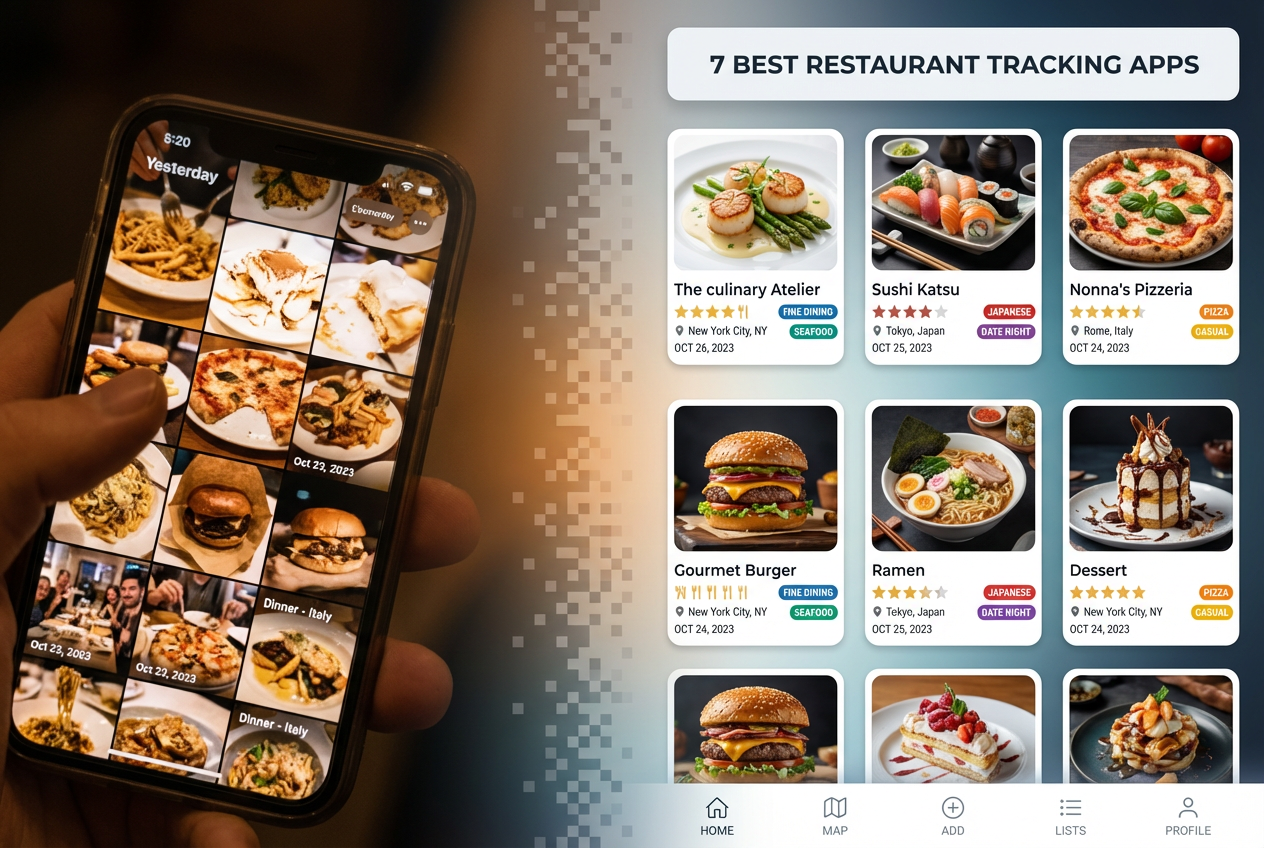
7 Best Restaurant Tracking Apps to Organize Your Meals
Alex the juice queen
Alex hunts for the best juice bars and presses. She rates every sip and saves her favorites in Savor.
The 7 Best Restaurant Tracking Apps: Stop Losing Your Best Meals to Your Camera Roll You're scrolling through 4,000 photos at 11 PM, trying to find the...
The 7 Best Restaurant Tracking Apps: Stop Losing Your Best Meals to Your Camera Roll
You're scrolling through 4,000 photos at 11 PM, trying to find the name of that pasta place your friend just asked about. You remember the lighting was perfect. The cacio e pepe was transcendent. But what was it called? Where was it? And what did you actually order?
This is the crisis of the forgotten meal, and if you eat out more than three times a week, you're living it. Your camera roll has become a graveyard of $200 dining experiences reduced to jpeg artifacts and zero context.
The solution isn't another generic review platform. You don't need Yelp's five-star chaos or Google's algorithmic recommendations. You need a personal taste archive - a searchable database of your actual dining history, organized the way your brain actually works.
Restaurant tracking apps aren't just digital journals. They're culinary curation tools for people who view dining as an art form worth documenting. Think Letterboxd for food, Goodreads for restaurants, or a field notebook for your palate.
This guide breaks down the seven best options by analyzing what actually matters: effort-to-value ratio, privacy controls, dish-level granularity, and whether the interface respects your time. We'll match each app to specific dining personalities, so you can skip the ones that won't fit your workflow.
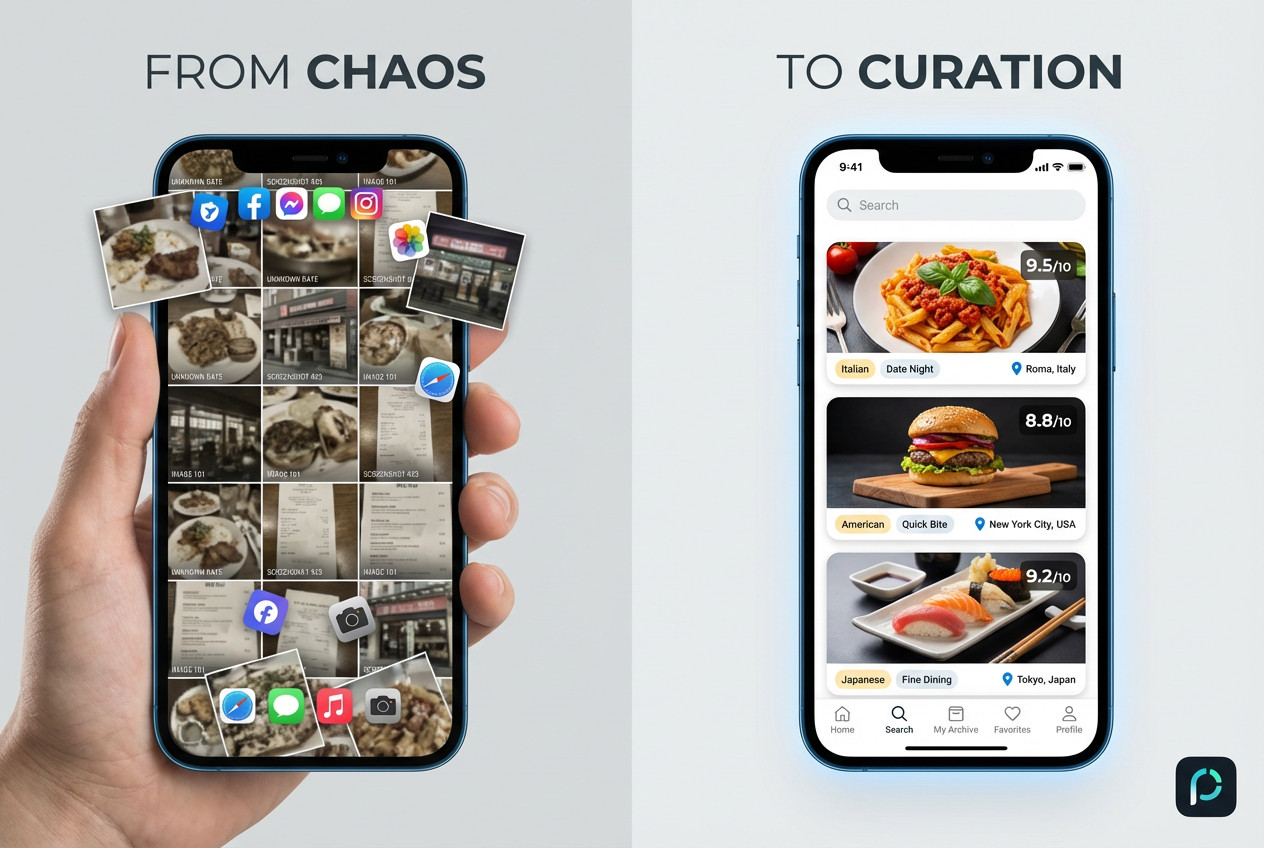 Transform your scattered camera roll into a searchable culinary database. Moving from disorganized screenshots to a curated archive saves your best dining memories.
Table of Contents
- Why Generic Review Platforms Fail the Serious Foodie
- Which Restaurant Tracking Personality Are You?
- The Big Three Ecosystems
- Deep Dive: The 7 Best Restaurant Tracking Apps
- The Serious Foodie Feature Matrix
- Expert Workflow Tips
- FAQ
Why Generic Review Platforms Fail the Serious Foodie
Generic platforms drown signal in noise. You need personal curation, not crowd-averaged mediocrity diluted by people who think Olive Garden is authentic Italian.
Yelp has 244 million reviews. Google Maps processes millions more daily. This volume creates a fundamental problem: the wisdom of crowds becomes the tyranny of algorithmic averaging. A restaurant gets 4.2 stars from people who've never tasted proper fermentation, proper knife work, proper seasoning discipline.
The serious foodie doesn't care what strangers think. You care what you think, what your circle thinks, and what critics whose palates you trust think. You need a system that captures nuance - not just "Was it good?" but "Was the sear correct? Did the acid balance work? Would I order this specific dish again?"
Generic platforms also fail at memory. They're built for discovery, not recall. You can search for "pasta near me" but you can't search your own history for "that place with the bone marrow butter." The interface prioritizes fresh reviews over your personal archive.
And then there's the privacy issue. Do you really want your dining history monetized, analyzed, and sold to advertisers? Do you want every restaurant you visit broadcast to your professional network? Sometimes you want to keep your culinary explorations private, to maintain a personal taste journal without the performance anxiety of social media.
The best restaurant review apps recognize these problems and solve them with specialized features: dish-level ratings, private journals, geographic visualizations, and interfaces designed for curation, not content farming.
Which Restaurant Tracking Personality Are You?
Match your dining style to the right tool. The wrong app feels like homework; the right one becomes an extension of your taste memory.
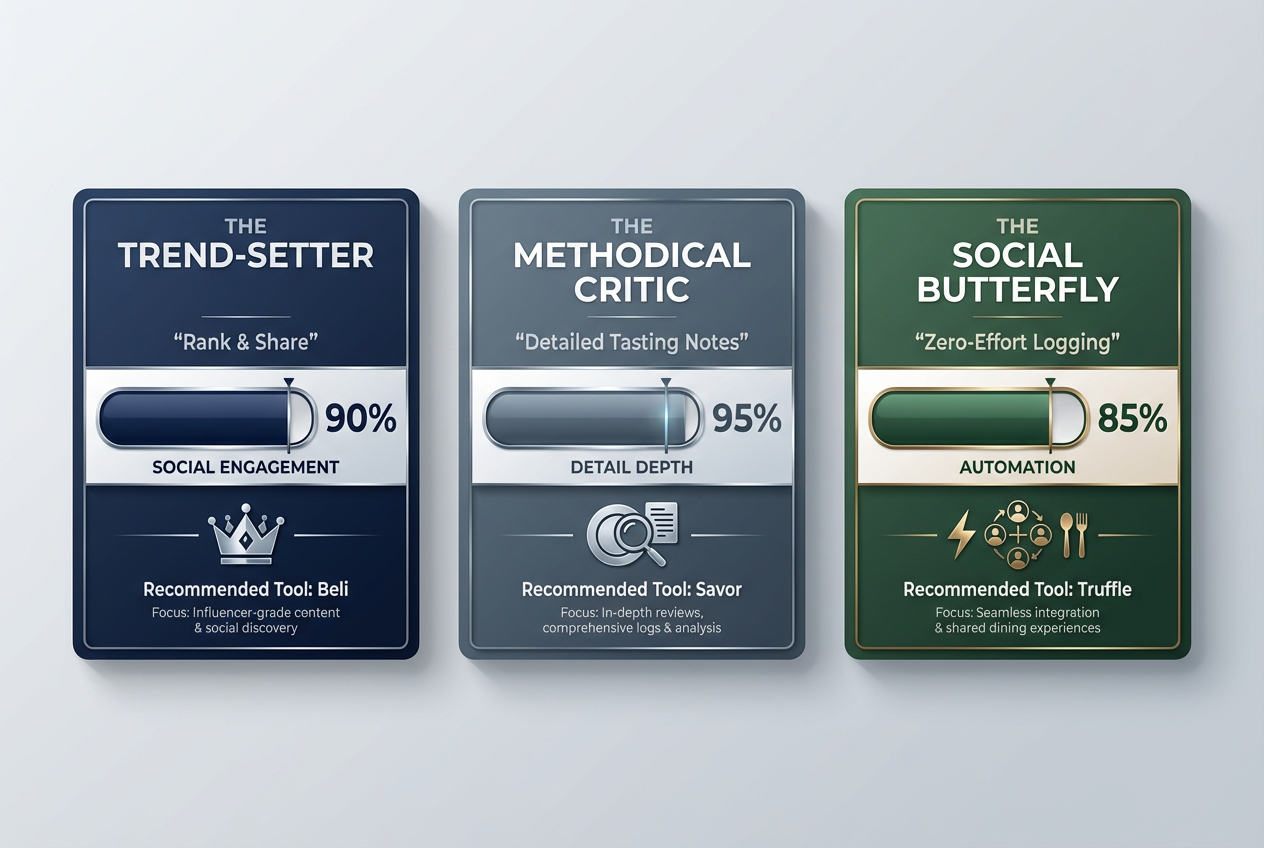 Choosing the right restaurant tracking app depends on your dining style. Whether you prefer social ranking or private journaling, there is a specialized tool for you.
| Persona | Recommended App | Why It Fits | Effort Score (1-10) |
|---|---|---|---|
| The Trend-Setter | Beli | You care about what your circle thinks and love a good ranking. You want your friends asking you for recommendations. | 6 |
| The Methodical Critic | Savor | You want to remember the specific seasoning on the duck, not just the restaurant name. You think in tasting notes. | 7 |
| The Social Butterfly | Truffle | You're already posting to Instagram Stories; let the app do the work for you through automated tracking. | 3 |
| The Minimalist | Google Maps Lists | You want zero friction and integrated navigation. The best system is the one you'll actually use. | 2 |
| The Privacy-First Archivist | Bites | You want a personal food diary without social pressure. Your taste profile is for you, not for likes. | 5 |
| The Organized Planner | Evernote Food | You're building bucket lists by neighborhood and optimizing geographic efficiency for date nights. | 4 |
| The Data Obsessive | Airtable Custom Build | You want complete control over fields, filters, and relationships. You'll spend a weekend building the perfect schema. | 9 |
Understanding your personality helps you avoid the most common failure mode: downloading an app that demands more effort than your dining habits justify. If you eat out twice a month, you don't need dish-level AI recognition. If you eat out ten times a week, you can't afford manual entry friction.
The Trend-Setter values social capital. Your restaurant knowledge is part of your identity, and you want tools that make sharing effortless while maintaining curation quality. You're the friend who gets texts like "Where should we go for anniversary dinner?"
The Methodical Critic treats dining like film criticism. You're not satisfied with "It was good." You want to document cooking technique, ingredient sourcing, service flow, and how dishes compare to canonical versions. Your food review archive should read like professional tasting notes.
The Social Butterfly lives on Instagram Stories already. You don't want another app to maintain. You want automation that captures your existing behavior and turns it into structured data. Logging shouldn't interrupt the meal.
The Big Three Ecosystems
Three platforms dominate restaurant tracking: social ranking, private journaling, and automated capture. Each serves a different relationship with food documentation.
Social & Competitive: The Beli Model
Beli operates on exclusivity and status. The app started with a waitlist that generated genuine FOMO in foodie circles. It's designed around public rankings and social feeds, where your top 10 lists become conversational currency.
The interface prioritizes beautiful imagery and clean design. When you log a restaurant, you're not just recording data - you're curating a public-facing taste profile. Other users can follow you, see your favorites, and discover restaurants through your lens.
Beli's killer feature is the ranking system. You don't assign arbitrary stars. You rank restaurants against each other in ordered lists. "My Top 10 Pizza in New York" forces you to make judgment calls. Is Lucali better than Ops? The app makes you think like a critic, not a casual diner.
The social pressure here is intentional. When friends can see your rankings, you care more about accuracy. You won't rank a mediocre spot highly because your reputation is on the line. This creates a virtuous cycle: better curation leads to better recommendations leads to stronger social capital.
Drawbacks: The app demands aesthetic participation. If you're not comfortable with your dining habits being public, Beli will feel performative. The social feed can also become noise if you follow too many people.
Private & Detailed: The Savor Approach
Savor takes the opposite philosophy. Your dining history is private by default. The app focuses on granular detail - dish-level ratings, ingredient notes, photos with context, and searchable journals.
The AI dish recognition is legitimately useful. Point your camera at a menu, and Savor can identify and categorize dishes automatically. This reduces manual entry friction while maintaining detail depth. You can rate the duck breast separately from the duck leg, note that the polenta was underseasoned, and tag dishes by cooking method.
Savor's search functionality is where it shines. Six months later, you can search "bone marrow" and find every restaurant where you've had it, along with ratings, photos, and notes. This transforms the app from a diary into a research tool.
The privacy focus appeals to people tired of social media performance. You're building a personal taste database for your own reference, not for likes or follows. This makes the logging process feel more honest - you're not curating for an audience.
Drawbacks: The detail level demands effort. If you won't spend 90 seconds per meal logging notes, Savor's features become wasted potential. It's also isolating - you can't easily share recommendations without screenshots.
Automated & Effortless: The Truffle System
Truffle solves the biggest problem in restaurant tracking: people stop using apps because manual entry takes too much effort. Truffle connects to your Instagram Stories and automatically logs restaurants when you tag locations.
The automation is elegant. You're already posting that pasta photo to Stories. Truffle captures the post, extracts the location, saves the image, and creates a log entry. You've documented the meal without a separate app workflow.
Truffle also integrates with credit card data (with permission) to create a complete dining timeline. It knows where you ate even if you forgot to post. This passive tracking creates a comprehensive archive with minimal friction.
The interface is simple: a visual grid of your meals, organized chronologically or by location. You can add ratings and notes retroactively, but the app doesn't force it. The default state is a beautiful photo archive with geographic context.
Drawbacks: Truffle's automation depends on existing habits. If you don't post to Stories or tag locations, the app loses its advantage. It also lacks the depth of Savor - you won't capture dish-level detail or tasting notes.
Deep Dive: The 7 Best Restaurant Tracking Apps
Each app excels in specific use cases. Choose based on your actual behavior, not aspirational habits you won't maintain.
1. Beli - The Social Ranking Platform
The Vibe: Polished & Social - Instagram meets IMDb for restaurants
Best For: The foodie who wants to be the neighborhood oracle for restaurant recommendations
Beli rewards curation quality with social visibility. Your profile becomes a portfolio of taste. The app's design is Instagram-clean, with high-resolution photos and minimal text clutter.
The ranking system forces critical thinking. When you must decide whether Restaurant A is better than Restaurant B, you engage with your memory differently. You're not assigning arbitrary numbers - you're creating hierarchical preference maps.
Beli's discovery features show you what friends are eating and ranking. This creates natural conversation starters and friendly competition. The app also highlights rising restaurants in your network, giving you early access to trending spots.
Killer Feature: Ranked lists that force comparative judgment, creating more meaningful ratings than star systems.
Effort Score: 6/10 - Requires thoughtful curation and social engagement
Price: Free with optional premium features
Platform: iOS and Android
2. Savor - The Private Food Diary
The Vibe: Private & Utilitarian - Moleskine notebook meets Evernote for food
Best For: The methodical critic who thinks in tasting notes and wants searchable culinary memory
Savor treats food documentation as serious archival work. The food diary app features include dish-level AI recognition, ingredient tagging, cooking method classification, and rich text notes.
The search functionality turns your dining history into a queryable database. Filter by cuisine, neighborhood, price point, specific ingredients, or dishes you rated above 8/10. This makes Savor invaluable for planning return visits or recommending specific dishes.
Photo organization includes automatic dish categorization. Your photos of ramen bowls cluster together, making it easy to compare versions across restaurants. The visual pattern recognition helps you identify what you actually prefer.
The private-first design means no social pressure. You can log fast food alongside Michelin meals without judgment. The app is tool, not stage.
Killer Feature: AI dish recognition that reduces manual entry while maintaining granular detail.
Effort Score: 7/10 - Demands consistent logging and note-taking discipline
Price: Free with premium tier for advanced features
Platform: iOS and Android
3. Truffle - The Automated Instagram Tracker
The Vibe: Effortless & Visual - Photo grid meets passive location tracking
Best For: The social butterfly who already documents meals on Stories and wants automatic archiving
Truffle eliminates the logging barrier by hooking into existing behavior. If you post food to Instagram, you're already using Truffle. The app runs in the background, capturing location tags and images without interrupting your meal.
The credit card integration (optional and secure) fills gaps. Even meals you don't photograph appear in your timeline if you paid with a connected card. This creates a complete dining history without manual work.
The interface is a visual timeline. Scroll through your year in meals, organized by date or location. The app automatically generates stats: most-visited neighborhood, average meal cost, cuisine distribution.
Truffle's map view shows your dining footprint across a city. Heat maps reveal patterns - maybe you've never eaten in the Financial District, or you visit the same three neighborhoods repeatedly. This geographic visualization helps you break patterns and explore systematically.
Killer Feature: Instagram Stories integration that turns social posts into structured dining logs.
Effort Score: 3/10 - Nearly automatic if you already post food content
Price: Free with premium analytics
Platform: iOS and Android
4. Google Maps Lists - The Minimalist Solution
The Vibe: Integrated & Simple - Already on your phone and connected to navigation
Best For: The minimalist who wants low friction and integrated wayfinding
Google Maps Lists don't offer the depth of specialized apps, but they win on convenience. The app is already installed, already knows your location history, and already integrates with navigation.
Create custom lists: "Want to Try," "Favorites," "Never Again." Save restaurants while browsing, add notes, attach photos. When you're planning a night out, your saved spots appear directly in map view with directions.
The integration with Search is powerful. Google knows when restaurants close, change menus, or update hours. Your lists stay current without manual maintenance. Reviews from Maps appear inline, giving you both personal notes and crowd data.
The sharing functionality is simple. Send a list to friends as a shared map. They can add their own spots, creating collaborative dining guides for group trips.
Drawbacks: No dish-level tracking, limited photo organization, and your data lives in Google's ecosystem. But for casual tracking with zero learning curve, it's unbeatable.
Killer Feature: Native integration with navigation and real-time business information.
Effort Score: 2/10 - Works with existing Maps usage
Price: Free
Platform: iOS, Android, and web
5. Bites - The Privacy-Focused Journal
The Vibe: Personal & Reflective - Private diary meets taste memory
Best For: The privacy-first archivist who wants documentation without social broadcasting
Bites operates on a simple principle: your food memories are yours. The app has no social features, no public profiles, no sharing pressure. It's a personal archive.
The logging interface is clean. Add restaurant, dish name, photo, rating, and freeform notes. The app doesn't force structure - write as much or as little as you want. Tag entries with custom labels (date night, business meal, solo exploration) for later filtering.
The calendar view shows your dining history over time. Patterns emerge: you eat Italian twice as often as any other cuisine. You visit the same brunch spot every third Sunday. This self-knowledge helps you break routines or lean into preferences.
Export functionality lets you generate PDFs of your logs. Create a year-end dining report, print a neighborhood guide for friends, or back up your data outside the app.
Bites respects minimalism. No AI features demanding explanation, no social algorithms creating FOMO, no gamification pressuring you to log every meal. It's a straightforward tool for people who value documentation over display.
Killer Feature: Complete privacy with robust export options for data portability.
Effort Score: 5/10 - Manual logging without social incentives requires discipline
Price: One-time purchase, no subscription
Platform: iOS
6. Evernote Food (Archived but Instructive)
The Vibe: Organized & Methodical - Structured note-taking meets recipe collection
Best For: The organized planner building geographic bucket lists and neighborhood guides
Evernote Food was discontinued in 2015, but its approach remains valuable. Many users still maintain restaurant tracking through standard Evernote with custom templates.
Create a notebook for each city or neighborhood. Within each, create notes for individual restaurants. Include photos, menu screenshots, location pins, and detailed observations. Tag notes by cuisine, price point, or occasion (date night, business lunch, group dinner).
The search power of Evernote shines here. Full-text search across all notes means you can find "that place with the truffle fries" even if you forgot the name. OCR on images makes even menu photos searchable.
Build saved searches for dynamic lists: "All restaurants tagged 'want-to-try' in Brooklyn" or "Japanese restaurants rated 4+ stars." These become planning tools for weekend explorations.
The flexibility comes at a cost: you must build and maintain your own structure. But for people who enjoy organizational systems, this control is the point.
Killer Feature: Full-text search and custom organizational structure with multimedia support.
Effort Score: 4/10 - Requires initial setup but then maintains easily
Price: Free with premium tier for offline access
Platform: iOS, Android, and web
7. Airtable Custom Build - The Power User Solution
The Vibe: Structured & Powerful - Database meets custom application builder
Best For: The data obsessive who wants complete control over fields, relationships, and reporting
Airtable lets you build a custom restaurant database with exactly the structure you want. Create tables for restaurants, dishes, chefs, neighborhoods, and visits. Link records to show relationships: which dishes belong to which restaurants, which meals happened on which dates.
Design custom fields for any data point you care about: wine pairing quality, service speed, noise level, Instagram-worthiness. Add formula fields to calculate average ratings, track spending over time, or flag restaurants you haven't revisited in six months.
Views let you visualize data differently. Gallery view for photo browsing, calendar view for timeline, Kanban view for "Want to Try" → "Visited" → "Favorites" workflow, and map view for geographic planning.
The mobile app (Airtable Mini) provides on-the-go logging with the full power of your database structure. Forms let friends submit recommendations directly into your system.
Drawbacks: Building and maintaining an Airtable base requires significant upfront time and ongoing discipline. This is for people who find database design satisfying, not burdensome.
Killer Feature: Complete structural control with powerful filtering, grouping, and relationship mapping.
Effort Score: 9/10 - High initial setup and requires database thinking
Price: Free tier with generous limits
Platform: iOS, Android, and web
The Serious Foodie Feature Matrix
Compare technical capabilities across platforms to match functionality with your specific organizational needs.
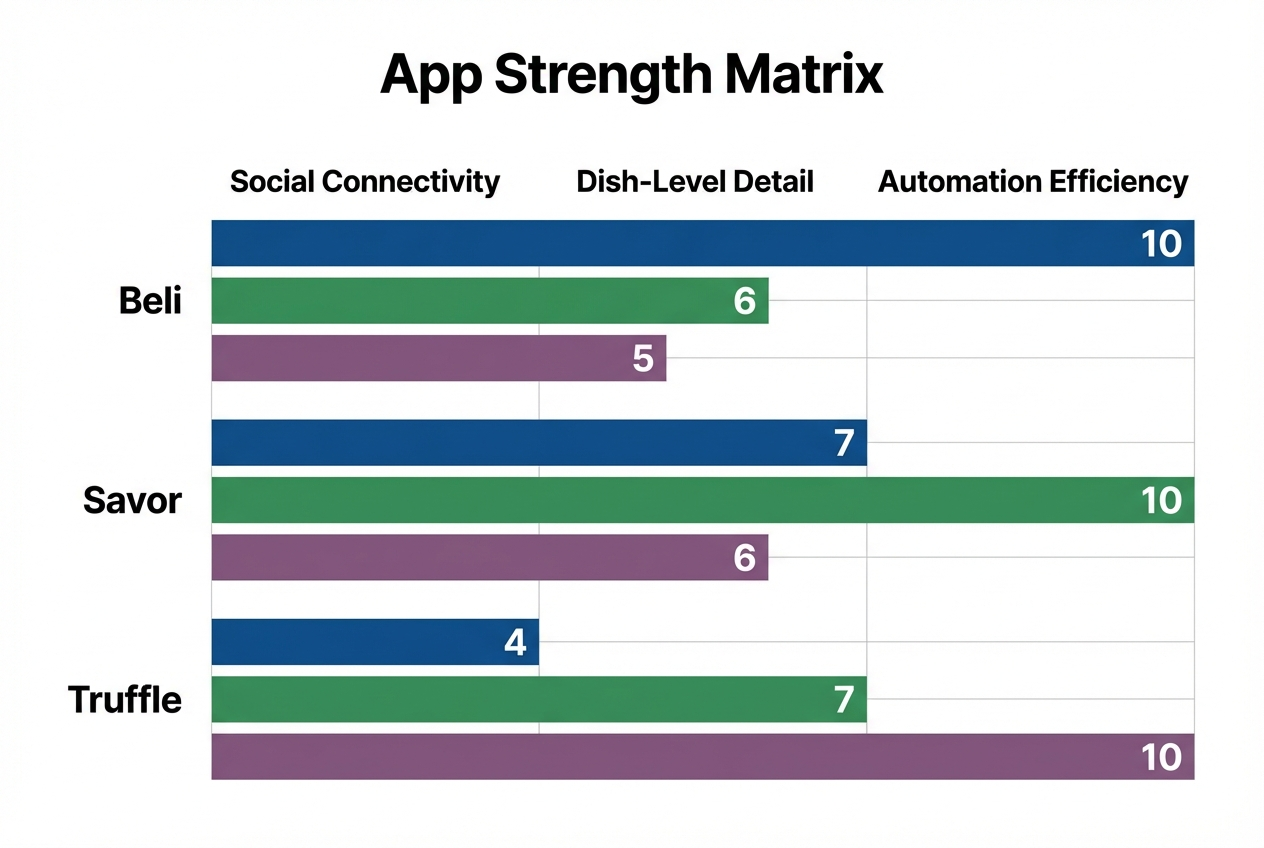 Our feature matrix highlights the specialized strengths of the leading apps. Use these rankings to match an app's capabilities with your specific organizational needs.
| Feature | Beli | Savor | Truffle | Google Maps | Bites | Airtable |
|---|---|---|---|---|---|---|
| Dish-Level Ratings | No | Yes | Limited | No | Yes | Custom |
| AI Recognition | No | Yes | Yes | Limited | No | No |
| Offline Mode | Basic | Full | Basic | Full | Full | Limited |
| Map Visualization | Basic | Yes | Yes | Full | No | Custom |
| Export Options | Limited | Limited | None | Full | ||
| Social Features | Full | None | Limited | Sharing | None | Sharing |
| Search Power | Moderate | Strong | Moderate | Strong | Moderate | Strongest |
| Photo Organization | Good | Excellent | Excellent | Basic | Good | Custom |
| Learning Curve | Low | Moderate | Low | None | Low | High |
| Privacy Control | Low | High | Moderate | Low | Highest | High |
The matrix reveals strategic tradeoffs. Apps with strong social features (Beli) sacrifice privacy. Apps with deep detail (Savor, Airtable) demand higher effort. Apps with automation (Truffle) depend on existing posting habits.
Dish-level ratings separate casual logging from serious documentation. If you want to remember that the pasta was perfect but the antipasti was underseasoned, you need granular rating capability. Restaurant rating apps that only rate entire meals lose crucial nuance.
AI recognition reduces friction dramatically. Manual entry takes 60-90 seconds per meal. AI dish identification cuts this to 15 seconds. Over a year of regular dining, this saves hours of tedious typing.
Offline mode matters for international travel. Many Japan food review apps and tracking tools fail without data connections. Apps with full offline capability let you log meals in rural areas or foreign countries without roaming charges.
Export options determine long-term data safety. Apps that lock your data in proprietary formats create risk. If the company shuts down (like Evernote Food), your archive disappears. PDF export, CSV export, or API access protects against platform failure.
Expert Workflow Tips
Integrate tracking into existing dining habits without making it feel like documentation homework.
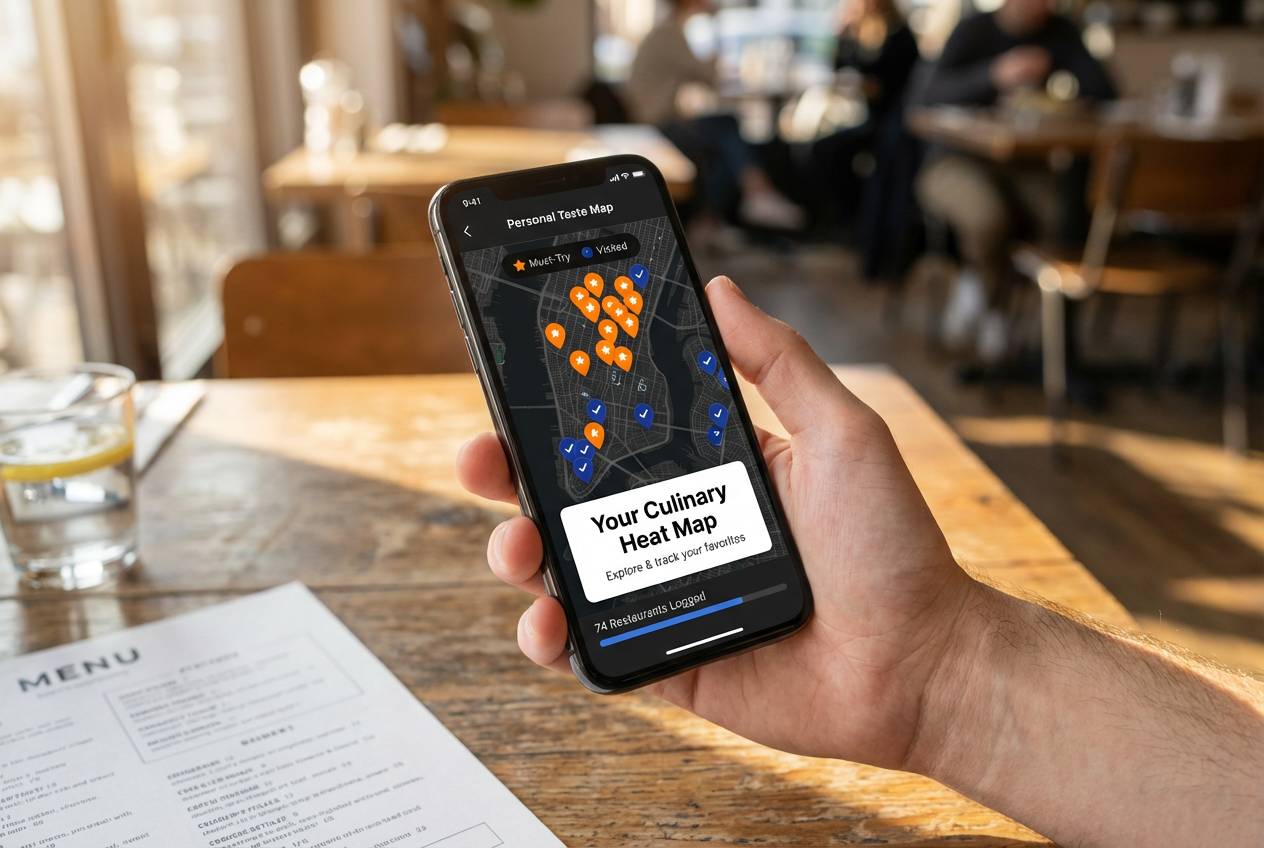 Visualize your dining history with geographic heat maps. Tracking your 'to-try' list alongside your favorites ensures you never waste a meal on a mediocre spot.
The 30-Second Rule
Log during the wait for the check, not during the meal. Pulling out your phone to document while food is hot ruins the experience. Wait for that natural pause when plates are cleared and you're waiting for the bill.
Take photos immediately when dishes arrive, then put the phone away. The documentation happens later, but the visual memory is captured. Photos trigger recall of flavors, textures, and context when you log hours or days later.
Use voice dictation for notes. Most apps support text entry through voice. While walking to your car or riding home, dictate impressions. "The duck was perfectly cooked but the sauce was too sweet" takes three seconds to record and captures the essential judgment.
Photo Hygiene
Restaurant tracking apps can clean up your camera roll. Once you've logged a meal with photos, delete the images from your main photo library. The app becomes the authoritative archive, and your camera roll stays manageable.
Create a consistent photo style. Top-down shots with good lighting create a cohesive visual archive. When scrolling through your year in meals, consistent composition makes the experience feel curated, not random.
Photograph menus strategically. A menu photo serves two purposes: it reminds you what you ordered and it captures pricing for future reference. Some apps (like Savor) can OCR menu text, making it searchable.
The Geographic Strategy
Use map views to identify dining deserts in your city. If you've never eaten in certain neighborhoods, you're missing cuisines and styles that don't exist in your usual areas. Deliberately plan meals to fill map gaps.
Build neighborhood-specific lists for different occasions. Create "Best Business Lunches Downtown," "Date Night in the Village," "Weekend Brunch Brooklyn." This geographic organization matches real planning behavior.
Tag restaurants by walking distance from common locations: "Near Office," "Near Home," "Near Theater District." This makes the app useful for spontaneous planning when you're already somewhere and need a nearby option.
The Social Integration Hack
Even if you use a private app, maintain a public-facing list elsewhere for sharing. Keep detailed notes in Savor but maintain a curated "My Recommendations" list in Google Maps for sending to friends. This gives you both depth and easy sharing.
Use app-generated stats as conversation starters. "I've eaten at 127 restaurants this year" or "My dining heat map shows I've never tried anything north of 125th Street" creates natural food discussions.
When friends ask for recommendations, screenshot your app's ranking or export a filtered list. This positions you as the organized authority and subtly evangelizes your tracking system.
The Review Mining Strategy
Cross-reference your personal ratings with professional food review archives to calibrate your taste. If you loved a restaurant that critics panned, analyze why. Maybe you value different qualities, or maybe you're missing technical flaws.
Read reviews of restaurants you've already visited to expand your vocabulary. Critics articulate flavor profiles and technique observations that you might have sensed but couldn't name. This trains your palate and improves your note-taking.
When you disagree with the crowd, investigate why. If Yelp gives a restaurant 4.5 stars but you rated it 6/10, read through reviews to understand the disconnect. Maybe the crowd loves big portions while you value technique. This self-knowledge helps you interpret future ratings.
FAQ
What makes a restaurant tracking app better than just using Yelp?
Personal curation beats crowd-averaged noise. Yelp aggregates opinions from people with wildly different standards, budgets, and taste preferences. A tracking app captures what you think, creating a taste profile that reflects your actual preferences. Yelp tells you a restaurant is 4.2 stars. Your tracking app tells you that you loved the duck but hated the service, you'd order it again but only for pickup, and it's your third-favorite French spot in the neighborhood. That specificity makes the archive useful for future decisions. Tracking apps also capture context that generic reviews miss - which friend you ate with, what occasion, what specific dishes you tried. Six months later, this context helps you remember why you rated something highly.
Should I choose a social app like Beli or a private app like Savor?
This depends on whether you view dining documentation as public curation or private memory. Social apps work best if you enjoy being the neighborhood food oracle - the person friends text for recommendations. The public nature creates accountability, pushing you toward thoughtful curation. Private apps work better if you want honest documentation without performance pressure. You can log fast food alongside fine dining without worrying about your image. Consider your existing social media habits: if you already post food to Instagram regularly, a social tracking app extends that behavior naturally. If you're private about dining or want to separate personal exploration from public recommendations, choose privacy-first tools. Some users maintain both: a detailed private archive in Savor and a curated public list in Beli for sharing.
How do I avoid abandoning the app after two weeks like every other food diary I've tried?
Reduce friction below your actual effort tolerance. Most people abandon tracking apps because the logging process takes more effort than their habits justify. Match the app's complexity to your actual dining frequency and documentation goals. If you eat out twice a month, use Google Maps lists - the learning curve is zero. If you eat out ten times a week, invest in Savor or Airtable where the upfront complexity pays off. The 30-second rule is critical: log during natural pauses (waiting for the check, riding home) not during the meal itself. Interrupting the dining experience to document it creates resentment. Automation helps dramatically - if Truffle can track your Instagram Stories automatically, you've removed the logging barrier entirely. Start with minimal viable logging: just restaurant name and a simple rating. You can add detail later if the habit sticks.
Can these apps work for tracking home cooking and recipes?
Some adapt better than others to home cooking documentation. Savor and Bites work well for home meals because they focus on dish-level detail and personal notes. Log the recipe you tried, rate the result, attach photos, note what you'd change next time. Airtable is excellent for home cooking if you build tables for recipes, ingredients, techniques, and cooking sessions. Link recipes to ingredients, track which variations you've tried, note timing adjustments. Social apps like Beli don't translate well to home cooking - the platform is built for restaurant discovery and ranking. Google Maps obviously doesn't apply. Consider purpose-built recipe apps like Paprika or Cookmate if home cooking is your primary focus, but if you want a unified system tracking both restaurant meals and home experiments, Savor or a custom Airtable base works well.
What about international travel? Do these apps work abroad?
Offline capability and cross-border data access vary significantly. Savor and Bites offer strong offline modes - you can log meals without internet and sync later. This is crucial for international travel where data roaming is expensive. Google Maps works globally but requires data connection for full functionality. Download offline maps before traveling. Beli and Truffle depend on connectivity for social features and Instagram integration. For comprehensive international dining documentation, consider the Japan restaurant review app landscape which includes local platforms like Tabelog that provide better coverage than Western apps. Build a multi-app strategy: use Savor for private detailed logging that works offline, use local discovery apps for finding restaurants, and use Google Maps for navigation. Export your data before traveling in case you lose your phone.
How much detail should I actually capture per meal?
Capture the minimum detail that makes the memory retrievable later. Start with essentials: restaurant name, date, one-sentence impression, and a rating. This takes 15 seconds and provides basic retrieval. Add detail incrementally if a meal was particularly memorable: specific dishes ordered, standout flavors, service notes, who you ate with, total cost. But don't force detail on forgettable meals - you'll burn out. The goal is a useful archive, not a comprehensive database. Consider what "future you" will want to know when looking back. If you might want to recommend a specific dish to a friend, capture dish-level ratings. If you might return and want to avoid ordering the same thing, log what you tried. If cost matters for planning, record prices. Detail should serve utility, not completeness for its own sake.
Should I rate restaurants on a 5-star or 10-point scale?
Ten-point scales capture more nuance than five-star systems. Five stars forces crude distinctions - everything becomes 3, 4, or 5. Ten points lets you express "This was good but not great" as a 7 rather than rounding to either 3 or 4 stars. The scale also creates space for exceptional experiences - a 10 means something different than a 9, while both would collapse to 5 stars. Avoid using the full scale immediately. Build up to it over time as you establish personal reference points. Your first 7 becomes "As good as that Thai place I love" and future ratings calibrate against it. Some apps (like Beli) use ranking instead of numeric scoring - you order restaurants best to worst. This forces comparative judgment and eliminates score inflation where everything drifts toward 4-5 stars. Rankings work particularly well for building recommendation lists.
What's the biggest mistake people make when starting restaurant tracking?
Over-engineering the system before establishing the habit. People download an app, spend an hour setting up custom fields and tags, create elaborate organizational schemes, then never actually log a single meal. Start minimal - just record restaurant names and basic impressions for two weeks. Once the habit exists, add complexity incrementally. The second mistake is aspirational logging - choosing an app based on features you think you should want rather than behaviors you actually have. If you won't write detailed tasting notes, don't choose Savor just because the feature exists. Match the tool to your real behavior. The third mistake is perfectionism - trying to retroactively log every restaurant you've ever visited. This creates overwhelming backlog that kills momentum. Start fresh from today. Your archive builds forward, not backward. Historical meals only get logged if you happen to return and want to compare to your previous visit.
Your camera roll doesn't have to be a graveyard of forgotten meals. Pick the tracking app that matches your actual dining rhythm, start logging today, and build the personal taste archive you've been meaning to create. The best meal documentation system is the one you'll actually use consistently.