
How to Remember What You Ordered Where: A Serious Foodie’s Guide
Alex the juice queen
Alex hunts for the best juice bars and presses. She rates every sip and saves her favorites in Savor.
How to Remember What You Ordered Where: The Serious Foodie's Complete Guide You had an extraordinary bowl of ramen in Tokyo three months ago. The broth was so...
How to Remember What You Ordered Where: The Serious Foodie's Complete Guide
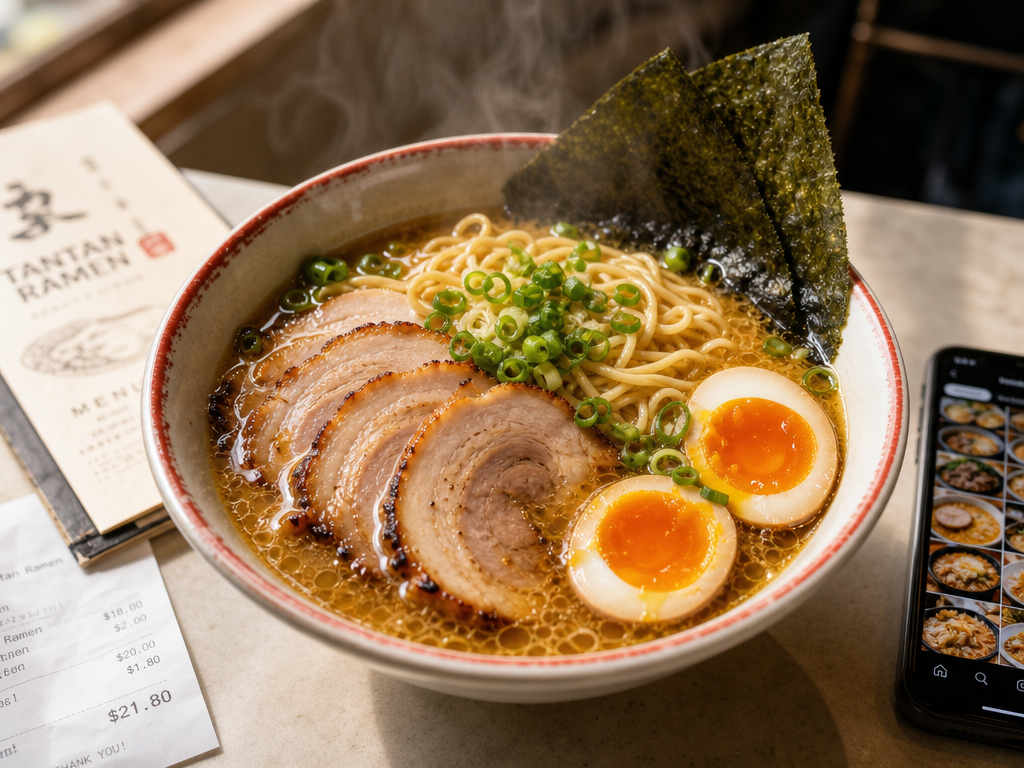
You had an extraordinary bowl of ramen in Tokyo three months ago. The broth was so rich it clung to your spoon. The noodles had that perfect chew. The chashu melted like butter. It was one of the best things you've eaten all year.
But when your colleague asks for a recommendation next week, you can't remember the name of the restaurant. You can't recall if it was in Shibuya or Shinjuku. And you definitely can't remember what you ordered.
Your camera roll holds 2,847 food photos, yet you can't find that one dish when you need it.
This isn't a memory problem. It's a system problem.
Table of Contents
- The Three-Photo Capture Protocol
- The OCR Trick: Turn Your Camera Roll into a Searchable Database
- App Matchmaking: Find Your Logging Personality
- The Data Safety Exit: Don't Let Your Food Memories Die with a Dead App
- The Two-Minute Logging Protocol
- The Group Meal Problem: How to Track Dishes You Only Tasted
- Frequently Asked Questions
The Three-Photo Capture Protocol
The foundation of remembering what you ordered starts before you take your first bite. Most people snap a single overhead shot of their plate and move on. That's not enough.
Here's the three-photo system professional food writers actually use:
Photo 1: The Dish. This is your emotional memory trigger. Shoot from a slight angle, not straight down. Capture the steam, the char marks, the way the sauce pools. This photo is for feeling, not information.
Photo 2: The Menu. This is your searchable text archive. Photograph the page with the dish you ordered. Make sure the text is sharp and legible. This single photo will save you hours of frustration later because your phone can read it.
Photo 3: The Receipt. This is your verification layer. It shows the exact dish name as it appears in the restaurant's system, the price you paid, and the date. The receipt never lies about what you actually ordered.
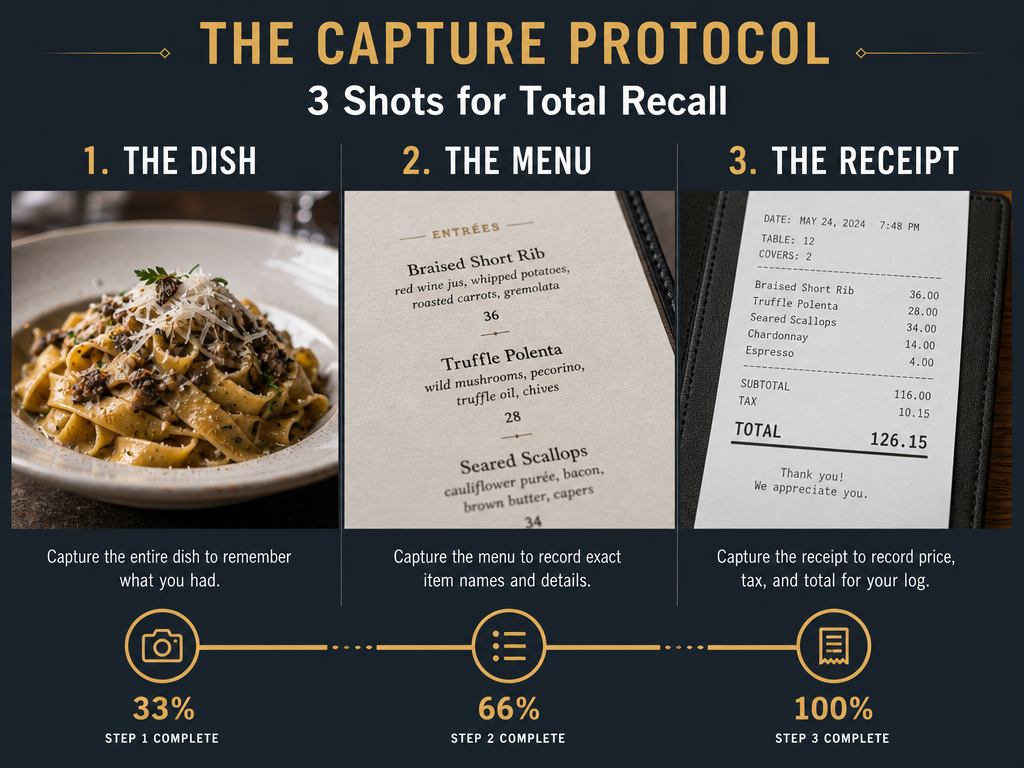 Establish a reliable system of record by capturing the dish for the visual memory, the menu for the text, and the receipt for the final details.
This protocol takes 15 seconds. The payoff compounds for years.
The OCR Trick: Turn Your Camera Roll into a Searchable Database
Your phone already knows how to read text in photos. You just don't know how to use it properly.
Both iOS and Android have built-in optical character recognition that can scan every word in every image you've ever taken. When you photograph a menu with clear text, your phone indexes those words automatically.
Here's how to search your entire photo history for a specific dish:
On iPhone: Open the Photos app. Tap the search icon. Type the dish name - "Miso Black Cod," "Carbonara," "Duck Confit." Your phone will surface every photo containing that text, whether it's a menu, a sign, or a handwritten note from the chef.
On Android: Open Google Photos. Use the search bar at the top. Type the dish name. Google's text recognition is substantially more aggressive than Apple's, often pulling text from blurry or angled shots.
This method only works if you've been photographing menus consistently. If you started doing this three months ago, you now have three months of searchable dining history. If you start today, you'll have a year's worth by next January.
The limitation is language. Yelp's "Menu Vision" requires an English menu and at least five separate dish photos on the business page to function. Your phone's native OCR handles most Latin-alphabet languages well but struggles with handwritten script, stylized fonts, and non-Latin alphabets like Japanese or Arabic.
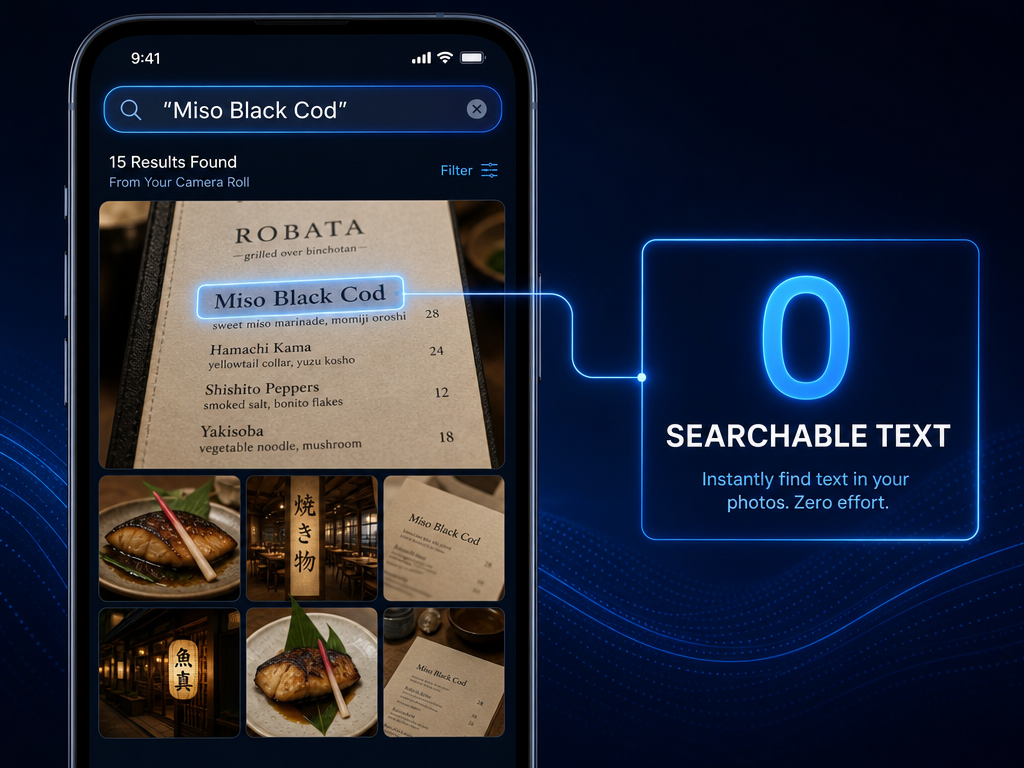 Leverage native OCR features to search your entire photo library for specific dish names, effectively turning your camera roll into a searchable database.
App Matchmaking: Find Your Logging Personality
No single app works for everyone. The right tool depends on how you think about food memory and what you're willing to trade for convenience.
The Social Ranker: Beli
If you care about leaderboards, friend comparisons, and the gamification of dining, Beli is often described as the "Letterboxd for food," focusing on ranked personal lists rather than crowd-sourced 5-star reviews.
The core mechanic is simple: you rank restaurants against each other. Not in isolation, but in direct comparison. Is this new ramen spot better than your previous favorite? Beli forces you to decide.
The social layer is strong. You can see where your friends rank the same restaurants, discover new spots through their lists, and compete for "top reviewer" status in your city. For the right personality type, this creates genuine motivation to log every meal.
The friction is real. Ranking requires mental effort. You can't just snap and go - you need to think about where this experience sits relative to others. Some users find this exhausting after the first few months.
Best for: People who already keep spreadsheets, love organizing data, and enjoy discussing food with friends who care equally about the details.
The Order Optimizer: Palytt
Palytt focuses on a different question: not "was this restaurant good," but "should I order this dish again?"
The interface is built around dish-level verdicts. You log what you ate, rate it, and add quick notes about what worked or didn't. The app surfaces these notes automatically the next time you're at that restaurant or considering a similar dish.
This is useful for frequent visitors to the same handful of restaurants. If you go to the same Thai place every week, Palytt remembers that you loved the Panang Curry but found the Pad See Ew too sweet.
The weakness is scale. If you dine out 200 times a year across 150 different restaurants, you're unlikely to revisit most of them. The "order again" logic breaks down when you're constantly exploring new places.
Best for: Routine diners with a tight rotation of neighborhood spots and people who value optimization over exploration.
The Digital Gardener: Notion
Notion isn't a food app. It's a blank canvas. That's both its strength and its danger.
You can build a completely custom database with any fields you want: Vibe, Price, Dining Companion, Must-Order Dish, Wine Pairing, Atmosphere Score, Date Visited, Neighborhood, Cuisine Type. The possibilities are endless.
The serious foodie's Notion template typically includes:
- Restaurant Name (linked to a map view)
- City/Neighborhood (filterable)
- Cuisine Type (multi-select tags)
- Dishes Ordered (long text field with bullet points)
- Standout Dish (single line, searchable)
- 10-Point Score (numeric rating)
- Price Range (€, €€, €€€)
- Date Visited (date field, auto-sorted)
- Would Return? (checkbox)
- Notes (long text, the heart of the entry)
This setup takes 90 seconds to configure once and then 30 seconds to fill out per meal. If you're reading this guide, you probably have opinions about database architecture and won't mind the initial learning curve.
The risk is over-engineering. It's easy to spend three hours building the perfect template and then abandon it because logging feels like homework. Start simple. Add complexity only when you feel friction.
Notion has no built-in photo organization by dish type, no location auto-fill, and no social features. It's purely for you. If you want to export your data, you can. If the app shuts down tomorrow, you still have your information.
Best for: People who already use Notion for other parts of their life, enjoy customization, and want complete control over their data structure.
For more on building a structured food archive, see our guide on how to build a personal restaurant library.
The Privacy-First Visual Mapper: Mapstr
Mapstr is for people who think geographically. You save places, tag them, and see them on a map. The focus is visual and location-based rather than social or analytical.
The strength here is context. When you're planning a trip to Paris, you can open your Mapstr map and instantly see the five bistros, two bakeries, and one wine bar you saved over the past three years. It's discovery through geography.
Mapstr allows for data export in both CSV and GeoJSON formats including addresses, tags, and personal notes. This makes it one of the safer long-term options for data longevity.
The limitation is that it's not dish-specific. You can add notes about what you ordered, but the app doesn't have dedicated fields for "Must-Order Dish" or "Avoid This." You're writing freeform text, which means you can't filter or sort by those criteria later.
Best for: Visual thinkers, frequent travelers, and people who want a private map of personal recommendations without social pressure.
The Photo-First Quick Logger: Yummi
Yummi is built around speed. The core workflow is: take a photo, the app auto-detects the restaurant via location services, you add a quick rating and optional note, done. The entire process takes less than 10 seconds.
The app calls these entries "Foodprints," and the interface is Instagram-like - scrollable, visual, chronological. You're building a feed of your own meals, not contributing to a public review platform.
The trade-off is depth. You can't build complex queries, filter by cuisine type, or export a ranked list of your top pasta dishes. This is memory capture, not memory analysis.
Best for: People who want to document everything with minimal friction and don't need advanced search or comparison features.
The Zero-Setup Default: Google Maps
Google Maps isn't sexy, but it's universal. You already have it. Your parents have it. It will exist in five years.
The workflow: search for a restaurant, tap "Save," choose a list (create one called "Great Meals" or "Must-Order Dishes"), add a private note. Google Maps allows users to export saved places and private notes via Google Takeout as a CSV file containing Title, Note, and URL.
The notes field is where you do the real work. Write down what you ordered, what worked, what didn't. Use consistent formatting so you can search later: "Ordered: Duck Confit. Outstanding. Must return for the cassoulet."
The weakness is that your notes are buried. You can't sort or filter by dish type, price range, or rating. You're creating a linear list, not a queryable database. But linear lists are better than nothing, and Google Maps will almost certainly outlive every dedicated food app on this list.
Best for: People who want the simplest possible system with the strongest data portability and don't mind sacrificing advanced features.
 Choose your restaurant tracking system based on your logging personality, balancing the desire for social ranking against the need for private, low-friction archiving.
If you're looking for more options specifically designed for tracking individual dishes rather than entire restaurants, check out our breakdown of the best apps to track your favorite dishes.
The Data Safety Exit: Don't Let Your Food Memories Die with a Dead App
Food apps die. Startups fail. Services pivot. Platforms get acquired and shut down.
If you've spent two years building a database of every great meal you've had, you need an exit strategy before you need it.
What to Look for in Export Features
The safest apps allow you to download your data in a standard format - CSV (comma-separated values) or JSON (JavaScript Object Notation). Both are plain-text files that can be opened in Excel, Google Sheets, or imported into another system.
Google Maps offers full export through Google Takeout. You'll get a spreadsheet with every saved place, your star rating, your private notes, and the full address.
Mapstr provides both CSV and GeoJSON export directly from the app settings. GeoJSON is particularly useful because it preserves location data in a format that other mapping tools can read.
Notion allows you to export individual databases or your entire workspace as CSV, HTML, or Markdown. Your food database becomes a portable file you can import into Airtable, Coda, or any other tool.
Beli, Palytt, and Yummi do not currently offer user-facing data export. Your logs live inside the app. If the service shuts down, your history disappears unless you manually screenshot or copy-paste everything before the lights go out.
This doesn't mean you shouldn't use these apps. It means you shouldn't use them as your only system. Run a parallel backup in Google Maps or Notion if you care about longevity.
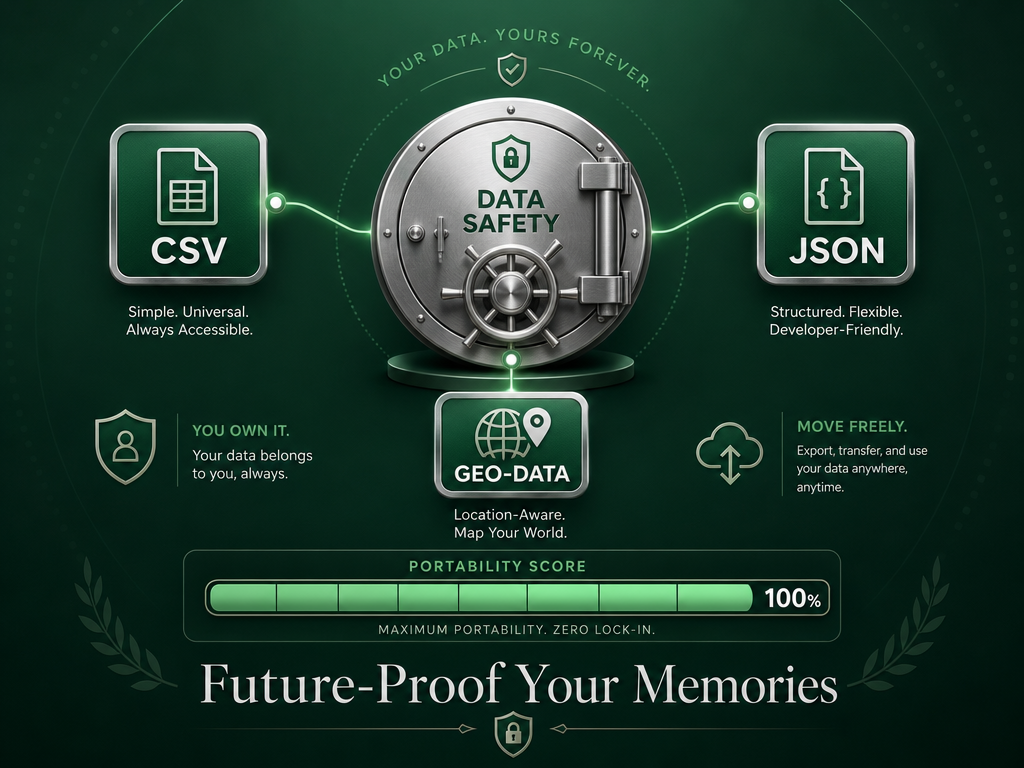 Protect your culinary history by choosing platforms that support CSV and JSON exports, ensuring your data isn't trapped if an app shuts down.
The "Capture Now, Log Later" Workflow
If you're traveling or dining out frequently, real-time logging can kill the experience. You're at dinner with friends, not conducting a product review.
The compromise: capture everything in the moment, process it later in batch.
Take your three photos (dish, menu, receipt). Put your phone away. Enjoy the meal. The next morning, or on Sunday afternoon, spend 20 minutes going through your camera roll and transferring the key details into your system of choice.
This works because the photos contain all the information you need. The menu has the dish name. The receipt has the restaurant and date. The food photo jogs your sensory memory. You're not trying to remember - you're transcribing.
Batch processing also lets you be more thoughtful about ratings and notes. In the moment, everything feels either amazing or disappointing. With 12 hours of distance, you can assess more accurately: was that carbonara truly exceptional, or were you just very hungry?
The Two-Minute Logging Protocol
Speed matters. If logging a meal takes more than two minutes, you'll stop doing it within a month.
Here's the minimum viable entry for any system:
- Restaurant name (auto-filled by app or typed once)
- Dish name (exact name from menu, no interpretation)
- 10-point score (not a star rating, a real number: 7.2, 8.8, 9.1)
- One-sentence note (what made it memorable or what was wrong)
- Date (auto-logged by app or pulled from photo metadata)
That's it. You're not writing a restaurant review. You're creating a future search result.
Good one-sentence note: "Best duck confit I've had outside of France - crispy skin, impossibly tender, rich jus."
Bad one-sentence note: "Really good!"
The difference is specificity. When you search your database six months from now for "duck confit," you need enough detail to differentiate this dish from the three other duck confits you've had since then.
For a deeper dive into rating systems that actually work, see our guide on how to track and rate every meal like a food critic.
The Group Meal Problem: How to Track Dishes You Only Tasted
Group dining creates a logging problem: you didn't order five dishes, but you tasted five dishes. How do you record that without it becoming overwhelming?
The Shared-Plate Strategy
Create a separate entry type in your system called "Tasting Portion" or "Shared." Rate it on the same scale, but note in your description that you had two bites, not a full serving.
Example entry:
- Dish: Grilled Octopus with Chickpea Purée
- Score: 8.4/10
- Note: "Shared appetizer. Octopus perfectly charred, not rubbery. Chickpea purée was underseasoned. Would order again for the octopus alone."
- Serving Size: Tasting portion (2-3 bites)
This lets you remember what worked without pretending you had the full experience of that dish. When you return to the restaurant solo, you know which shared plates are worth ordering as your own entrée.
The "Standout Only" Rule
If you're at a big group dinner with 12 dishes on the table, don't try to log all 12. Log the two that were genuinely memorable and ignore the rest.
Your food memory system is not an inventory. It's a highlight reel. The goal is to remember the peaks so you can recreate or avoid them, not to document every calorie you consumed.
If you dined out with friends who also track their meals, compare notes afterward. Maybe they noticed something about the agnolotti that you missed. This turns food logging into a shared practice rather than a solitary obsession.
Frequently Asked Questions
How do I scan any restaurant menu with my phone?
You don't need a special app. Use your phone's built-in camera to photograph the menu, making sure the text is clear and well-lit. On iPhone, open the photo and tap the text-select icon in the bottom-right corner - iOS will highlight any readable text you can copy. On Android, open the photo in Google Photos and tap the Lens icon to extract and search text. This works for English menus and most Latin-alphabet languages. For non-Latin scripts like Japanese or Arabic, Google Lens is noticeably more capable than Apple's solution, though neither is perfect.
What is the best app for tracking restaurants?
It depends on what you mean by "tracking." If you want dish-level ratings and personal notes without social features, consider building a custom database in Notion or using Google Maps with detailed private notes that you can export via Google Takeout. If you want a social ranking system with friend comparisons, Beli focuses on ranked personal lists rather than crowd-sourced reviews. If you want a wishlist that automatically clears when you visit a place, Crumble removes restaurants from your "to-try" list the moment you log a review. There is no single "best" - only the best fit for how you think about food memory. For a broader comparison, explore our guide to the best food review apps.
Is Beli better than Yelp?
They serve different purposes. Yelp is a discovery engine built on crowd-sourced reviews with search filters for cuisine type, price, and location. Beli is a personal ranking tool built on your own taste and your friends' opinions. Yelp answers "where should I eat tonight?" Beli answers "how does this meal compare to everything else I've eaten this year?" If you want to find a new restaurant in an unfamiliar neighborhood, Yelp is more useful. If you want to remember which ramen shop you liked better last month, Beli is more useful. Many serious food lovers use both, but for different reasons.
How can I search my camera roll for a specific dish name?
Open your Photos app and use the search bar. Type the exact dish name - "Tonkotsu Ramen," "Ribeye Steak," "Chocolate Soufflé" - and your phone will surface every photo containing that text, whether it's printed on a menu, written on a chalkboard, or visible in a restaurant's signage. This only works if the text is legible in the photo and in a language your phone's OCR can read (English, Spanish, French, German, and other Latin-alphabet languages work reliably). For best results, photograph menus with good lighting and minimal glare. This feature is built into iOS and Google Photos - you don't need a third-party app.
What apps can I use to keep track of my orders?
For delivery orders, most platforms like Uber Eats, DoorDash, and Grubhub maintain an order history within the app showing past restaurants and dishes. For dine-in meals, no mainstream platform tracks individual dishes by default - you'll need to build that system yourself. Google Maps lets you save restaurants and add private notes about what you ordered. Notion or Airtable allow custom databases where you can log dish names, ratings, and tasting notes. Palytt focuses specifically on dish-level logging with an "order again" or "skip" verdict. Beli and Mapstr prioritize restaurant-level tracking with optional notes fields. Choose based on whether you care more about speed (Google Maps), customization (Notion), or social features (Beli).
How do I export my restaurant data if an app shuts down?
Before you commit significant time to any food app, check its export settings. Google Maps supports full data export through Google Takeout - you'll get a CSV file with all saved places, notes, and ratings. Mapstr offers both CSV and GeoJSON export directly from the app, preserving addresses, tags, and personal notes. Notion allows database export as CSV, HTML, or Markdown. Many newer apps like Beli, Palytt, and Yummi do not currently offer user-facing export features, meaning your data lives only inside the app. If data longevity matters to you, either choose a platform with export functionality or maintain a parallel backup system in Google Sheets or Notion. Don't wait until an app announces it's shutting down - export your data annually as a precautionary archive.
The camera roll graveyard is optional. You can build a system that actually works - one that lets you search by dish name, filter by city, and remember exactly what you loved about that meal three years ago.
The tool matters less than the habit. Pick a system, any system, and commit to it for 90 days. Log every meal that matters. Take the three photos. Write the one-sentence note. Export your data once a quarter.
Your future self, standing in a new city trying to remember the name of that perfect bowl of ramen, will thank you.