
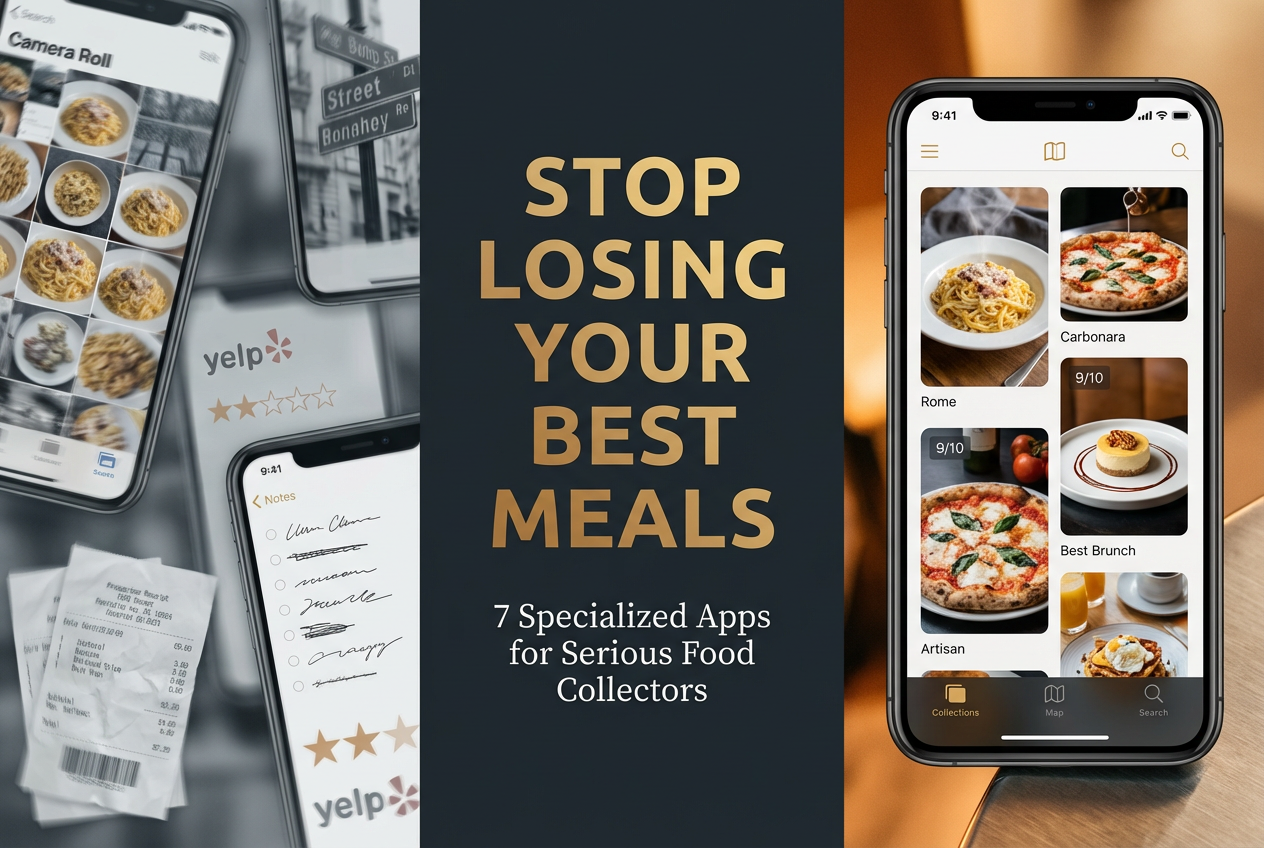
The 7 Best Sharing List Apps for Foodies (That Aren’t Your Notes App)
Alex the juice queen
Alex hunts for the best juice bars and presses. She rates every sip and saves her favorites in Savor.
The 7 Best Sharing List Apps for Serious Foodies (That Aren’t Your Notes App) You’ve just had an extraordinary meal. The kind that makes you stop mid-bite and...
The 7 Best Sharing List Apps for Serious Foodies (That Aren’t Your Notes App)
You’ve just had an extraordinary meal. The kind that makes you stop mid-bite and actually think. Maybe it was that Carbonara in Rome, where the egg and guanciale melted into something transcendent. Or the street taco in Mexico City that somehow captured an entire culinary tradition in three bites. You snap a photo, make a mental note, and think, "I’ll remember this."
But you won’t.
Three months later, that incredible dish lives somewhere in a sea of 3,000+ unsearchable camera roll photos, trapped between snapshots of parking receipts and your friend’s dog. You remember it was good - maybe even great - but you can’t recall the restaurant name, the specific dish, or why it mattered so much in that moment.
This is the curse of the modern food lover: we’re drowning in experiences but starving for memory.
The solution isn’t another generic to-do list app. You don’t need milk, eggs, and "that place Sarah mentioned" living in the same digital space. What you need is a digital cellar for dining experiences - a specialized system that treats meals like a collector treats wine, with searchability, granularity, and the ability to share without the noise of algorithmic feeds.
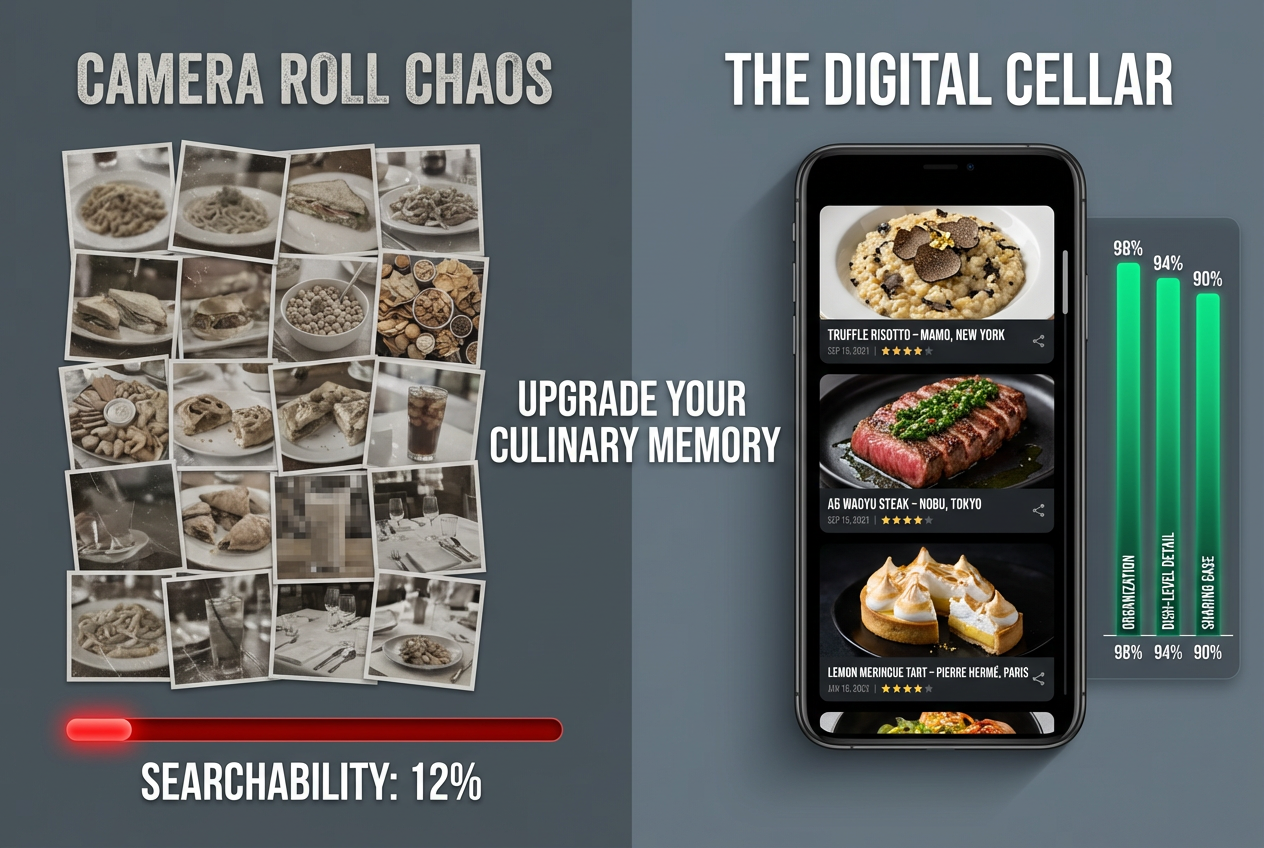
Table of Contents
- The Real Problem: Camera Roll Chaos and Yelp Fatigue
- Why Generic Sharing List Apps Fail Foodies
- The Solution Matrix: Finding Your Perfect Match
- Deep Dive Reviews: The Top 4 Contenders
- Key Features That Actually Matter
- The Pro Workflow: Using These Apps to Dine Better
- How to Migrate from Google Maps
- Frequently Asked Questions
The Real Problem: Camera Roll Chaos and Yelp Fatigue
The disconnect between food experiences and digital memory is costing you better dining decisions. Most people treat restaurant memories like they treat vacation photos - captured once, never organized, rarely revisited.
The average food enthusiast has a phone full of beautiful dish photos but can’t answer basic questions like "What was that amazing pasta place we went to last spring?" or "Which burger spot had the 9/10 patty versus the 7/10?" The information exists somewhere, but it’s functionally invisible.
Generic review platforms don’t solve this. Yelp gives you star ratings from strangers who rate a Michelin-starred restaurant the same way they rate a gas station bathroom. Google Maps clutters your saved places with everything from childhood dentist offices to that one coffee shop you visited in 2017. Neither system helps you remember which specific dish made a restaurant worth returning to.
This isn’t a productivity problem - it’s a curation problem. You’re not looking for a way to share grocery lists with your partner (though that’s useful). You’re looking for a way to build a personal archive of culinary excellence, something you can reference, refine, and share on your own terms.
The right dish rating app doesn’t just store information - it helps you develop taste memory, the ability to recall and compare flavor profiles across dozens or hundreds of meals.
Why Generic Sharing List Apps Fail Foodies
Standard productivity apps lack the specialized features food lovers actually need - map integration, dish-level detail, and visual memory aids. Here’s why your Notes app or AnyList grocery tracker falls short:
The Missing Pieces
No Geographic Context: Great meals happen in specific places. A list that says "Trattoria Monti" without showing you it’s in the Esquilino neighborhood of Rome, 15 minutes from Termini station, is functionally useless when you’re planning your next trip.
No Dish-Level Granularity: You didn’t love the restaurant - you loved the Carbonara. Generic list apps don’t distinguish between the venue and the specific creation that earned your attention. When everything is just "Osteria Francescana," you lose the signal in the noise.
No Visual Memory: Food is inherently visual. A text entry reading "excellent presentation, delicate flavors" doesn’t trigger the same recall as the photo of that perfectly seared scallop sitting on cauliflower purée with microgreens.
No Discovery Features: Your friend just moved to Lisbon and wants recommendations. Can your Notes app filter by city, cuisine type, and price range, then share that curated list in 30 seconds? No. It’s a static document, not a dynamic tool.
The Social vs. Private Tension
Many foodies get trapped between two extremes. On one side, there’s the pressure of public platforms where every review becomes a performance for an audience you didn’t ask for. On the other, there’s the isolation of private notes that can’t be shared when you actually want to help a friend find a great meal.
The best food diary app gives you control over this spectrum, letting you keep some memories private while sharing others with trusted circles - not broadcasting to the entire internet.
The Solution Matrix: Finding Your Perfect Match
Different foodie priorities require different app architectures. Not all sharing list apps are created equal. Your choice should align with how you actually engage with food - are you building social capital, maintaining private records, seeking expert guidance, or just trying to coordinate date night?
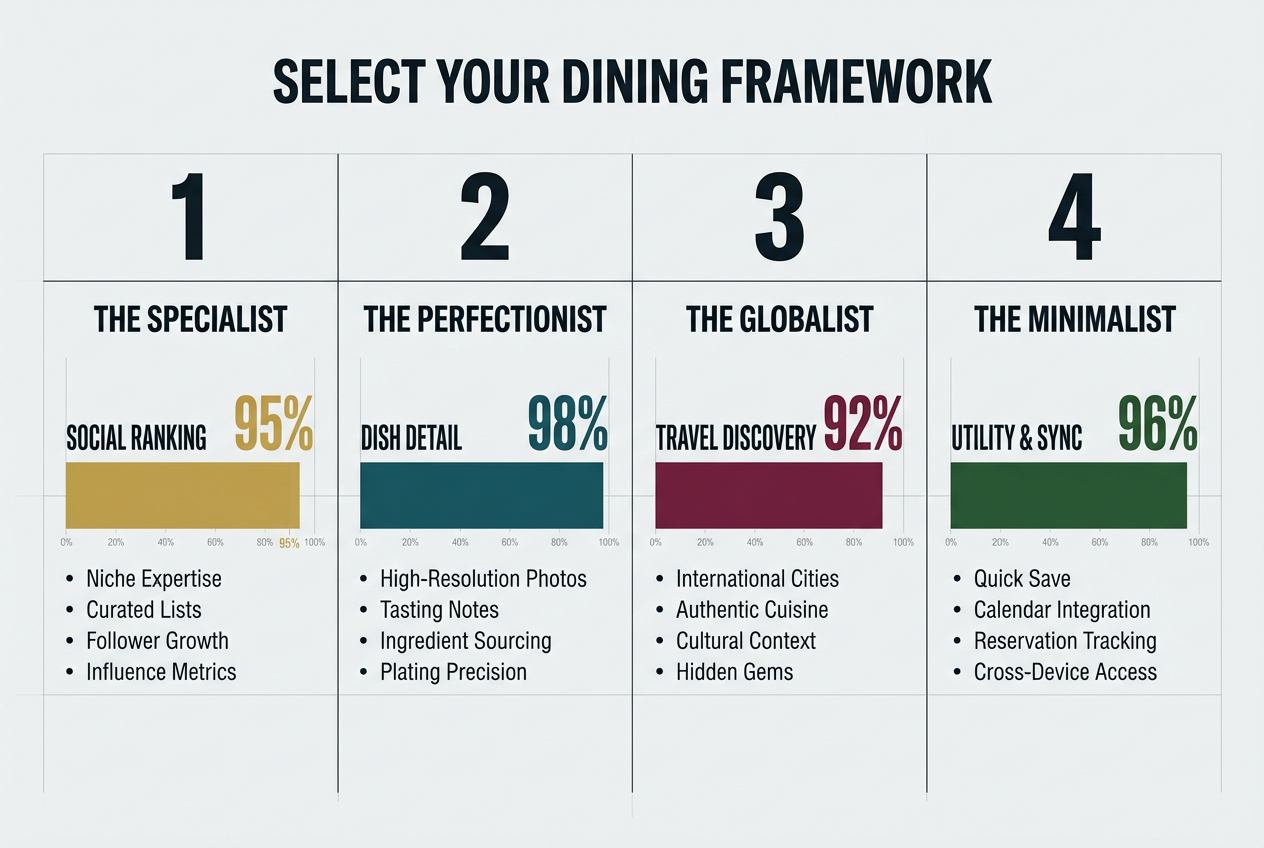
| App Type | Best For | Core Strength | Key Limitation |
|---|---|---|---|
| The Specialist (Beli) | Social curators who value ranked lists | Public credibility, discover through friends | Social pressure; less honest for private journaling |
| The Perfectionist (Savor) | Detail-obsessed private archivists | Dish-level AI tracking, personal 10-point scoring | Smaller social network (by design) |
| The Globalist (World of Mouth) | Travelers seeking expert-vetted spots | High hit rate from trusted creators | Membership model can be a barrier |
| The Minimalist (AnyList) | Couples sharing simple want-to-go lists | Dead-simple interface, excellent for groceries | Zero discovery features; purely utilitarian |
This framework matters because the "best" app isn’t universal - it’s contextual. A food writer building a public portfolio has different needs than a couple trying to remember which tapas bar had the perfect patatas bravas.
Think of it like this: Beli is your Instagram - curated, public, aspirational. Savor is your private journal - detailed, searchable, honest. World of Mouth is your expert guidebook - curated by professionals you trust. AnyList is your shared grocery list that happens to include restaurants.
Deep Dive Reviews: The Top 4 Contenders
Savor: The Dish-Level Memory Vault
BLUF: Savor treats every dish as a discrete data point with its own 10-point rating, photos, notes, and metadata, making it the most granular option for serious food documentation.
When you ate at that trattoria in Rome, you didn’t experience "an 8/10 restaurant" - you had a 9.6 Carbonara, a 7.2 Cacio e Pepe, and a forgettable 5.8 Tiramisu. Savor’s architecture reflects this reality. Instead of rating venues, you rate individual dishes, building a personal database that actually matches how memory works.
The app’s AI-powered recognition can identify dishes from photos, automatically suggesting names and categories. When you photograph your ramen, it doesn’t just save an image - it prompts you to score the broth, noodles, and toppings separately. This creates a searchable archive: "Show me all 9+ rated pasta dishes from 2024" or "Which restaurants have I given 10-point scores to?"
The private-first design means you can be brutally honest. That restaurant your friend’s family owns? You can give it an accurate 6.5 without publishing that opinion to the world. When you do want to share, you control exactly which dishes go to which people.
Best Feature: The dish-level tagging system. You can mark specific flavor profiles (umami-forward, citrus notes, overly salted) and reference them months later when deciding what to order somewhere new.
Limitation: Because it prioritizes depth over breadth, the social discovery features are intentionally limited. You won’t find trending restaurants or viral dishes - this is your private cellar, not a public marketplace. Learn more about tracking every dish you eat.
Beli: The Social Status Builder
BLUF: Beli excels at public curation and social discovery, making it ideal for foodies who want their recommendations to carry visible weight within their network.
Beli is often called "Letterboxd for food," and that comparison captures both its strength and its weakness. Like Letterboxd, it’s a platform where your taste becomes your identity. You build ranked lists, follow friends with compatible palates, and discover restaurants through trusted networks rather than algorithmic noise.
The ranking feature is particularly powerful. You can create "Top 10 Pizza in Brooklyn" or "Best Ramen in Tokyo" lists that friends can reference directly. When someone asks for recommendations, you don’t type the same response for the hundredth time - you share a curated list you’ve maintained over months or years.
The map view shows where all your saved spots cluster, helping you visualize dining deserts and saturated neighborhoods. The collaborative lists feature lets you and your partner maintain a shared "want-to-go" list that updates in real-time.
Best Feature: The social proof. When you recommend a place through Beli, people can see it’s ranked #3 on your personal list of 47 Italian restaurants, giving your opinion tangible context.
Limitation: The public nature creates subtle pressure to perform. You might hesitate to add that hole-in-the-wall taco truck because it doesn’t photograph well, even though the food is exceptional. The app works best when you’re comfortable with your food choices being part of your public identity.
World of Mouth: The Expert-Vetted Discovery Engine
BLUF: World of Mouth solves the trust problem by curating recommendations from vetted food experts, offering a filtered alternative to crowd-sourced review chaos.
This isn’t an app for documenting your meals - it’s a tool for discovering meals worth having. World of Mouth operates on a membership model where expert creators (food writers, chefs, critics) share their personal recommendations. Instead of reading 47 conflicting Yelp reviews, you follow three critics whose taste aligns with yours and trust their judgment.
The geographic specificity is impressive. Planning a weekend in Copenhagen? You can see recommendations from local food writers who’ve spent years exploring the scene, not tourists who visited once and reviewed based on vibes. The "Collections" feature lets experts package themed guides: "Best Natural Wine Bars in Paris" or "Where Chefs Eat in Mexico City."
The app particularly shines for travel. Instead of arriving in a new city and panic-scrolling Google Maps at 7 PM, you have a pre-researched list of expert-approved spots saved and ready.
Best Feature: The "hit rate." Because recommendations come from vetted experts with reputations at stake, the percentage of actually great meals is dramatically higher than algorithmic suggestions.
Limitation: The membership model ($60-100/year depending on tier) creates a barrier. The app is worth it for frequent travelers and serious food enthusiasts but might be overkill if you mostly eat in your home city.
AnyList: The Simple Couple’s Coordinator
BLUF: AnyList offers basic shared list functionality with restaurant support, perfect for couples who want dead-simple coordination without social features or detailed tracking.
Let’s be clear: AnyList isn’t designed as a foodie tool. It’s a grocery list app that happens to include restaurants as a category. But sometimes simplicity wins. If your primary need is a shared "places we want to try" list that both you and your partner can add to and reference, AnyList does this with zero friction.
The beauty is in what it doesn’t have. No social feeds. No algorithmic suggestions. No pressure to rate or review. Just a list: "Sushi Nakazawa," "That new Sicilian place on Thompson," "Oyster bar Sarah mentioned." When you finish dinner, you can check it off or delete it. Done.
The app syncs across iOS, Android, and web instantly. When your partner adds a restaurant during their lunch break, it’s on your phone before they’ve finished typing. The grocery integration means you can keep your "try these restaurants" list right alongside your "ingredients for Sunday dinner" list if that organizational system works for you.
Best Feature: The complete absence of features. It doesn’t try to be everything to everyone, which makes it perfect for one specific use case.
Limitation: Zero discovery, zero detail, zero memory. This solves "where should we go Friday night?" but doesn’t help you remember "why did we like that place six months ago?" If you’re looking for resources on organizing your recipes, AnyList’s simplicity extends there too, though it won’t track dish-level details.
Key Features That Actually Matter
The difference between a useful food app and a frustrating one comes down to five specific capabilities. Here’s what separates the serious tools from the pretenders:
Dish-Level Tracking: The Memory Lives in the Details
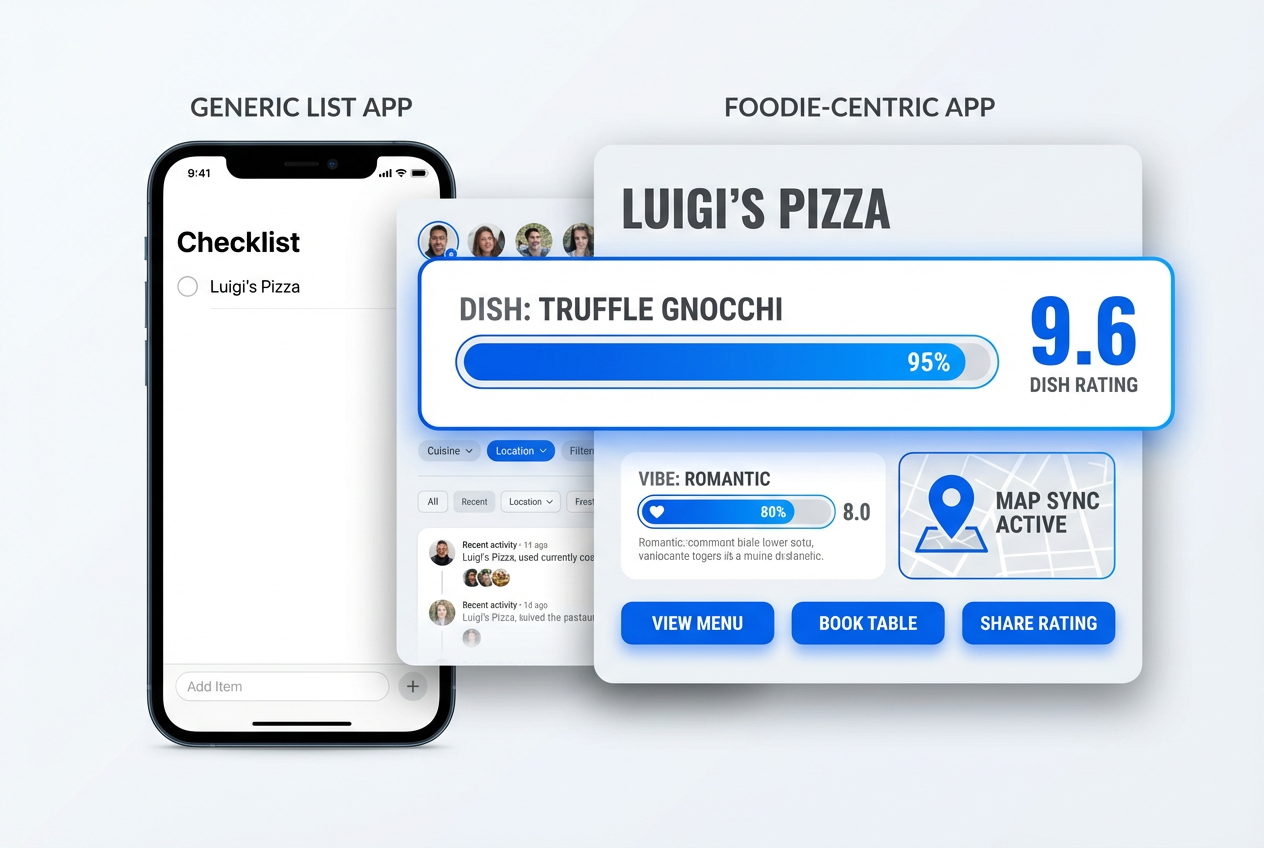
Don’t just remember the restaurant - remember the Carbonara. Generic apps store venues; specialized apps store dishes. This distinction matters because your memory doesn’t work in averages. You don’t remember "Locanda Locatelli was pretty good." You remember "the Risotto al Tartufo at Locanda Locatelli had a 9.2 depth of flavor with the perfect al dente bite."
A proper dish tracking system lets you:
- Score components separately (presentation, flavor, value)
- Tag specific attributes (spicy, umami-forward, overly salted)
- Upload multiple photos per dish
- Add detailed taste notes you can search later
When you’re trying to explain to a friend what made that ramen exceptional, you need more than "it was good" - you need "the broth had this smoky, pork-forward depth (8.8) but the noodles were just okay (6.5)." For more on how to develop this skill, check out our guide on how to write restaurant reviews.
Collaborative Want-to-Go Lists: Essential for Urban Couples
Coordinating dinner plans shouldn’t require a 17-message text thread. A shared want-to-go list that updates in real-time means both people can add discoveries as they happen - your partner adds that ramen spot their coworker recommended during lunch, you add the new wine bar you read about that morning - and by evening, you have a living document of possibilities.
The key feature here is instant sync. If it takes 30 seconds to load or requires manual refreshing, it’s useless. The list needs to be as current as your last thought.
Advanced versions include collaborative notes ("Sarah said get the duck"), photos of dishes you want to order, and the ability to mark places as "special occasion" versus "weeknight casual."
Map Integration: Visualizing Possibility
Food exists in geography. A list without map integration is like a cookbook without photos - technically functional but missing the point. When you’re planning a weekend or deciding where to go after a museum visit, you don’t think in alphabetical lists. You think in neighborhoods.
Map-based interfaces let you:
- Filter by distance from your current location
- Identify dining clusters ("we should just explore this three-block radius")
- Visualize "food deserts" in your tracking (areas you haven’t explored yet)
- Plan efficient food crawls that minimize transit time
The best implementations let you toggle between "places I’ve been" and "places I want to go," creating a visual to-do list that updates as you eat your way through a city.
Privacy vs. Social: Control Over Your Voice
This is where most apps force a false choice: either everything is private (Notes, Apple Reminders) or everything is public (Yelp, Google Maps). What you actually need is granular control.
The ideal system lets you:
- Keep honest ratings private (that 5.5 pasta at your friend’s restaurant)
- Share curated lists with trusted circles (your "Tokyo essentials" for your sister’s honeymoon)
- Publish selective recommendations publicly (your top 10 pizza list)
- Control exactly who sees what, when
This matters because honesty and social grace don’t always align. You should be able to tell yourself the truth (that restaurant was mediocre) without broadcasting that opinion when unnecessary. For insights into more mindful eating practices, explore how to eat mindfully.
Cross-Platform Sync: The Non-Negotiable
If your food memory system doesn’t work seamlessly across iPhone, Android, and web, it’s already obsolete. You add restaurants on your phone during your commute, research dishes on your laptop at home, and reference your notes on your tablet while traveling.
Any friction in this sync - delays, version conflicts, manual uploads - will kill your habit of actually using the tool. The best apps make the technology invisible. You never think about syncing because it just works.
The Pro Workflow: Using These Apps to Dine Better
The right app combined with the right habits turns reactive dining into proactive curation. Here’s how serious food lovers actually use these tools to eat better, not just record what they’ve eaten:
The Friday Night Pivot (3-Tap Execution)
It’s 6 PM on Friday. You’re hungry but undecided. The amateur scrolls through Google Maps for 20 minutes, overwhelmed by options. The professional:
- Opens their sharing list app
- Filters want-to-go list by "near current location" + "not yet visited"
- Chooses from 3-5 pre-researched options they’ve been meaning to try
Decision made in under 90 seconds. The reason this works is proactive curation. Every time you hear about a good restaurant (podcast, friend, article), you immediately add it with notes. When decision time arrives, the work is already done.
The Taste Memory Capture (Post-Meal Ritual)
Within 20 minutes of finishing a memorable meal, before the sensory details fade:
- Photograph the dish (multiple angles if warranted)
- Score it on your personal scale (be specific: not "8/10" but "8.3 - exceptional flavor depth, presentation slightly messy")
- Add taste notes using consistent language (if you always describe umami dishes with specific descriptors, pattern recognition becomes possible)
- Tag it with searchable attributes (spicy level, price range, occasion type)
This 3-minute investment creates a compound return. Six months later, when you’re trying to remember "that incredible duck dish," you can search "duck + 9+ rating + last year" and find it instantly. Learn more about keeping a food diary that actually works.
The Pre-Trip Research Stack
Planning a food-focused trip to a new city:
- Weeks Before: Add expert recommendations from World of Mouth or trusted food writers to your want-to-go list
- Days Before: Cross-reference with Beli to see what friends have ranked highly
- Night Before Each Meal: Check your curated list, filter by neighborhood, make decisions when you’re calm, not starving
- After Each Meal: Update your personal database with detailed notes while they’re fresh
This transforms travel from "wandering until we find something" into "executing a researched plan with room for serendipity." You have structure without rigidity.
The Recommendation Engine (Social Capital)
Someone asks "Where should I eat in Rome?" The amateur lists three restaurants off the top of their head, probably missing their actual best finds. The professional:
- Filters their tracking app: "Rome + 8+ rating + still open"
- Generates a shareable list with specific dish recommendations
- Includes photos and notes: "Get the Carbonara (9.4), skip the Tiramisu (6.2)"
This takes 60 seconds and provides 10x more value than a vague "try Trattoria Monti, it’s good." Your detailed tracking becomes social currency.
How to Migrate from Google Maps
Moving your saved places from Google’s ecosystem to a specialized food app is easier than you think. Many serious foodies feel trapped by Google Maps - years of saved restaurants make leaving seem impossible. Here’s the escape plan:
Step 1: Export Your Data
Google allows you to download your saved places through Google Takeout. Navigate to takeout.google.com, select only "Maps (your places)" and download. You’ll receive a JSON file containing every saved location with coordinates, notes, and photos. For more information on data portability, check out how to download Google reviews.
Step 2: Prioritize Rather Than Migrate Everything
Don’t try to move all 473 saved places - most are outdated anyway. Instead:
- Filter for restaurants only (ignore gas stations, dentists, hotels)
- Focus on places you’ve actually been and remember
- Start with your top 20-30 spots, not everything
The goal isn’t perfect historical data - it’s a usable system going forward.
Step 3: Add Context as You Migrate
This is your chance to fix Google Maps’ fundamental flaw: lack of detail. As you add each restaurant to your new app:
- Specify which dish made it worth saving
- Add a photo if you have one
- Score it honestly (not Google’s binary saved/not-saved)
- Tag it properly (cuisine type, neighborhood, occasion)
This upgrade transforms raw location data into useful culinary intelligence.
Step 4: Change Your Habit, Not Just Your App
The hardest part isn’t the technical migration - it’s breaking the muscle memory of opening Google Maps every time you want to save a spot. For the first two weeks:
- Delete the Google Maps app from your home screen (you can reinstall later if needed)
- Put your new food app in the prime location
- Force yourself to open the new app for every restaurant save
Within 30 days, the new habit sticks. Within 90 days, your new database will be more valuable than your old Google Maps saves ever were.
Why It’s Worth the Move
Google Maps optimizes for completeness - it wants to index every business. Your specialized food app optimizes for memory and curation - it only wants the meals worth remembering. The difference matters. Google gives you 2,000 options and no signal. Your food app gives you 47 exceptional experiences you can actually recall.
The moment you successfully search your app for "pasta + Rome + 9+ rating" and instantly find that life-changing Carbonara from two years ago, you’ll understand why this migration was worth the effort.
Frequently Asked Questions
What makes a food-specific sharing list app different from regular to-do apps?
Standard productivity apps treat all list items equally - milk, meetings, and memorable meals all get the same basic text entry. Food-specific apps recognize that culinary memories require geographic context, visual references, detailed scoring systems, and the ability to search by cuisine, location, or flavor profile. They’re built around how taste memory actually works, not just task completion.
Can I keep my restaurant ratings private or do they have to be public?
Modern food apps offer granular privacy controls. Apps like Savor default to private, letting you share selectively. Beli leans social but allows private lists. The key is choosing an app that matches your comfort level - some foodies want their recommendations to build social capital, others prefer honest private archives without performance pressure. You shouldn’t have to choose between detailed tracking and privacy.
How do these apps handle dish-level tracking versus just restaurant tracking?
Generic platforms (Google Maps, Yelp) only track venues, which loses crucial detail. Specialized apps let you rate individual dishes separately - that Carbonara might deserve a 9.6 while the same restaurant’s Tiramisu earned a 6.2. This granularity matters because you don’t return to restaurants, you return for specific dishes. The best apps treat each dish as a discrete data point with its own photos, notes, and metadata. Explore more about tracking dishes.
What’s the best app for couples who just want to coordinate date night?
For simple shared lists without social features or complex tracking, AnyList wins on pure simplicity. It syncs instantly across devices, has zero learning curve, and doesn’t try to do anything except maintain a shared list. If your only need is "places we want to try together," its minimalism is a feature, not a bug. For more sophisticated tracking, Savor or Beli offer collaborative features while adding detail and discovery capabilities.
Do I need a paid subscription or are free versions sufficient?
It depends on usage intensity. World of Mouth requires paid membership ($60-100/year) but delivers expert curation that serious travelers find invaluable. Beli and Savor offer robust free tiers that serve most users well, with optional premium features for power users. AnyList is free for basic use. The question is whether the app pays for itself - if expert recommendations help you find two exceptional meals on one trip, World of Mouth’s subscription breaks even.
How do I transition from using Google Maps without losing all my saved places?
Export your data through Google Takeout (takeout.google.com), download your saved places as a JSON file, then prioritize migration. Don’t try to move everything - focus on your top 20-30 restaurants you actually remember and care about. As you migrate each one, add the context Google Maps never captured: which specific dish mattered, your personal rating, detailed notes. Within two weeks of breaking the Google Maps habit, your new app will feel more useful than years of scattered saves.
Which app is best for food travelers who visit different cities frequently?
World of Mouth excels for travel discovery through expert curation, while Savor is ideal for archiving what you’ve actually eaten across multiple cities. The power move is using both: World of Mouth for pre-trip research and Savor for post-meal documentation. This creates a complete loop - expert guidance informs where you go, detailed tracking preserves what you learned. For city-specific guides, check out our resources on best dishes in Paris.
Can these apps help me remember specific flavors or techniques used in dishes?
Absolutely. The best apps include detailed note-taking fields where you can record taste profiles, techniques, and ingredient observations. Savor’s tagging system lets you mark specific attributes like "umami-forward," "citrus notes," or "perfectly al dente," making these searchable later. Over time, you build a personal flavor vocabulary that helps you articulate what you like and request similar dishes. This is more sophisticated than "it was good" - it’s building genuine taste memory. Learn more about flavor profiles.
The camera roll chaos doesn’t have to continue. Every incredible meal you eat deserves better than a forgotten photo and a fading memory. The right sharing list app transforms your dining history from scattered data into a curated digital cellar - searchable, shareable, and actually useful.
Your next extraordinary meal is coming. The only question is whether you’ll remember it six months from now.
Ready to build your personal food archive? Start tracking dishes that matter with Savor.