
How to Find Your Best Rated Dishes Instantly: The Serious Foodie’s Complete Guide
Alex the juice queen
Alex hunts for the best juice bars and presses. She rates every sip and saves her favorites in Savor.
How to Find Your Best Rated Dishes Instantly: The Serious Foodie's Complete Guide You've eaten 73+ exceptional dishes this year alone. But when someone asks...
How to Find Your Best Rated Dishes Instantly: The Serious Foodie's Complete Guide
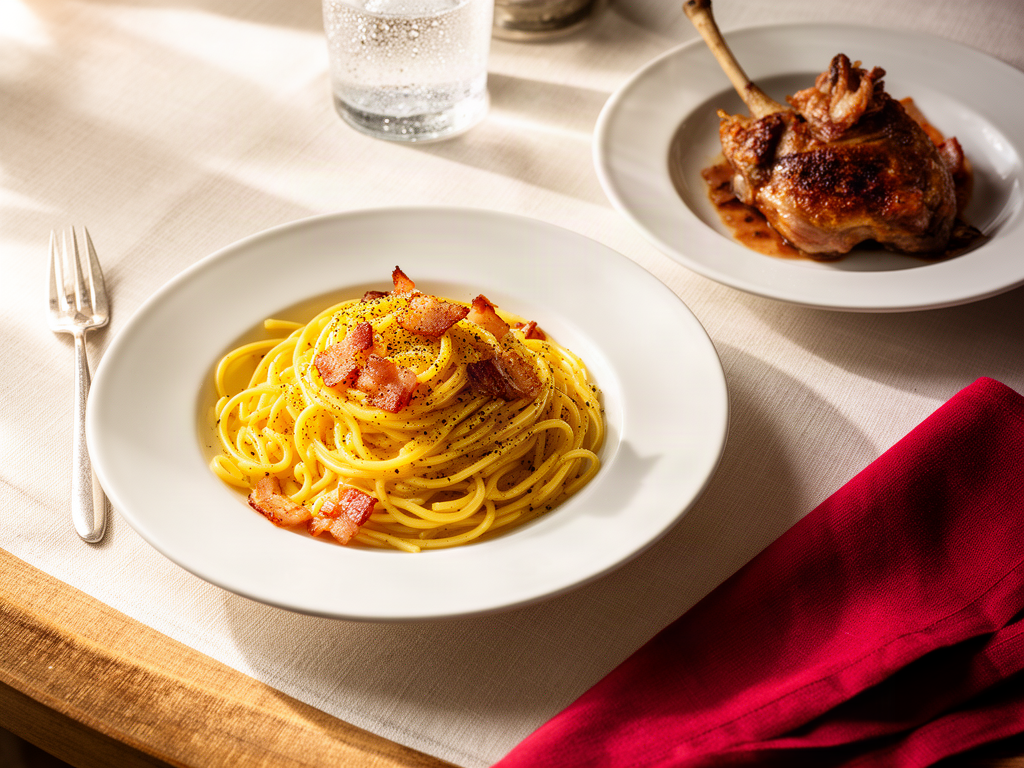
You've eaten 73+ exceptional dishes this year alone. But when someone asks where to find "that incredible carbonara you had," you're scrolling through 2,000 blurry photos in your camera roll, hoping something triggers the memory.
The problem isn't that you don't care about food. It's that you've been treating your dining history like a chaotic photo album instead of a searchable database. Traditional restaurant apps like Yelp want you to rate venues with stars. But you don't eat at venues - you eat specific dishes. That life-changing duck confit at a 3.5-star bistro deserves better than being buried under mediocre reviews of the restaurant's forgettable appetizers.
This guide shows you how to build a personal system that actually works: one that captures granular dish data, uses AI to eliminate manual tagging, and lets you search by natural language the moment you need it.
Table of Contents
- The Instant Fix: Natural Language Search in Your Camera Roll
- The Anti-Star Argument: Why 5-Star Systems Fail Foodies
- The Power Tools: Beli vs. Savor
- The Decision-Maker: Google Maps Dish Search
- The Serious Foodie Workflow: Snap, Rank, Search
- Frequently Asked Questions
The Instant Fix: Natural Language Search in Your Camera Roll
The fastest solution is already in your pocket. Most people don't realize their iPhone or Android can search photos using plain language descriptions - no manual tagging required.
iOS 18.1 allows searching for specific food descriptions like "pizza with mushrooms" or "steak and chips" using Apple Intelligence. Open the Photos app, tap the search bar, and type what you're looking for: "truffle pasta," "yellowtail sashimi," "duck confit." The system uses on-device machine learning to recognize dish types, ingredients, and even plating styles.
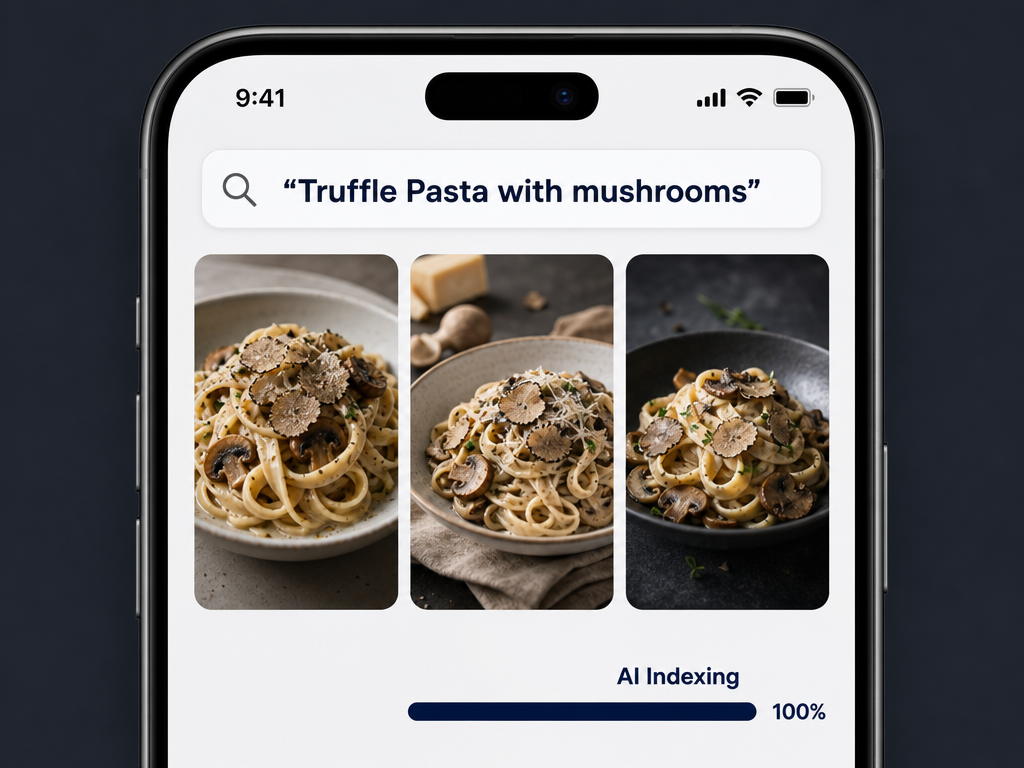
Google Photos offers similar capabilities on Android. The visual recognition works surprisingly well for common dishes - ramen, tacos, sushi, burgers - and improves each time you search.
The limitation: This only works for photos you've already taken. It doesn't capture context like which restaurant, what you paid, or why the dish was exceptional. For that, you need a dedicated tracking system.
If you're looking for ways to organize beyond just searching, check out how to organize food photos by restaurant.
The Anti-Star Argument: Why 5-Star Systems Fail Foodies
Traditional restaurant apps rely on star ratings, but stars are terrible tools for serious food lovers. Here's why:
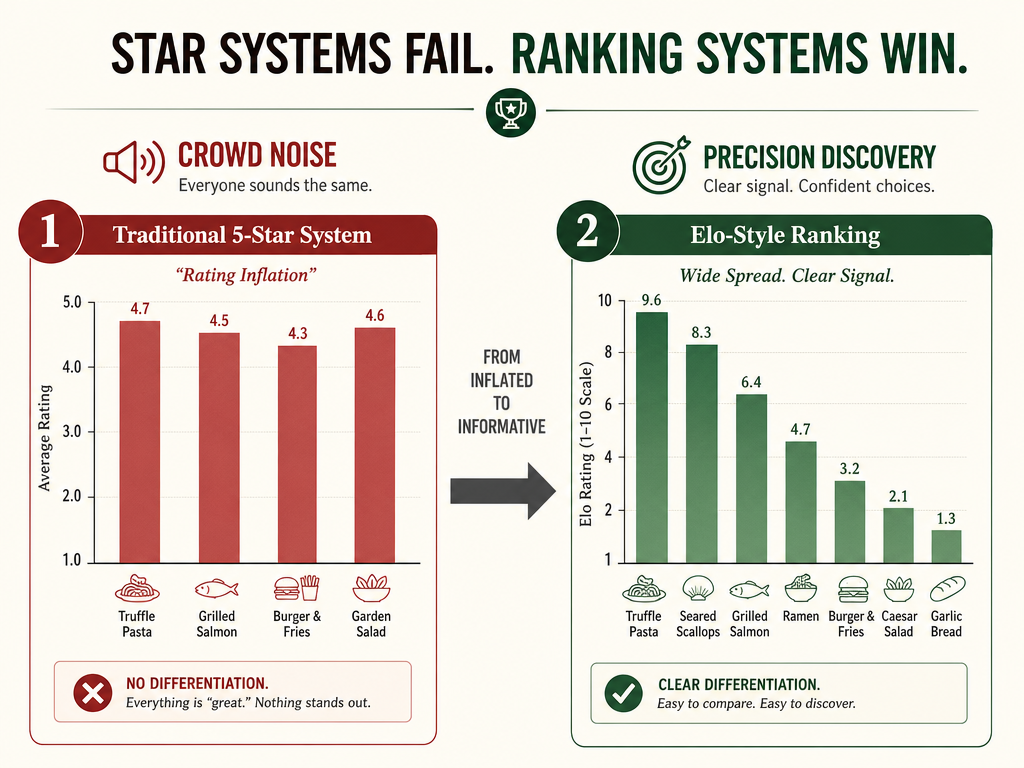
Rating inflation is rampant. On platforms like Yelp, which hosts 244 million reviews as of late 2025/2026, most restaurants cluster between 3.5 and 4.5 stars. A 4.2-star Italian place and a 4.3-star Japanese spot tell you almost nothing about which specific dishes are worth ordering.
Stars rate venues, not dishes. A restaurant can have a transcendent duck breast and a forgettable pasta, but you'd never know it from a single aggregate score. You're not choosing between restaurants - you're choosing between plates.
You can't compare across contexts. Was that 4-star ramen in Tokyo better than the 5-star ramen in your hometown? Stars don't travel well, and they don't account for price, setting, or your personal taste evolution.
The Elo Alternative: Comparative Ranking
Some apps, like Beli, use Elo-style ranking instead of stars. You're presented with two dishes you've tried and asked: "Which was better?" Over time, this creates a personalized hierarchy of every dish you've eaten, ranked against each other rather than against an arbitrary scale.
This solves the inflation problem because there's always a clear winner. It also makes your ratings portable - your #1 dish is your #1 dish, whether you had it in Paris or Pittsburgh.
For a deeper look at how dish-first platforms are changing food tracking, see the best apps to track your favorite dishes.
The Power Tools: Beli vs. Savor
If natural language search in your camera roll is the instant fix, dedicated dish-tracking apps are the power tools. Two platforms dominate the "dish-first" category: Beli and Savor.
Beli: The Social Ranking Platform
Who it's for: The Social Foodie who wants to see where friends are eating and compare taste profiles.
How it works: Beli uses a comparative ranking system. After you snap a photo of a dish, the app occasionally prompts you to compare two meals: "Which was better, the ramen in Tokyo or the pasta in Rome?" Over time, this builds a personalized leaderboard of every dish you've tried.
The feed: Beli's main interface is a social feed showing what people in your network are eating. You can follow friends, see their top-ranked dishes, and discover restaurants through trust networks rather than crowd averages.
The trade-off: Beli is social-first, which means your ratings are visible to others unless you change privacy settings. Some foodies prefer this transparency; others find it performative. The app also requires consistent engagement with the comparison prompts to maintain ranking accuracy.
Savor: The Private Dish Journal
Who it's for: The Analytical Foodie who wants a private archive with AI-powered organization.
How it works: Savor uses computer vision to automatically tag dish names, ingredients, and locations from your photos. You snap a picture, and the app recognizes "carbonara," "pasta," "Rome" without manual input.
The database: Instead of a social feed, Savor gives you a searchable personal database organized by dish type, cuisine, city, or custom tags. You can filter for "all the ramen I've eaten in Japan" or "every duck dish I've rated above 9/10."
The trade-off: Savor is private by default, so you won't discover new restaurants through a social network. It's designed for people who want to build a taste archive, not share recommendations publicly.
If you're exploring ways to organize your culinary life beyond these two apps, this guide to modern food review systems covers additional options.
The Decision-Maker: Google Maps Dish Search
Google Maps isn't just for navigation - it's one of the most underrated tools for finding specific dishes at restaurants you're about to visit.
How to use it:
- Search for a restaurant in Google Maps
- Scroll to the "Dishes" tab (between "Reviews" and "Photos")
- You'll see the most-photographed and mentioned items from user reviews
This tab aggregates dish-level data from the crowd, letting you see that "the spicy miso ramen" is mentioned 47 times while "the tonkotsu" appears only 3 times. It's a quick signal of what regulars actually order.
The AI review summaries: Google also uses machine learning to surface common themes in reviews. If 15 people mention "perfectly crispy crust" for a specific pizza, you'll see that highlighted at the top of the review section. Google removes an estimated 95 million fake reviews annually using machine learning, which makes this dish-level intel more reliable than on smaller platforms.
The limitation: Google Maps is best for discovery at new places, not for remembering what you loved at restaurants you've already visited. For that, you need a personal tracking system.
According to research, 47% of diners check apps before choosing a restaurant, making pre-meal research a standard part of the dining process.
The Serious Foodie Workflow: Snap, Rank, Search
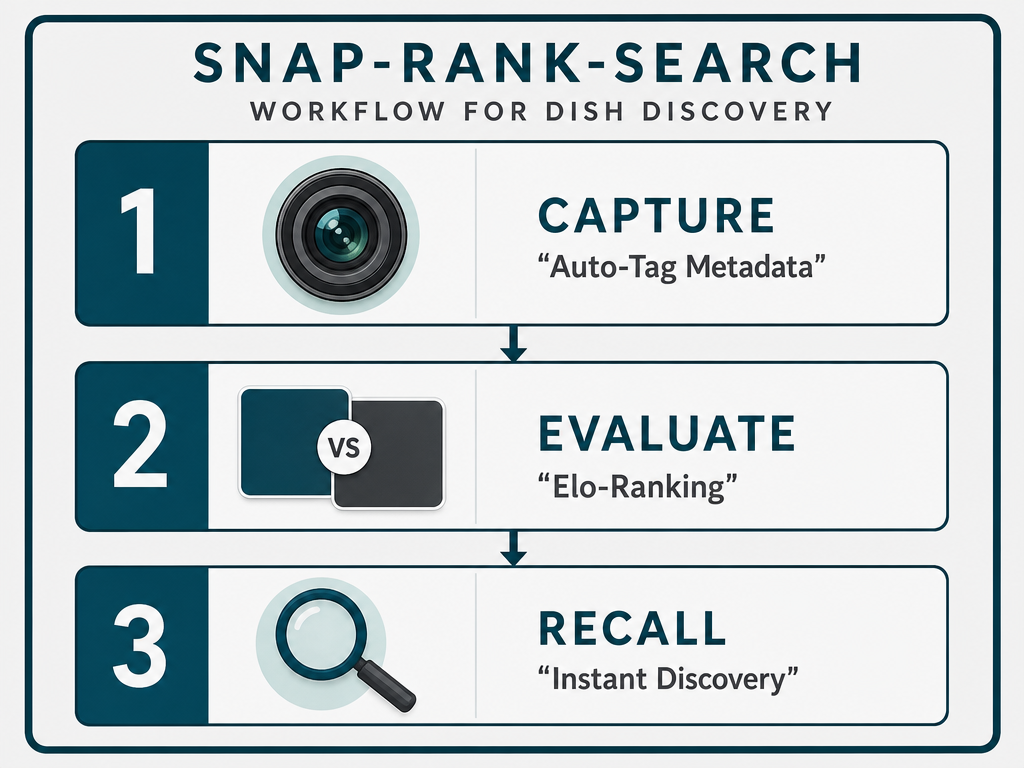
The most effective system combines all three tools into a repeatable workflow:
Step 1: Snap (AI-Powered Capture)
Take a photo of every dish worth remembering. Use Savor or a similar app with AI recognition to automatically log the dish name, location, and date. If you're using your native camera app, the photo still becomes searchable through iOS/Android's natural language system.
Pro tip: Capture context in the moment. Was the plating exceptional? Was the portion size surprising? Most apps let you add quick voice notes or text tags immediately after the meal, which is far more accurate than trying to remember details three weeks later.
Step 2: Rank (Comparative Scoring)
Use Beli's Elo system or build your own comparative scale. Don't get hung up on whether a dish is an 8.7 or 8.8 out of 10. Instead, ask: "Was this better than the last pasta I had?" Relative rankings are more useful than absolute scores because they create a clear hierarchy without grade inflation.
Pro tip: Rank within categories. Your #1 ramen doesn't need to compete against your #1 steak. Create separate leaderboards for pasta, sushi, tacos, etc.
Step 3: Search (Natural Language Recall)
When you need to remember "that incredible truffle dish in Italy," use natural language search in your camera roll or your dish-tracking app's filter system. A properly tagged archive lets you search by ingredient, cuisine, city, or even flavor profile.
Pro tip: Export your data periodically. Both Savor and Beli let you download your dish history as a CSV or PDF. This protects you from losing years of food memories if an app shuts down.
For more on building a personal restaurant tracking system, see how to build a personal restaurant library.
Frequently Asked Questions
What is the best app to rate individual dishes instead of entire restaurants?
Savor and Beli are the two best apps designed specifically for rating dishes rather than venues. Savor offers a private, AI-powered journal with automatic dish recognition. Beli provides a social ranking system using comparative scoring (Elo-style) where you rank dishes against each other instead of assigning arbitrary star ratings. Both apps solve the problem of venue-level ratings burying great individual dishes.
Can I search my camera roll for specific food without manually tagging photos?
Yes. iOS 18.1 and recent Android versions use on-device AI to recognize food in photos without manual tagging. Open your Photos app and search for natural language terms like "ramen," "truffle pasta," or "yellowtail sashimi." The system analyzes ingredients, dish types, and plating automatically. This works best for common dishes with distinctive visual characteristics.
How does Beli's ranking system work compared to traditional star ratings?
Beli uses an Elo-style comparative ranking system borrowed from chess and competitive gaming. Instead of rating a dish on a 5-star scale, the app presents you with two dishes you've tried and asks which was better. Over time, this creates a personalized leaderboard where every dish is ranked relative to all others. This eliminates rating inflation because there's always a clear hierarchy - your #1 dish is definitively better than #2.
Is Google Maps useful for finding the best dishes at a specific restaurant?
Google Maps has a "Dishes" tab that aggregates the most-photographed and mentioned items from user reviews. This crowdsourced dish-level data shows which specific items regulars actually order, making it more useful than a single venue rating. The platform also uses AI to highlight common themes in reviews, like "crispy crust" or "perfectly seasoned." Google removes an estimated 95 million fake reviews annually, making this intel more reliable than smaller platforms.
Should I use a public or private dish tracking app?
This depends on your goals. Public apps like Beli let you see friends' recommendations and build trust networks, which is useful for discovery. Private apps like Savor prioritize building a personal taste archive without social performance. Many serious foodies use both: a private app for their complete dish history, and a public platform for sharing curated recommendations with friends.
Can I export my dish ratings if an app shuts down?
Reputable dish-tracking apps offer data export features. Savor provides CSV and PDF exports of your entire dish history. Beli offers similar functionality. Always check an app's export options before committing years of food memories to a single platform. Exporting your data periodically protects you from losing your archive if a service closes or changes ownership.
How do I organize thousands of food photos without spending hours on manual tagging?
Use AI-powered apps like Savor that automatically recognize dish names, ingredients, and locations from your photos. Alternatively, rely on your phone's native search capabilities - both iOS and Android can now search photos by food type without any manual work. For photos you've already taken, batch import them into a dish-tracking app that offers retroactive AI tagging.