
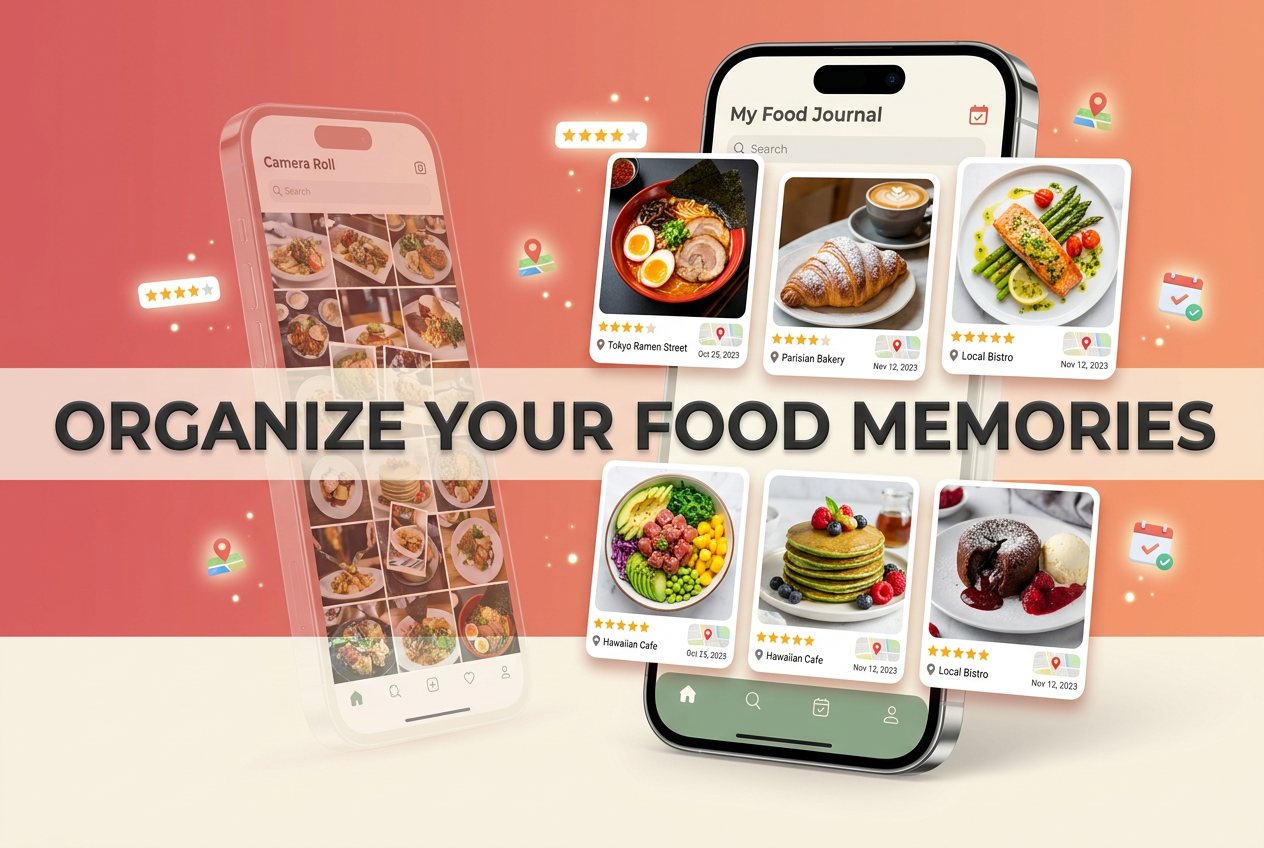
The Best Food Spotting Apps to Finally Organize Your Camera Roll (2026)
John the smoothie monster
John lives for smoothie bowls and cold-pressed juices. He uses Savor to remember his best blends.
The Best Food Spotting Apps to Finally Organize Your Camera Roll (2026) You had an extraordinary meal three months ago. The kind that stopped conversation...
The Best Food Spotting Apps to Finally Organize Your Camera Roll (2026)
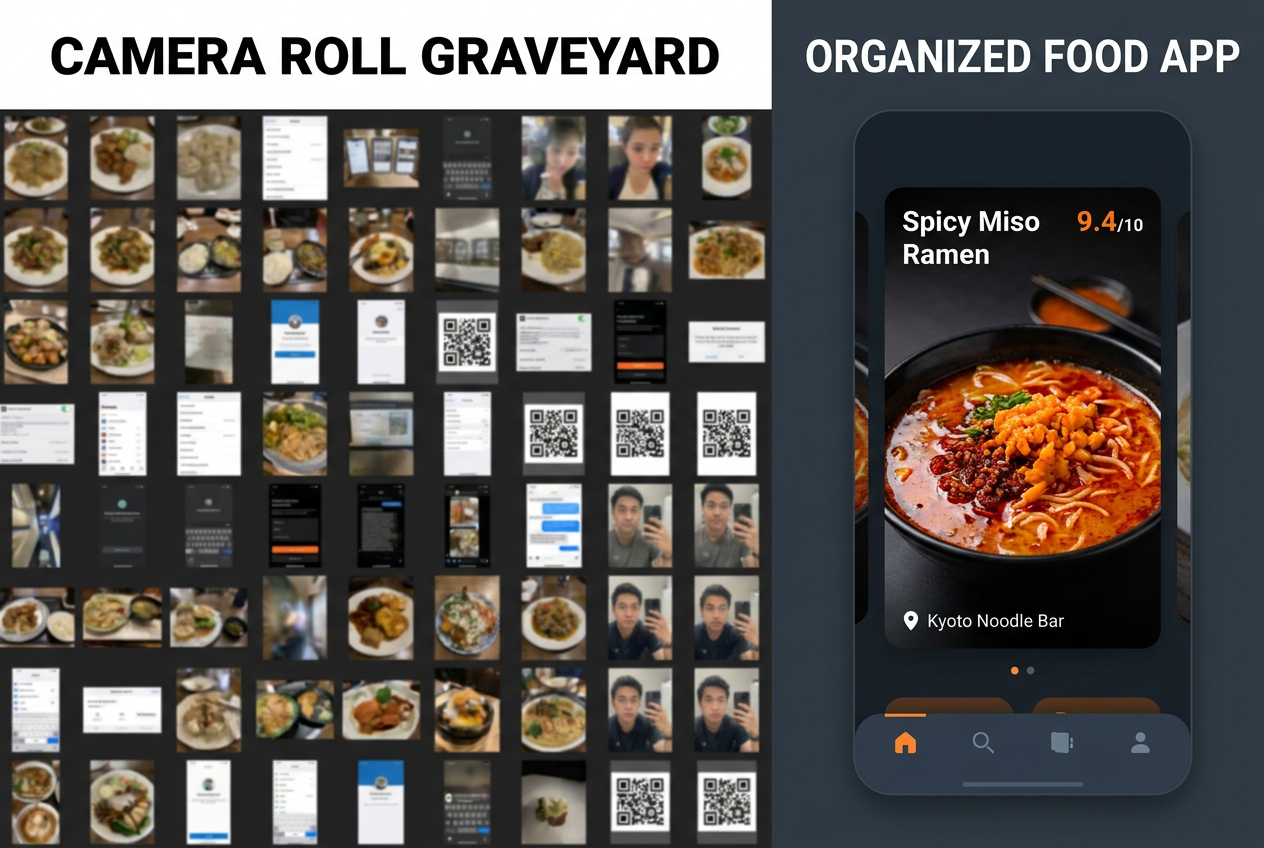
You had an extraordinary meal three months ago. The kind that stopped conversation mid-bite. You took a photo - of course you did - and now that photo sits somewhere in your camera roll alongside 2,000 others. You can’t remember the restaurant’s name. You definitely can’t recall what that specific dish was called. The memory is fading faster than you’d like to admit.
This is the camera roll graveyard. A digital cemetery where your best culinary memories go to die, unsearchable and unretrievable. You’re not being forgetful - you’re being human. The human brain wasn’t designed to catalog hundreds of restaurant experiences with the precision of a database. But here’s the thing: your phone was.
The original Foodspotting app is long dead, but the need it served has only intensified. What’s changed is that modern food spotting apps have evolved far beyond simple photo galleries. They’ve become precision instruments for tracking individual dishes, not just restaurants. They’re the difference between remembering you ate somewhere good and knowing exactly which plate to order when you return.
Table of Contents
- The Problem: Why Your Camera Roll Is a Foodie Graveyard
- Dish-Level Precision vs. Venue-Level Averages
- The Comparison Matrix: Five Apps That Actually Work
- Detailed App Breakdowns
- How to Build Your Personal Culinary Database
- The Privacy Paradox: Why Private Logs Beat Public Reviews
- Frequently Asked Questions
The Problem: Why Your Camera Roll Is a Foodie Graveyard
Most serious food lovers carry around a secret shame: thousands of food photos they’ll never look at again. The intention is always there - you’ll organize them later, you’ll remember the details, you’ll create some system. But "later" never comes.
The fundamental issue isn’t laziness. It’s that your camera roll was never designed to be a searchable database. There’s no way to filter by cuisine type, no method to rank dishes against each other, no system to tag what made that specific plate memorable. Your photos exist in a chronological wasteland where finding anything requires scrolling through birthday cakes, screenshots, and random receipts.
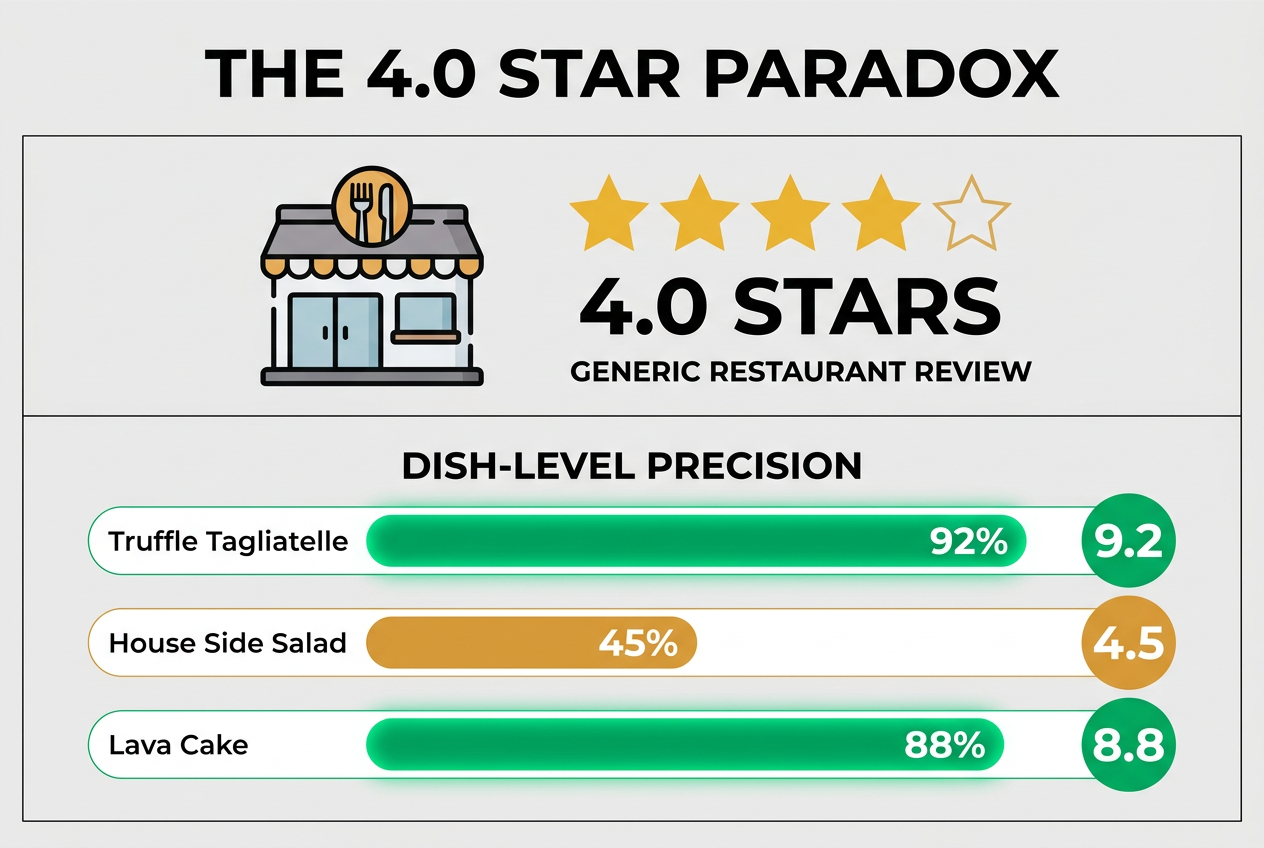
This creates what I call the 4.0-star paradox. You look up a restaurant with solid ratings, you go, you order... and you get the one mediocre dish on an otherwise excellent menu. The restaurant isn’t bad. Your specific choice was. But generic venue ratings can’t tell you that the carbonara is transcendent while the bolognese is forgettable.
Modern food spotting apps solve this by making the dish - not the restaurant - the atomic unit of your food memory. When you search your history, you’re looking for "that incredible spicy vodka rigatoni" rather than "that Italian place near the bridge." The difference is everything.
Dish-Level Precision vs. Venue-Level Averages
Let’s talk about why restaurant ratings are fundamentally broken for serious food people.
A restaurant gets a 4.2-star average on Google. What does that tell you? Almost nothing. It’s an aggregate score influenced by service, ambiance, price, the reviewer’s mood that day, and maybe - if you’re lucky - the actual food. More importantly, it treats every dish on the menu as equally representative of the experience.
That’s insane when you think about it. A great restaurant might have fifteen dishes worth traveling for and five that are merely competent. A mediocre restaurant might have one signature dish that justifies its existence. The average rating obscures both scenarios.
Dish-level tracking flips this model. Instead of asking "Is this restaurant good?", you ask "Which specific plates at this restaurant are worth my time and money?" The data structure changes from a single star rating to a granular map of what works and what doesn’t.
This matters most when you’re making the critical decision: what to order. Generic reviews might tell you a place serves "excellent pasta." Dish-level data tells you the cacio e pepe is a 9.2 out of 10 while the amatriciana is a 6.8. That specificity is the difference between a memorable meal and a wasted evening.
The apps that understand this distinction structure their entire interface around individual dishes. They let you rate, photograph, and annotate specific plates. They let you search your history by ingredient, cooking technique, or flavor profile. They treat your culinary memory with the precision it deserves.
If you’re tracking restaurant visits without tracking individual dishes, you’re essentially keeping a bookmark collection when you need a research database. The best food review apps have figured this out.
The Comparison Matrix: Five Apps That Actually Work
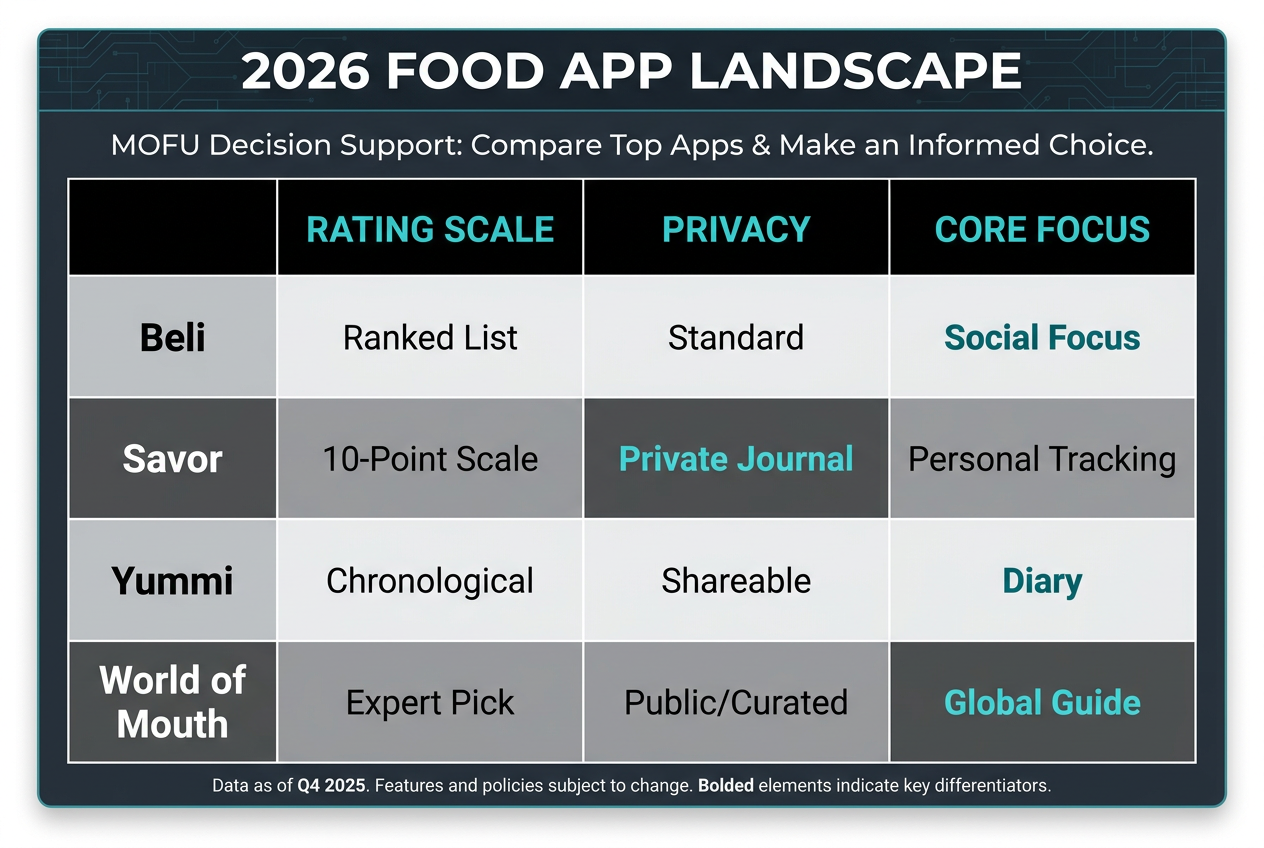
Here’s what you actually need to know before downloading anything:
| App | Focus | Rating Scale | Privacy Level | Price | Best For |
|---|---|---|---|---|---|
| Savor | Individual dishes | 10-point | Private by default | Free (premium features available) | Serious critics who want precision |
| Beli | Social discovery | 5-star | Public social network | Free | List-makers and social butterflies |
| Yummi | Complete meal logging | Custom tags | Flexible | Free with premium | Chroniclers tracking every meal |
| World of Mouth | Expert curation | Recommendation-based | Public guides | Free | Travelers seeking expert picks |
| Google Maps | Venue reviews | 5-star | Public | Free | Casual diners wanting simplicity |
The fundamental split here is between social platforms and personal databases. Beli and World of Mouth want you to share. They’re built around the idea that your food knowledge becomes more valuable when it’s public. Savor and Yummi treat your food journal as a private research tool first, social network second.
The rating scale matters more than most people realize. A 5-star system gives you limited granularity - the difference between "pretty good" and "excellent" gets mushed into a single rating. A 10-point scale lets you make finer distinctions. The difference between a 7.5 and an 8.5 is meaningful when you’re deciding where to spend $50 on dinner.
Privacy determines how honest you’ll be. When you know your scores are public, social pressure inflates your ratings. That "fine but forgettable" dish becomes a 4 out of 5 because you don’t want to seem harsh. In a private journal, you can call a 6.0 a 6.0 without worrying about the restaurant’s feelings.
Price is mostly a non-issue here. The free tiers on all these apps are genuinely useful. Premium features typically unlock things like advanced search filters, unlimited photos, or special tagging systems - nice to have, but not essential for most users.
The real question is philosophical: do you want a tool that helps you remember your own taste, or one that helps you broadcast it?
Detailed App Breakdowns
Savor: The Precision Instrument
Savor treats food memory like a research project. The entire interface is built around one question: what did you think of this specific dish?
The 10-point rating system is the centerpiece. You’re not choosing between thumbs up or thumbs down, or even between three stars and four. You’re making precise judgments: is this cacio e pepe a 7.8 or an 8.2? That level of granularity seems excessive until you’ve logged fifty pasta dishes and need to remember which ones are actually worth revisiting.
The AI-assisted tagging handles the tedious parts. You snap a photo, and the app attempts to identify the restaurant, the dish name, and relevant tags. It’s not perfect - it sometimes mistakes a poke bowl for tartare - but it saves enough time that you’ll actually use it at the table instead of promising yourself you’ll log it later.
Privacy is the default setting. Your ratings, your notes, your entire culinary database stays private unless you explicitly choose to share specific entries. This matters because it eliminates performance pressure. You’re not rating for an audience; you’re building accurate data for yourself.
The search functionality is where Savor justifies its existence. You can filter by cuisine, by ingredient, by rating range, by price point, by date. You can pull up every pasta dish you’ve rated above an 8.0 in the last six months. You can find that incredible shrimp dish you had somewhere in Brooklyn last summer but can’t quite remember where.
This is the app for people who want their food memories organized like a professional critic’s notebook. If you’ve ever wished you could query your taste history like a database, Savor is built for you. The learning curve is steeper than simpler apps, but the payoff is a genuinely searchable record of everything you’ve eaten.
For more on organizing your culinary archive, check out our guide on how to organize restaurant photos.
Beli: The Social Butterfly’s Paradise
Beli is Letterboxd for food. If that sentence means something to you, you already know whether this is your app.
The core mechanic is list-making. You create ranked lists of your favorite tacos, your essential NYC breakfast spots, the best pasta you had in 2025. Your friends follow you, you follow them, and suddenly you’ve got a curated feed of people whose taste you trust recommending specific dishes.
The social aspect isn’t optional here - it’s the entire point. When you rate a dish, you’re publishing a mini-review to your network. When you create a list, you’re essentially blogging. This works beautifully if you enjoy that performance, if you have friends who care about food as much as you do, if you find value in public curation.
The 5-star rating system keeps things simple. Beli isn’t trying to help you make microscopic distinctions between good and great. It wants broad strokes: loved it, liked it, it was fine, didn’t like it, hated it. For many people, that’s exactly enough precision.
The friend discovery features are actually useful. The app suggests people based on mutual follows and similar taste patterns. You end up following that person who rated the same omakase spot you loved, and suddenly you’ve got a whole new pipeline of recommendations.
The weakness is the same as the strength: everything is public, everything is performative. If you want a private food diary, Beli will frustrate you. If you want to curate your public food persona and discover new spots through trusted friends, it’s perfect.
The app shines brightest for people who already share food recommendations constantly. If you’re the friend who always has a spot to suggest, who maintains mental lists of the best version of every dish in your city, Beli just gives you a better platform for that impulse.
Yummi: The Completionist’s Calendar
Yummi operates on a different premise entirely: what if you logged every meal?
The calendar view is the defining feature. Each day gets a visual grid of your meals - breakfast, lunch, dinner, snacks. Over time, you build a complete chronicle of your eating life. It’s almost meditative, this daily ritual of recording what you ate.
The "Foodprints" concept tracks your eating patterns over time. You can see how often you eat certain cuisines, which restaurants you return to most frequently, whether your taste is expanding or calcifying. It’s data journalism about your own appetite.
The tagging system is flexible rather than prescriptive. You can create whatever categories matter to you: "worth the wait," "date night quality," "hangover cure," "only when someone else is paying." The app doesn’t force a structure; it gives you tools to build your own.
The completionist approach has a real psychological hook. Once you’ve logged fourteen consecutive days of meals, you don’t want to break the streak. It gamifies food memory in a way that actually serves the core purpose - you build a more complete archive because the app makes incompleteness feel wrong.
The downside is obvious: logging every meal is work. If you eat out twice a week, Yummi might be overkill. If you eat out twice a day, it’s potentially the most valuable record you could keep. The app rewards obsession.
The search tools are solid but not exceptional. You can filter by date, location, and your custom tags. You can find patterns in your eating habits. But it’s more about chronological completeness than analytical power.
This is the app for people who want a complete historical record, who find satisfaction in comprehensive documentation, who don’t mind the daily maintenance that requires. It’s a food diary in the truest sense - a daily practice, not just a reference tool.
World of Mouth: The Traveler’s Expert Guide
World of Mouth isn’t really a food spotting app in the traditional sense. It’s a curated recommendation platform where actual experts - chefs, food critics, restaurant insiders - share their essential picks.
The value proposition is simple: why trust crowd-sourced ratings when you could follow Marcus Samuelsson’s Stockholm recommendations or Nancy Silverton’s Los Angeles picks? The app gives you access to curated lists from people who actually know their stuff.
The city guides are impressively comprehensive. Major food cities like Paris, Tokyo, New York, London get deep coverage. You’re not getting hidden gems that locals gatekeep - you’re getting the dishes that professional chefs eat when they visit.
The expert credibility is legitimate. These aren’t influencers calling themselves experts. They’re established names in food media, restaurant owners with decades of experience, critics with actual institutional backing. When René Redzepi recommends a spot in Copenhagen, that means something.
The weakness is coverage. If you live in Des Moines or Albuquerque, World of Mouth won’t help much. The app focuses on major food destinations and tourist-heavy cities. It’s built for travelers, not locals.
The interface is beautiful but limited. You browse by city or by expert. You save recommendations to custom lists. You can’t rate dishes yourself - this is a one-way flow of information from experts to you. Some people find that refreshing. Others find it frustrating.
This is the app you download before a trip to a major food city. You pick three experts whose taste aligns with yours, you save their recommendations, and you work through the list while you’re there. It’s a travel planning tool first, a food memory tool second.
If you’re tracking your own meals and want expert guidance for your next trip, check out our guide to building a personal restaurant library.
Google Maps: The Familiar Fallback
Google Maps isn’t designed as a food spotting app, but millions of people use it as one anyway. You’re already using it for navigation; adding restaurant reviews is zero friction.
The saved lists feature works well enough. You create lists like "Want to Try" or "Favorites," you drop pins on restaurants, you add notes. When you’re planning a night out, you browse your saved spots and pick something. It’s functional.
The weakness is that Google Maps is venue-focused, not dish-focused. You can note that you loved a restaurant, but there’s no elegant way to record which specific dishes were worth ordering. You end up adding that information in text notes, which aren’t searchable or comparable.
The review system is public and basic. Five stars, some text, maybe photos. The social pressure to be positive is enormous - you’re writing for an audience of strangers, including potentially the restaurant staff. Honest criticism feels harsh in this context.
The big advantage is ubiquity. Everyone has Google Maps. Your friends have Google Maps. If you share a recommendation, they can immediately see the location, read other reviews, get directions. The friction is minimal.
For casual diners who eat out occasionally and want simple bookmarking, Google Maps is genuinely sufficient. For serious food people tracking hundreds of dishes with precision ratings and detailed notes, it’s limiting.
Most people using Google Maps as a food journal eventually migrate to a dedicated app. The transition usually happens when they realize they can’t remember which dish at their saved restaurant was actually good, or when they want to compare their pasta ratings across different cities.
How to Build Your Personal Culinary Database
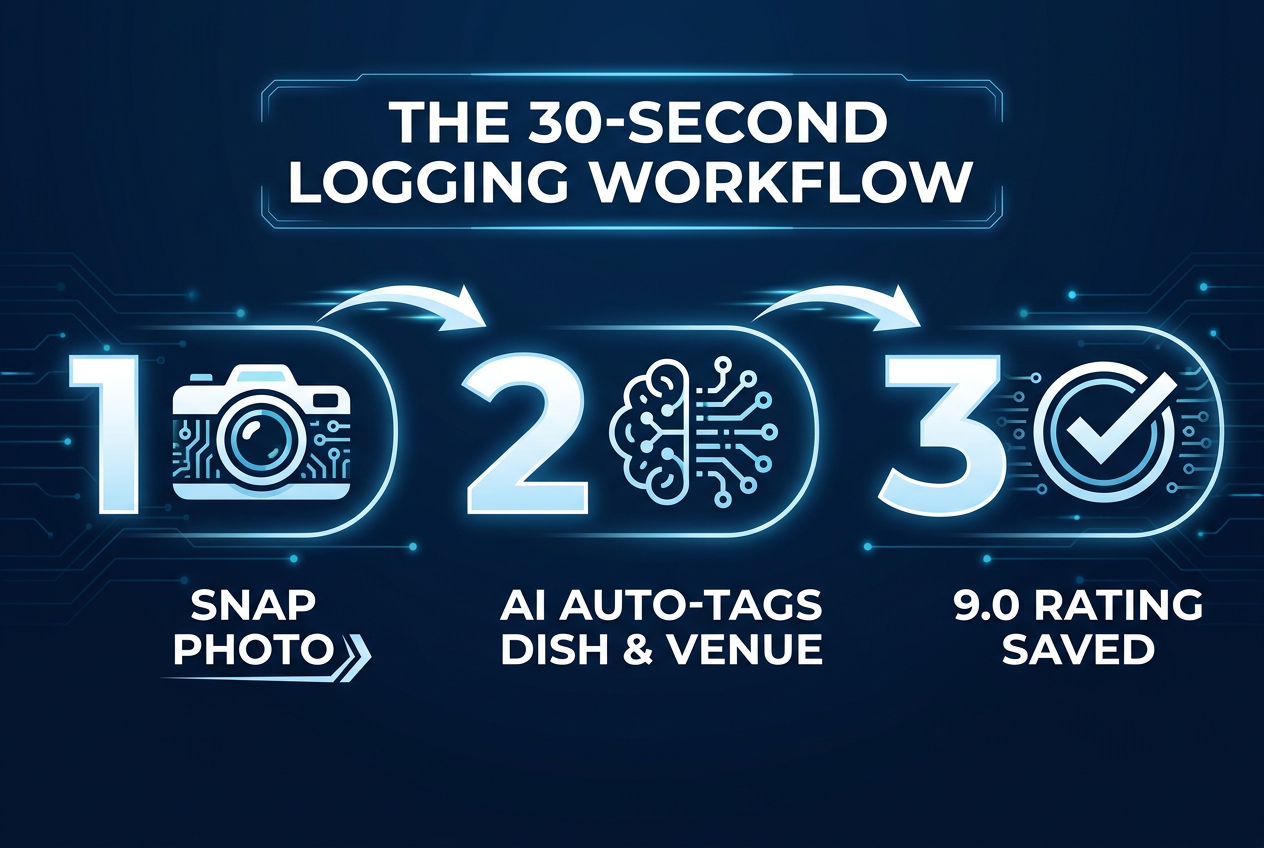
The difference between people who successfully maintain a food journal and people who download an app and abandon it after three entries comes down to one thing: friction.
The 30-Second Rule
If logging a dish takes more than thirty seconds at the table, you won’t do it consistently. You’ll promise yourself you’ll add details later. Later never comes. The entry sits there incomplete, and the whole system degrades.
The thirty-second protocol looks like this:
- Take the photo while the dish is still in front of you (5 seconds)
- Let the app auto-tag the restaurant and dish name (instant)
- Add your rating on the 10-point scale (3 seconds)
- Add one short note if something was exceptional or disappointing (20 seconds)
That’s it. Everything else - detailed flavor notes, comparisons to other versions, cooking technique observations - can wait until you’re not at the table. But those four core data points need to happen in the moment or the memory degrades.
The apps that understand this prioritize speed. They use AI to handle the tedious parts. They make rating and note-taking as quick as possible. They don’t force you through five screens before you can save an entry.
The Calibration Problem
A 10-point scale is only useful if you calibrate it properly. Without calibration, score inflation becomes inevitable. Everything good becomes a 9 or 10, and you lose the ability to make meaningful distinctions.
The solution is to anchor your scale to specific reference dishes. Find your personal 10.0 - the best version of a dish you’ve ever had, the meal that set your standard for excellence. That becomes your benchmark. Everything else gets rated relative to that ceiling.
A 7.0 should be genuinely good - worth ordering again, executed competently, satisfying. Not memorable, not special, but solid. If you’re rating competent food at 8.5 or higher, you’ve inflated your scale and it’ll become meaningless.
A 9.0 or above should be rare. These are dishes worth traveling for, worth paying extra for, worth recommending unreservedly. If more than 10% of your entries are 9.0+, you’re probably being too generous.
The calibration process takes time. You need to rate maybe fifty dishes before your internal scale stabilizes. But once it does, your ratings become genuinely useful data rather than random numbers.
For more on developing your rating system, see our guide on how to rate individual dishes.
The Search-First Mindset
Build your database with search in mind. Add tags that you’ll actually use to filter later. If you might want to find all your ramen entries, tag them as ramen. If you care about distinguishing between traditional and modern preparations, create tags for that.
The mistake most people make is over-tagging. They create fifteen different tag categories and spend five minutes per entry meticulously categorizing everything. That’s the wrong direction. More friction, less compliance, abandoned system.
The better approach is minimal, high-value tags. Cuisine type. Price bracket. Maybe one or two custom categories that genuinely matter to you. That’s enough to make search useful without making data entry painful.
The apps that handle this well offer auto-suggested tags based on your entry. They learn your patterns and offer the tags you typically use. They reduce decision fatigue by presenting options rather than making you create categories from scratch.
The Review Habit
Consistency beats perfection. A partial entry that exists is infinitely more valuable than a perfect entry you never create. If all you manage is a photo and a rating, that’s still searchable data. You can fill in details later if the dish was truly exceptional.
The key is making it automatic. You take a photo of every dish worth remembering. You add a quick rating before the meal is over. You treat it like checking your phone - a small habitual action that happens without deliberate thought.
Most people establish this habit within two weeks if they’re using an app with low enough friction. The apps that fail usually fail because they demand too much upfront effort. The successful ones make compliance nearly effortless.
The Privacy Paradox: Why Private Logs Beat Public Reviews
There’s a counterintuitive truth about food logging: the more private your journal, the more accurate your data becomes.
Public reviews suffer from social inflation. You’re writing for an audience - the restaurant might read it, your friends will see it, strangers will judge you. That social pressure pushes your ratings upward. The dish was fine becomes four stars. The dish was good becomes five stars. You round up because being critical feels mean.
Private logs eliminate this pressure. You’re writing for yourself, six months in the future, trying to remember which version of carbonara was actually worth ordering again. There’s no incentive to inflate scores. A 6.5 is a 6.5 - good enough to finish, not good enough to reorder.
This creates dramatically more useful data. When you’re searching your entries for the best pasta in your city, you want genuine distinctions. You want to know that your 9.2-rated cacio e pepe really was transcendent, not just socially acceptable to praise.
The privacy advantage compounds over time. After you’ve logged a hundred dishes, patterns emerge that you’d never see in public reviews. You realize you consistently rate a certain style of preparation higher than others. You discover that your taste differs systematically from mainstream opinion on specific cuisines. You build genuine self-knowledge about your palate.
Public social platforms have their place - they’re excellent for discovery, for finding recommendations from trusted sources, for sharing exceptional experiences. But they’re poor tools for honest self-assessment. The performance pressure corrupts the data.
The ideal setup is hybrid: a private journal where you rate honestly, with the option to share selected highlights publicly. Apps that track restaurant meals with this privacy-first approach give you accuracy without sacrificing community entirely.
The professionals understand this instinctively. Food critics keep private notes that are far more detailed and honest than their published reviews. Chefs maintain personal records of dishes they’ve tried, with brutal honesty about what worked and what didn’t. The separation between private assessment and public presentation is essential for maintaining accurate standards.
Your food journal should work the same way. Rate for yourself first. Share selectively. Build a database you can actually trust when you’re making dining decisions six months from now.
Your camera roll doesn’t have to be a graveyard. The tools exist to turn those thousands of food photos into a searchable, valuable archive of your taste. The question isn’t whether you need a food spotting app - if you care enough about food to read this far, you do. The question is which specific tool matches how you think about food memory.
If you want precision and privacy, choose Savor. If you want social discovery and list-making, go with Beli. If you want complete chronological logging, try Yummi. If you’re planning trips to major food cities, World of Mouth gives you expert guidance. And if you just want something simple and ubiquitous, Google Maps serves as a basic fallback.
The best choice is the one you’ll actually use. Pick the app with the lowest friction for your habits, start logging today, and six months from now you’ll have something invaluable: a reliable memory of every great dish you’ve eaten, searchable and ready when you need it.
Frequently Asked Questions
What is a food spotting app?
A food spotting app is a digital tool designed to help you track, rate, and remember individual dishes rather than just restaurants. Unlike traditional review platforms that focus on venue ratings, food spotting apps treat each specific plate as its own entry - letting you log that the carbonara was exceptional even if the restaurant overall was just okay. Modern food spotting apps typically include features like dish-level ratings (often on a 10-point scale), photo organization, searchable tags, and the ability to build a personal database of everything you’ve eaten. The core purpose is solving the "camera roll graveyard" problem - turning thousands of unsearchable food photos into a genuinely useful culinary archive.
How is Savor different from Yelp or Google Reviews?
The fundamental difference is focus: Yelp and Google Reviews center on venues and aggregate ratings, while Savor centers on individual dishes and personal memory. When you use Yelp, you’re writing a public review of an entire restaurant for a broad audience, which creates social pressure to round up your ratings and soften criticism. Savor is private by default - you’re building an accurate personal database of what you thought of specific dishes, rated on a precise 10-point scale instead of the generic 5-star system. Savor also uses AI to auto-tag restaurants and dishes, making data entry fast enough to actually do at the table. The search functionality lets you filter by cuisine, ingredient, rating range, or date - treating your food memory like a queryable database rather than a chronological feed. While Yelp helps you decide if a restaurant is worth visiting, Savor helps you remember exactly which dish to order when you get there.
Can I use food spotting apps for diet tracking?
While food spotting apps can technically log what you eat, they’re designed for a different purpose than diet tracking apps. Traditional diet trackers like MyFitnessPal focus on nutritional data - calories, macros, portion sizes - and treat food primarily as fuel. Food spotting apps like Savor, Beli, or Yummi focus on culinary memory - what dishes tasted amazing, which restaurants are worth returning to, what your taste patterns reveal over time. If your goal is weight loss or hitting specific macro targets, you want a dedicated nutrition app. If your goal is remembering great meals and building a personal food reference library, you want a food spotting app. Some apps like Yummi blur the lines by letting you log every meal chronologically, which can serve both purposes to a degree. But the core design philosophy differs - diet apps optimize for nutritional accountability, food spotting apps optimize for taste memory and discovery.
Do I need a separate app just for food photos?
You don’t need one, but here’s why serious food lovers end up using one anyway: your camera roll isn’t designed for recall. Photos sit in chronological order with no way to search by restaurant, cuisine, or what you thought of the dish. You can’t filter your 2,000 food photos to find "every pasta dish I rated above an 8.0" or "that incredible taco I had somewhere in Austin last spring." A dedicated food app turns unsearchable photos into structured data - each image is tagged with location, dish name, rating, and your notes, making it findable when you need it. The photos also serve a specific purpose in food apps: they’re visual anchors for memory, not just documentation. When you browse your entries, the photo instantly reminds you what made that dish special. Most food spotting apps also optimize photo layout for food specifically - grid views, filters that enhance food photography, organization by restaurant rather than by date. Your camera roll is a general-purpose tool; a food app is a specialized archive.
How do 10-point rating scales work better than 5 stars?
A 10-point scale gives you the granularity to make meaningful distinctions that a 5-star system collapses into false equivalence. With five stars, you’re forced to call both "really good" and "genuinely exceptional" the same thing - they both become 5 stars or maybe 4 stars. With ten points, you can distinguish between an 8.0 (very good, worth ordering again), an 8.5 (excellent, would actively recommend), and a 9.2 (extraordinary, worth traveling for). Those gradations matter when you’re trying to remember six months later which pasta dishes were truly special versus merely competent. The 10-point scale also reduces the rounding problem - with 5 stars, there’s pressure to round 3.5 up to 4, or 4 up to 5. With 10 points, you can be honest that something is a 7.0 without feeling like you’re being harsh. Over time, this precision creates genuinely useful data. When you’ve rated fifty versions of a dish, the differences between 7.8 and 8.3 reflect real distinctions in quality that would be invisible in a 5-star system.
Is it worth paying for premium features in food apps?
For most casual users, the free tiers are genuinely sufficient. The core functionality - logging dishes, adding photos, basic search and filtering - works perfectly well without paying. Premium features typically unlock nice-to-have additions like unlimited photo uploads, advanced search filters (e.g., finding all dishes with a specific ingredient across multiple cuisines), offline access, or ad removal. Whether it’s worth paying depends on how intensively you use the app. If you’re logging 2-3 meals per week, free is fine. If you’re logging 10+ meals per week and using the app as a primary reference tool for dining decisions, premium features start delivering real value. The specific features that justify payment vary by person - a frequent traveler might pay for offline access, a serious home cook might pay for advanced ingredient filtering, a completionist might pay for unlimited photo storage. Try the free version for a month, identify which limitations actually frustrate you in practice, then decide if the premium tier solves real problems or just theoretical ones.
Can I transfer my data if I switch food apps?
This is one of the genuinely painful aspects of the food app ecosystem - most platforms make data export difficult or impossible. The business incentive is to lock you in, which conflicts with your interest in data portability. Some apps like Savor offer export functionality that lets you download your entries as CSV or JSON files, which you can theoretically import into another platform. Others, particularly social-focused apps like Beli, treat your data as part of their network and don’t offer easy export. Before committing heavily to any food app, check their export policies. Look for apps that support standard data formats and don’t trap your information in proprietary systems. The practical reality is that switching apps often means starting fresh, which creates real friction for people with hundreds of logged entries. This is why choosing carefully upfront matters - your food journal becomes more valuable over time, and platform lock-in increases the cost of switching. If data ownership is important to you, prioritize apps with clear export policies and open data formats from the start.
How do food spotting apps handle group dining?
This is actually a tricky design problem that different apps solve in different ways. When you’re at a table with four people and everyone orders different dishes, do you log only what you ordered, or do you try to capture the entire meal? Apps like Savor let you photograph and rate multiple dishes per meal, noting which ones you actually ate versus which you tried from someone else’s plate. Yummi’s chronological approach lets you log a meal as a collection of dishes, which works well for family-style dining. The challenge is attribution - if you loved a dish but only tried two bites, should you rate it? Most apps don’t enforce specific rules here; they leave it to user judgment. Some food loggers create a personal convention like "only rate dishes I ate at least half of" or "mark shared dishes with a specific tag." The group dining scenario also highlights why private logs work better than public reviews - you can honestly rate your friend’s disappointing pasta choice without publicly criticizing their taste. If you regularly dine family-style or do tasting menus with shared plates, look for apps that make it easy to attach multiple dish entries to a single restaurant visit.