
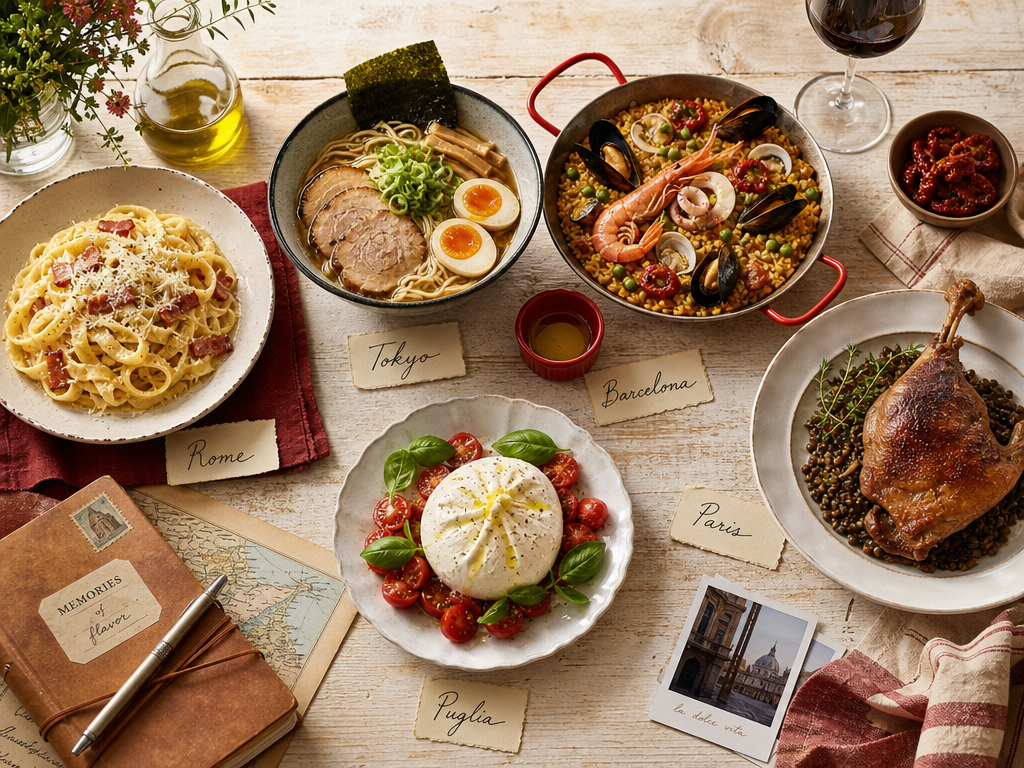
How to Filter Food Memories by Travel Destination: The Complete System for Serious Foodies
John the smoothie monster
John lives for smoothie bowls and cold-pressed juices. He uses Savor to remember his best blends.
How to Filter Food Memories by Travel Destination: The Complete System for Serious Foodies You know you had that life-changing carbonara in Trastevere in 2022,...
How to Filter Food Memories by Travel Destination: The Complete System for Serious Foodies
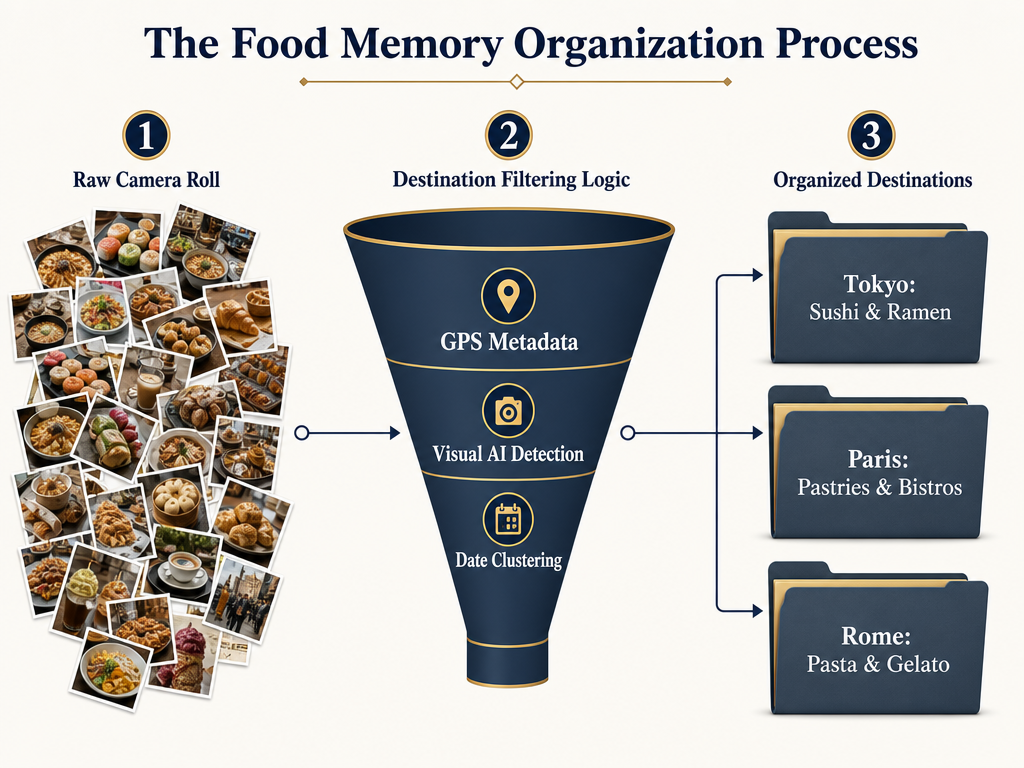
You know you had that life-changing carbonara in Trastevere in 2022, but your camera roll is a black hole. Somewhere between 2,847 photos of plates, sunsets, and accidental pocket shots, that meal exists - but you can't find it. You can't remember the restaurant's name. You definitely can't remember what you ordered two nights later at that other place.
This is the digital shoe box problem, and it's killing your food memory.
The good news? You don't need to be a spreadsheet wizard or hire a personal archivist. What you need is a systematic workflow that bridges the gap between your chaotic camera roll and your desire to curate a personal gastronomic atlas - one you can actually search by destination, dish type, or that specific weekend in Lyon when everything tasted better.
This guide shows you exactly how to organize, filter, and recall food-specific memories based on where you ate them. No invented statistics, no magic bullets - just three proven methods, ranked by effort level, with real examples of how each one works in practice.
Table of Contents
- The "Digital Shoe Box" Problem
- The Zero-Effort AI Method (Native Photos)
- The Social Architect (Beli)
- The Geographic Veteran (Google Maps Custom Maps)
- Choosing Your System: A Comparison
- The Hybrid Approach
- Frequently Asked Questions
The "Digital Shoe Box" Problem
Your phone's camera roll isn't organized. It's a graveyard where incredible meals go to die. That plate of nduja-spiked rigatoni from Rome sits three swipes away from a blurry photo of a parking garage. The name of the restaurant? Gone. The neighborhood? Maybe you remember it was near a fountain. The dish you ordered the next night? No idea.
This isn't a storage problem. It's an architecture problem. You're hoarding photos when what you actually need is a system that lets you ask: "What was that thing I ate in Barcelona?" or "Show me every bowl of ramen I've photographed in Tokyo."
The challenge isn't just capturing the moment - it's making that moment findable six months later when you're planning your next trip or trying to remember which restaurant had the better duck confit.
There are three distinct tiers of solutions, each trading convenience for control. The right one depends on whether you want automation or precision, whether you're building a private archive or a social map, and whether you're willing to spend five minutes per meal or five seconds.
The Zero-Effort AI Method (Native Photos)
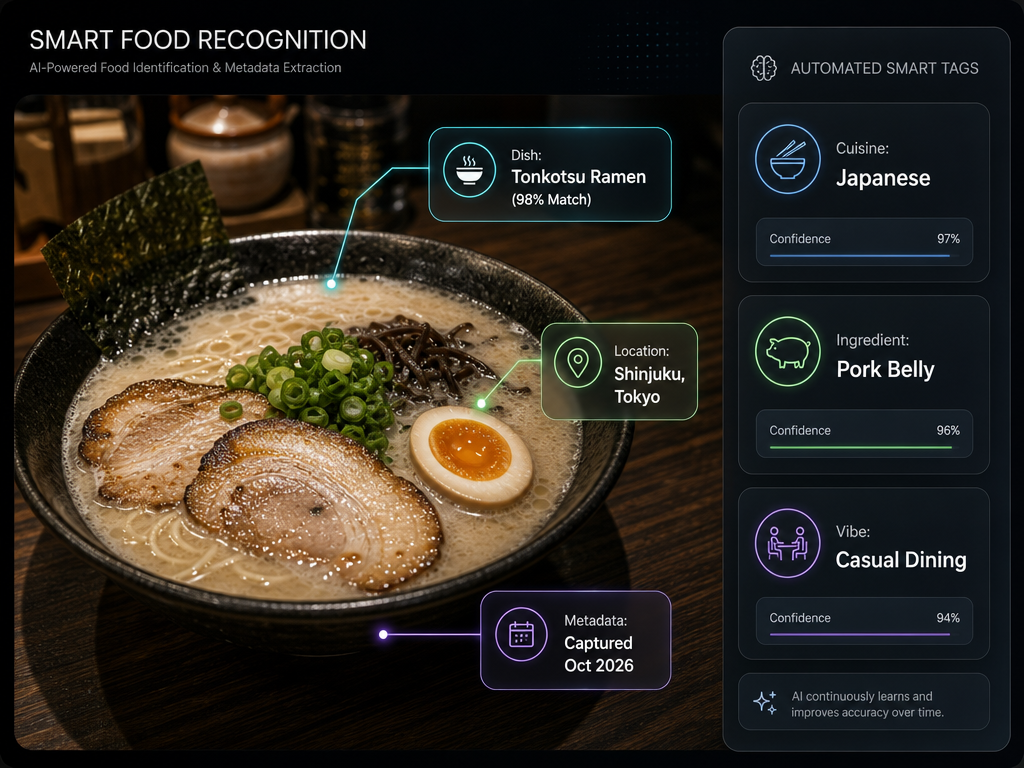
The simplest way to filter food memories by destination is to let your phone do the work. Both iOS and Android Photos apps now use AI to automatically tag images with location data, visual identifiers, and even dish types - no manual logging required.
Here's how it works: Open your Photos app and tap the search bar. Type "Sushi Tokyo" or "Pizza Italy" and watch your phone surface every relevant image. The AI reads the EXIF metadata (the geographic coordinates embedded in each photo) and combines it with visual recognition to identify what's in the frame.
Visual Look Up: The Hidden Feature
Apple Photos includes a feature called Visual Look Up that identifies food items and suggests related recipes. Here's how to use it:
- Open a food photo in your camera roll
- Tap the "i" icon in the bottom toolbar
- If Visual Look Up detects a dish, you'll see a small sparkle icon next to "Look Up"
- Tap it to see dish identification and related information
Google Photos offers similar functionality through Google Lens. Long-press on any food photo and select "Lens" to identify dishes, read menus in foreign languages, or find similar restaurants nearby.
The Real Advantage: Speed
This method requires zero effort beyond taking the photo. Your phone automatically captures the location, timestamp, and visual data. Six months later, you can search "Pasta Rome 2023" and instantly see every Italian dish from that trip.
The limitation? No personal notes, no flavor profiles, no way to remember why that specific carbonara was better than the one you had two nights earlier. You get the visual, but you lose the story.
Best For
- People with thousands of backlog photos who need to clean up years of accumulated meals
- Travelers who want quick recall without manual data entry
- Anyone who values speed over detailed tasting notes
If you're looking for more ways to organize your existing photo library by restaurant or dish type, check out the best apps to organize food photos by restaurant.
The Social Architect (Beli)
Beli represents a different philosophy entirely. It's not about AI doing the work - it's about building a social map of every meal you've ever loved, one manual entry at a time.
Think of Beli as Letterboxd for food. You log restaurants, rate dishes using a comparison-based system (no stars, just "this was better than that"), and build a personal map that your friends can see. Beli reached over 58 million user ratings by May 2025, and roughly 80% of Beli's user base is under age 35, which tells you everything about its design philosophy: social-first, mobile-native, built for people who care more about showing friends their favorite taco stand than analyzing macros.
The Workflow: Map View as Your Archive
Here's how to use Beli to filter food memories by destination:
- Open the app and tap the map icon at the bottom
- Zoom to the city or neighborhood you're trying to remember
- Toggle between "Been" (places you've reviewed) and "Want to Try" (your bucket list)
- Tap any pin to see your review, photos, and rating
The magic happens when you compare multiple cities. You can visually see that you've been to 47 restaurants in New York, 23 in Paris, and only 8 in Tokyo - which immediately tells you where you need to eat more.
The "Scoring" Logic: Why Comparisons Beat Stars
Beli doesn't use a five-star system. Instead, it asks: "Was this better than the last thing you ate?" You're constantly ranking dishes and restaurants against each other, building a relative hierarchy rather than absolute scores.
This matters for filtering by destination because it forces you to think critically about what made a meal memorable. You're not just logging "4 stars in Rome" - you're deciding whether that cacio e pepe was better than the one you had in the Jewish Quarter or the one near the Pantheon.
Beli users logged over 30 million reviews in the year 2024, nearly matching Yelp users posting 21 million reviews in 2024, which suggests that the comparison-based system is sticky - people keep using it because it feels more authentic than assigning arbitrary numbers.
The Social Layer: Discover vs. Archive
Beli's primary purpose isn't archival - it's discovery. The app assumes you want to share your map with friends, follow other users, and see what people in your network are eating. This can be a feature or a distraction, depending on whether you want a private food diary or a public culinary feed.
If you're someone who treats food as culture and wants a social ranking platform where your taste is visible to others, Beli is unmatched. If you want privacy, you'll need to manage your visibility settings carefully or consider a different tool entirely.
For more apps that let you share lists with other foodies, see the best apps to share lists for serious foodies.
Best For
- People who want a social, gamified approach to food memory
- Travelers building a bucket list of restaurants across multiple cities
- Anyone who values comparison-based ranking over absolute scores
The Geographic Veteran (Google Maps Custom Maps)
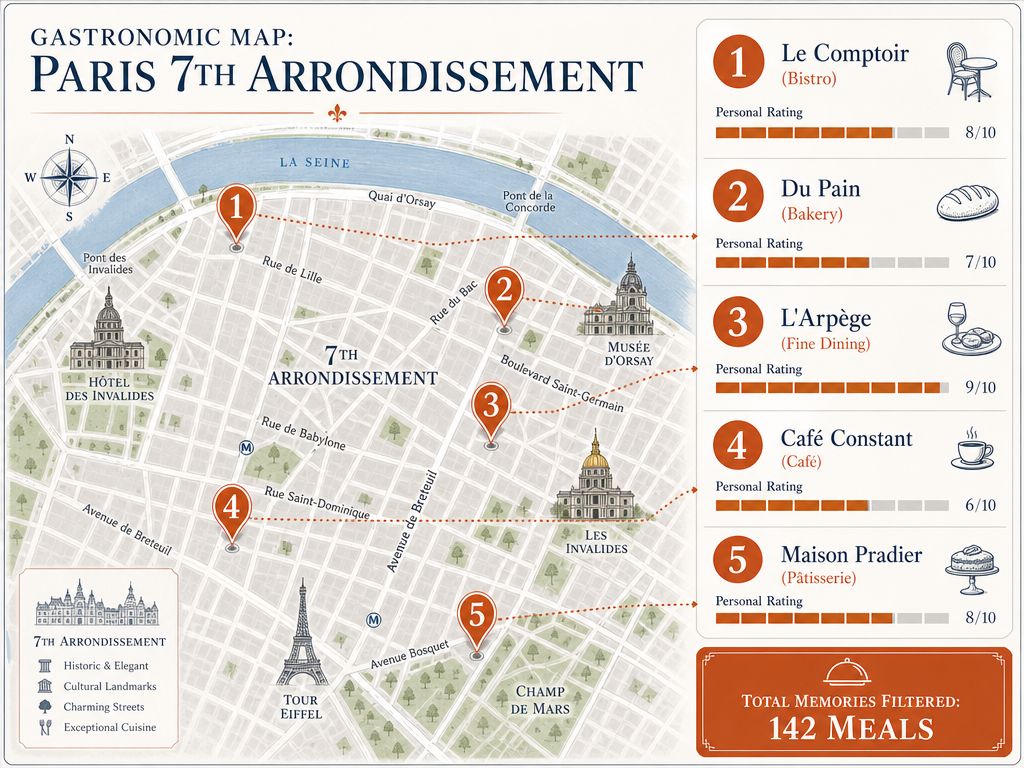
If Beli is for social cartographers, Google Maps is for historians. It's the tool you use when you want to build a permanent, searchable archive that you'll still be able to access in 2035.
The core feature here is Custom Maps - a way to create a personalized overlay where you manually pin every significant meal, add notes, attach photos, and organize by trip, cuisine type, or whatever taxonomy makes sense to you.
How to Create a "My Map" for a Specific Trip
Here's the step-by-step workflow for creating a Paris food map:
- Go to google.com/maps on your desktop (this feature works best on a computer)
- Click the menu icon and select "Your places" → "Maps" → "Create Map"
- Name it something specific: "Paris 2024: The Pastry Route"
- Search for a restaurant, click "Add to map," and select your custom layer
- Click the pin you just created and add:
- Your own photos (not Google's generic ones)
- A detailed note: "Croissant aux amandes. Flaky, not greasy. 10/10 almond filling."
- A personal rating (you'll need to write this in the notes field - Google doesn't have a built-in dish rating system)
- Repeat for every meal worth remembering
The result is a visual, geographically organized archive that you can filter by map layer ("Breakfast spots," "Michelin-starred splurges," "Late-night cheap eats") and revisit years later with full context.
Advanced Tip: Time-Stamped Notes
Google Maps automatically records the date you created each pin. If you add a photo taken on your phone, the EXIF data will show when you actually ate there. This creates a chronological record that's invaluable when you're trying to remember the sequence of a multi-city trip.
Example: You had ramen in Shibuya on Tuesday, tempura in Ginza on Wednesday, and sushi in Tsukiji on Thursday. Your custom map shows all three pins, but clicking each one reveals the date and your notes about why the tempura was transcendent and the sushi was merely good.
Using "Your Timeline" to Fill in the Gaps
Google Maps has a second feature that's less well-known but incredibly powerful for retroactive food memory: Your Timeline. If you have location history enabled on your phone, Google creates an automatic, day-by-day record of everywhere you've been.
Here's how to use it to recover lost meals:
- Open Google Maps on your phone
- Tap your profile icon → "Your Timeline"
- Select the date of a trip you want to reconstruct
- Scroll through the list of places Google tracked you visiting
You'll see restaurants, cafes, and street food stalls you completely forgot about. You can then manually add these to a custom map, attach photos from your camera roll (use the timestamp to match), and fill in the gaps in your food history.
The privacy tradeoff is obvious: Google is tracking your every move. The utility tradeoff is equally obvious: you get a permanent, searchable record of where you've been, even when you forgot to take notes.
For more on using restaurant tracking apps to solve this problem, see how restaurant tracking apps finally solved the food photo graveyard.
Best For
- People who want a permanent, platform-independent archive
- Travelers who think in terms of geography and want a literal map of their food history
- Anyone who values detailed trip planning and retroactive reconstruction
Choosing Your System: A Comparison
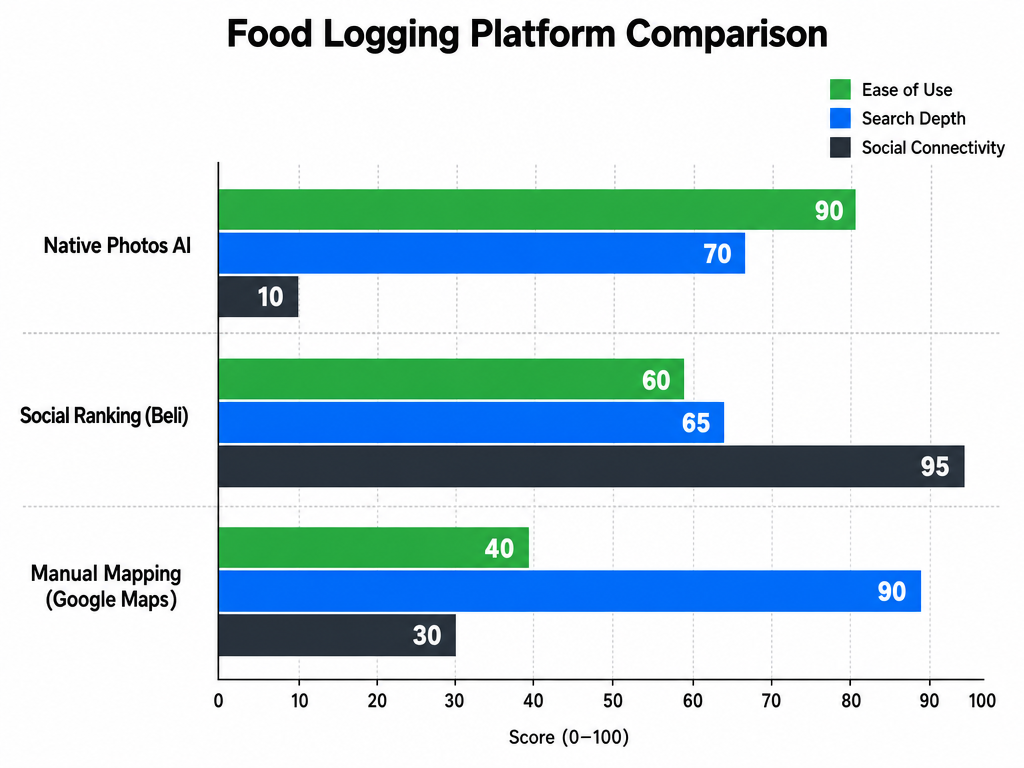
No single system is "best." The right tool depends on what you value: speed, social discovery, or archival permanence. Here's how the three methods compare across the criteria that matter most:
| Feature | Apple/Google Photos | Beli | Google Maps |
|---|---|---|---|
| Effort Level | Near-Zero | Medium (Manual Log) | High (Manual Pins) |
| Searchability | Visual/AI Search | Map/City Filter | Geolocation Pins |
| Social Aspect | Private | High (Friends/Feeds) | Shared Lists only |
| Personal Notes | None | Short reviews | Detailed notes + photos |
| Best For | Finding a specific photo | Ranking/Sharing | Detailed Trip Planning |
| Platform Lock-In | Apple or Google | Beli servers | Google (but exportable) |
| Retroactive Use | Excellent | Manual entry required | Timeline auto-fills gaps |
The reality is that most serious foodies use a hybrid approach: Photos for the visual search, Beli for the social ranking, and Google Maps for the permanent geographic record.
The Hybrid Approach
Here's the three-layer system that works for people who actually travel and eat at volume:
Layer 1: Capture (Apple/Google Photos) - Take the photo. Your phone automatically tags it with location and timestamp. Do nothing else. This is your safety net.
Layer 2: Rank (Beli) - For meals that matter - the ones you'd tell a friend about - open Beli and log it. Rate it relative to other meals you've had. Use the map view to see your culinary footprint across cities.
Layer 3: Archive (Google Maps) - For trips that matter - multi-day food tours, Michelin-starred splurges, once-in-a-lifetime destinations - build a custom map. Add detailed notes. Include the dish name, flavor profile, and context you'll forget in six months.
This system gives you three levels of granularity:
- Passive archive: Every photo you take is searchable by location
- Active ranking: The meals you care about are socially ranked and map-viewable
- Permanent record: The trips you care about have detailed, exportable documentation
You're not trying to log every meal. You're building a system where the extraordinary meals are easy to find, and the forgettable ones fade into the background noise of your camera roll.
If you want to dive deeper into building a personal restaurant library that goes beyond just photos, check out how to build a personal restaurant library.
Frequently Asked Questions
What is the best app for finding food while traveling?
The best app depends on whether you want to discover new places or remember where you've been. For discovery, Beli excels at showing you what friends and trusted users recommend in a specific city. For memory, Apple Photos with AI search lets you type "Sushi Tokyo" and instantly surface every relevant meal. For permanent geographic records, Google Maps Custom Maps gives you a visual, pin-based archive. Most serious travelers use a combination: Beli for social recommendations, Google Maps for planning and archiving.
Is there a way to see past trips on Google Maps?
Yes. Google Maps has a feature called "Your Timeline" that automatically tracks everywhere you've been if location history is enabled on your phone. Open Google Maps, tap your profile icon, select "Your Timeline," and choose a date. You'll see a chronological list of every place Google tracked you visiting, including restaurants and cafes. You can use this to retroactively build custom maps by adding forgotten meals to a new layer with notes and photos from your camera roll.
How can I use my iPhone camera to identify objects in a photo?
Apple Photos includes Visual Look Up, which identifies food items and suggests related recipes. Open a food photo in your camera roll, tap the "i" icon in the bottom toolbar, and look for a sparkle icon next to "Look Up." If Visual Look Up detects a dish, tapping it will show identification and related information. Google Photos offers similar functionality through Google Lens - long-press on any photo and select "Lens."
What are some alternatives to Beli for restaurant tracking?
If Beli's social-first approach doesn't fit your workflow, consider these alternatives: Apple/Google Photos for zero-effort AI-based search, Google Maps for detailed custom mapping, Day One or Journi for narrative-based travel logging, and private food diary apps like Savor for dish-level tracking without social features. Each trades social discovery for different strengths - privacy, narrative depth, or geographic precision.
How do I search my camera roll for "Pasta" in "Rome" without manual tagging?
Both iOS and Android Photos apps use AI to automatically tag images with visual identifiers and location data from EXIF metadata. Open your Photos app, tap the search bar, and type "Pasta Rome" or "Pasta Italy." The AI combines visual recognition (identifying pasta in the image) with geographic coordinates (captured automatically when you took the photo) to surface relevant results. This works retroactively on all your existing photos without any manual tagging required.
Can I export my Google Maps Timeline into a readable food log?
Google doesn't offer a one-click "export my restaurant visits" feature, but you can manually reconstruct a food log using Your Timeline. Open Google Maps, go to Your Timeline, select a date range, and scroll through the list of places visited. For each restaurant, create a new entry in a custom map or export the data to a spreadsheet. Third-party tools exist to export Timeline data to CSV, but they require technical setup and may violate Google's terms of service.
How do I turn on Visual Look Up on my iPhone?
Visual Look Up is enabled by default on iPhones running iOS 15 or later with an A12 Bionic chip or newer (iPhone XS and later). If you don't see the sparkle icon when tapping the "i" button on a photo, check that you're running the latest iOS version (Settings → General → Software Update) and that Siri & Search is enabled (Settings → Siri & Search). Visual Look Up requires an internet connection to identify objects.