
The Serious Foodie’s Guide to Restaurant Feedback Software: Stop Losing Your Best Meals
John the smoothie monster
John lives for smoothie bowls and cold-pressed juices. He uses Savor to remember his best blends.
The Serious Foodie’s Guide to Restaurant Feedback Software: Stop Losing Your Best Meals Your camera roll is a crime scene. Two thousand photos of extraordinary...
The Serious Foodie’s Guide to Restaurant Feedback Software: Stop Losing Your Best Meals
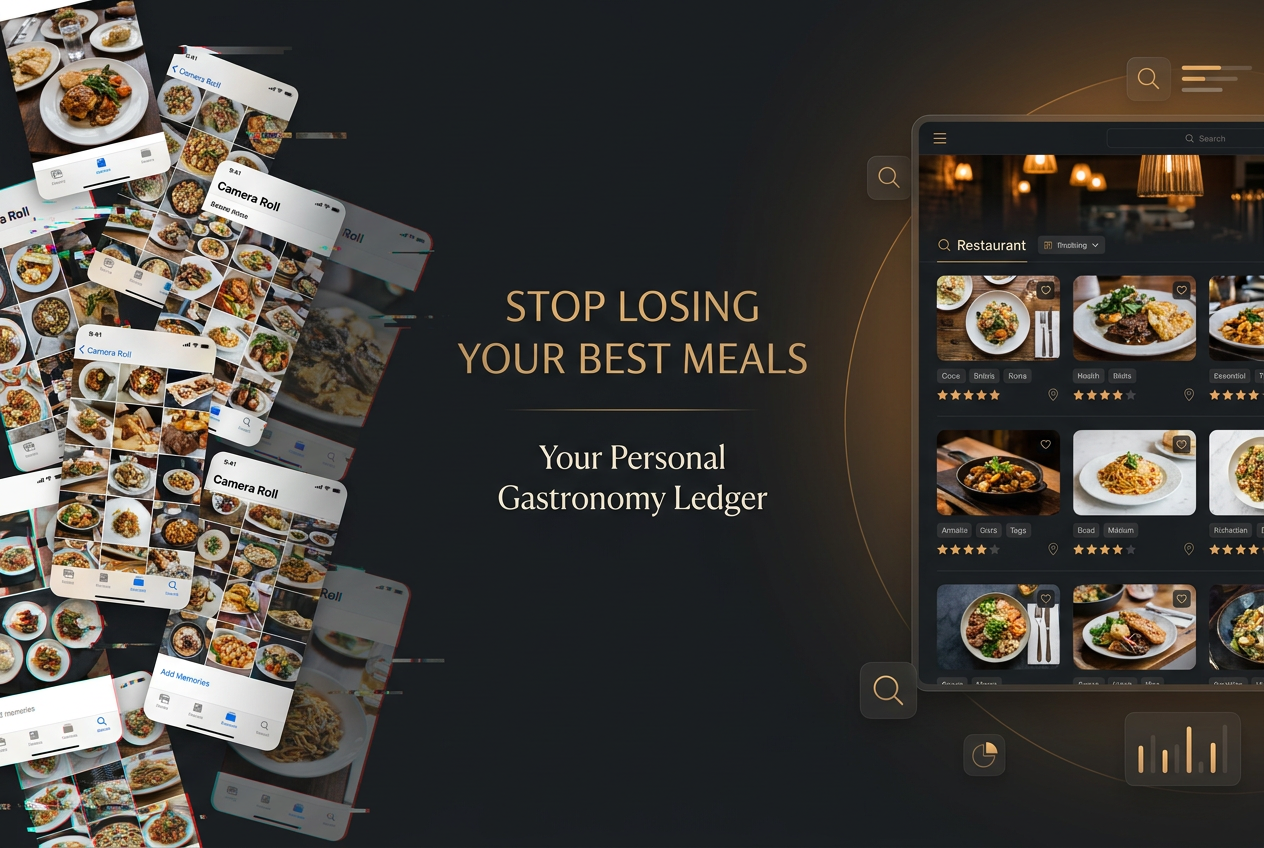
Your camera roll is a crime scene. Two thousand photos of extraordinary meals, and you can’t remember which trattoria served that transcendent cacio e pepe three months ago. The restaurant’s name? Gone. The date? A blur. The specific dish that made you consider abandoning your career to become a pasta chef? Lost to the void.
Most people think "restaurant feedback software" means those clunky B2B tools restaurateurs use to track customer complaints. But for the serious foodie, the real feedback loop isn’t about telling a business what you thought. It’s about telling your future self what mattered. It’s about building a searchable, visual archive of every dish worth remembering - a personal gastronomy ledger that transforms fleeting taste memories into permanent data.
This isn’t about leaving public reviews for strangers. This is about documenting your culinary life with the precision of a critic and the privacy of a diary.
Table of Contents
- The Death of the Public Review
- The ’Notes App’ vs. Specialized Software
- Deep Dive: Yummi (The Visualist’s Choice)
- Deep Dive: Memolli (The Critic’s Choice)
- Deep Dive: World of Mouth (The Insider’s Choice)
- Feature Checklist: What to Look For
- The Search Test
- Frequently Asked Questions
The Death of the Public Review
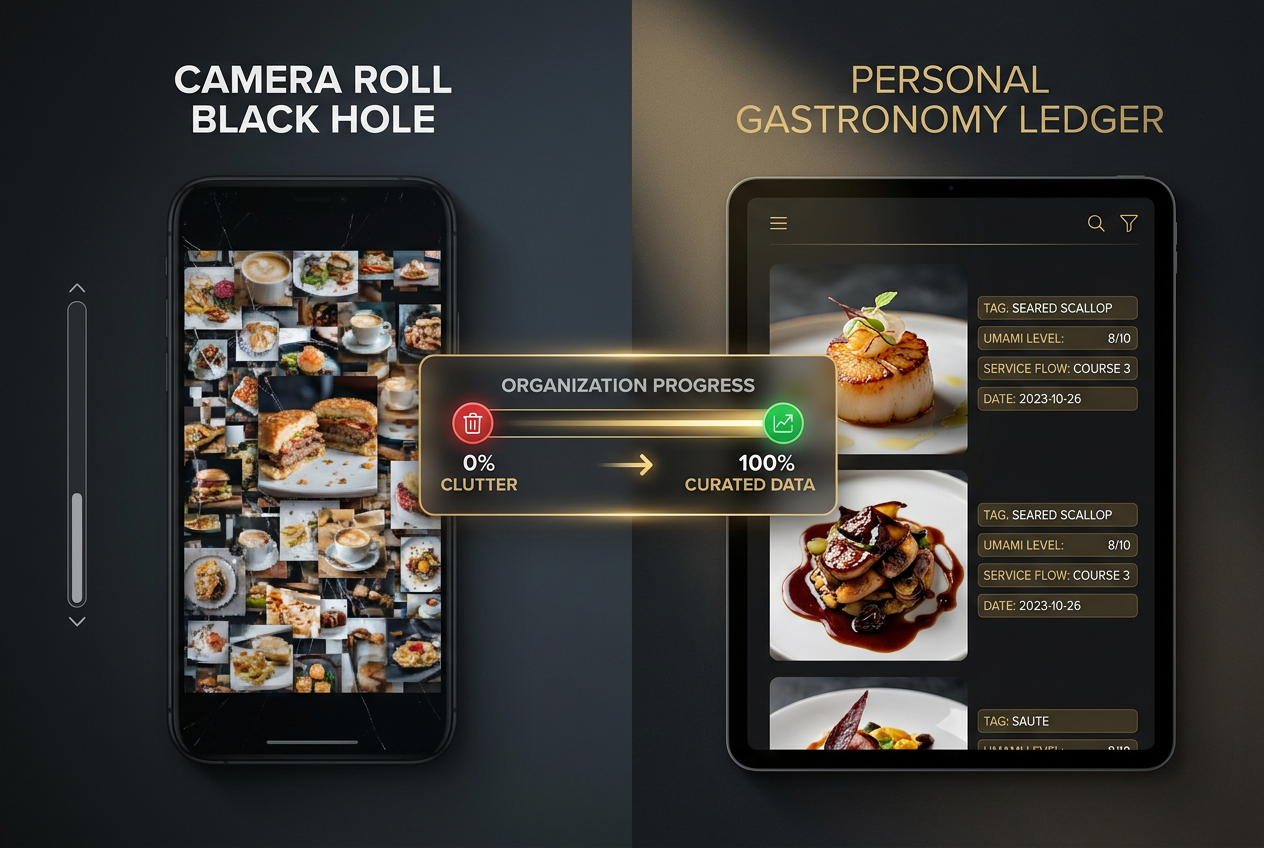
Moving beyond the unsearchable chaos of your camera roll allows you to transform simple dining photos into a structured, searchable personal culinary database.
Public restaurant reviews are dying, at least among people who eat four or more meals out per week. Not because review platforms are going away - Yelp and Google Maps won’t disappear anytime soon - but because the serious foodie has fundamentally different needs than the casual diner scrolling for "4.3 stars near me."
Here’s the problem with public reviews: they’re written for an audience of strangers who don’t share your palate, your priorities, or your standards. A five-star rating from someone who thinks Olive Garden is "authentic Italian" means nothing to you. The noise-to-signal ratio on public platforms has become unbearable. You wade through fifty generic comments about "great service" and "nice atmosphere" before finding one actual description of what the food tasted like.
The rise of private food documentation represents a shift from broadcast to archive. You’re not trying to influence other diners or punish restaurants with negative reviews. You’re trying to solve a personal problem: the inability to recall, with specificity, which meals were worth returning for and why. This is the insight behind apps that treat food documentation as a personal knowledge management system rather than a social media platform.
Moving beyond the unsearchable chaos of your camera roll - where every food photo looks equally important and equally forgotten - allows you to build something far more valuable: a structured, searchable personal culinary database. When you’re planning your next trip to Barcelona or simply trying to remember that incredible sea urchin toast from last summer, you need a system that works like your brain should: instant recall with full context.
The "feedback" you’re giving isn’t for the restaurant. It’s for yourself, six months from now, when you’re trying to reconstruct the flavor profile of the best thing you ate in 2024. If you’re serious about tracking your culinary journey, apps that rate individual dishes rather than entire restaurants solve the core problem: most meals contain one truly memorable dish and several forgettable ones.
The ’Notes App’ vs. Specialized Software
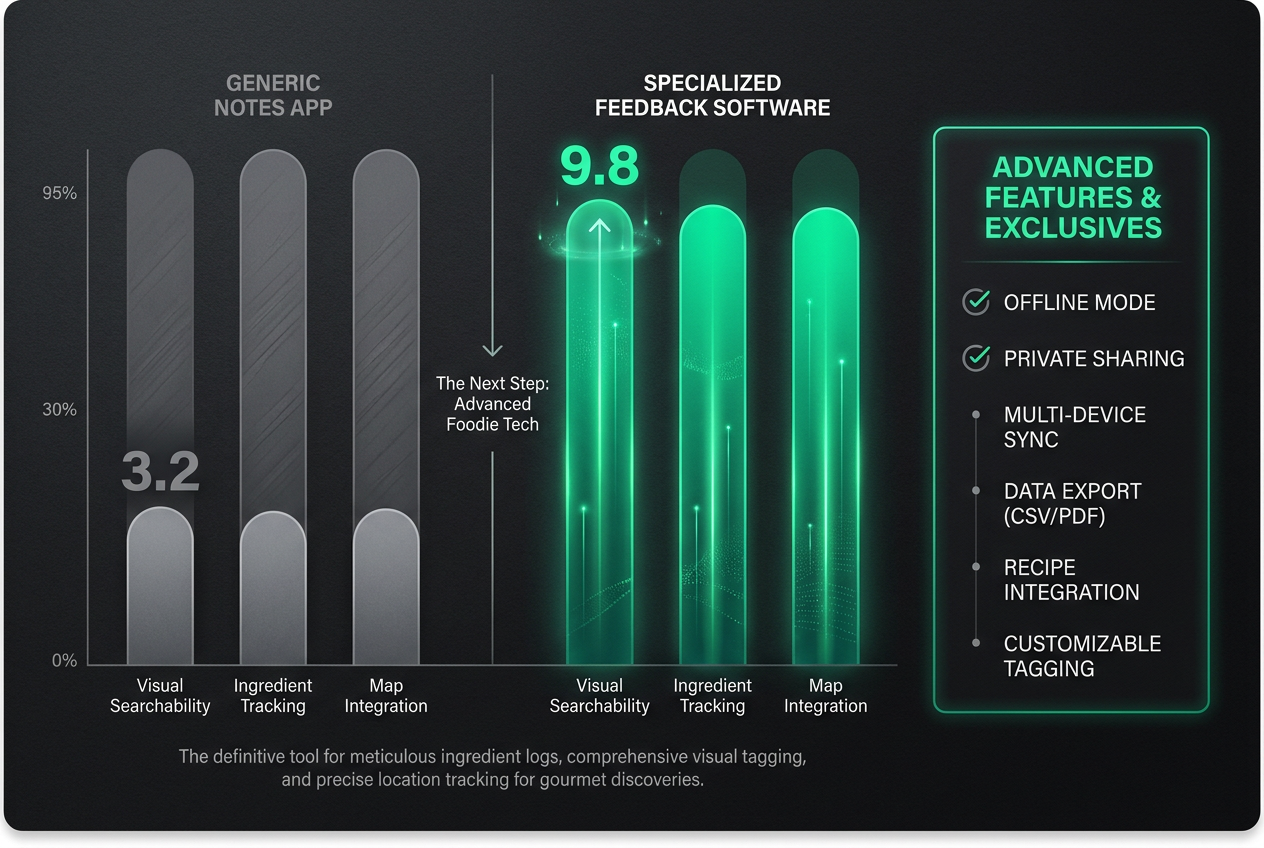
While a standard notes app is sufficient for basic lists, specialized feedback software offers the high-resolution data tracking that serious gastronomy requires.
Let’s talk about the Notes app solution. You’ve probably tried it. Restaurant name at the top, a bulleted list of dishes below, maybe a date if you remembered to add one. For the first dozen entries, it feels manageable. By entry fifty, it’s a graveyard. By two hundred, it’s functionally useless.
The fundamental limitation of a notes app is that it wasn’t designed for structured data. It’s a blank canvas, which sounds liberating until you realize you need to search for "that pork belly dish from spring 2024" and have no way to filter by ingredient, season, neighborhood, or cuisine type. You’re scrolling through paragraphs of free-form text, hoping a keyword jogs your memory.
Specialized restaurant feedback software solves three specific problems your notes app can’t:
Visual Organization. Food is inherently visual. You remember dishes by how they looked - the char on that steak, the vibrant orange of that uni, the architectural plating at that tasting menu. A tool built for food documentation links your photos to searchable metadata automatically. When you snap a picture of your meal, it captures location, date, and time without you typing anything. You can later search your entire archive by visual similarity, finding every bowl of ramen you’ve photographed across three continents.
Structured Fields. The best feedback tools offer custom fields for the data points serious foodies actually track: specific ingredients, preparation methods, wine pairings, service quality, ambience ratings. You’re not writing an essay about dinner. You’re filling in consistent categories that become searchable filters. Want to find every meal where you rated the service flow as exceptional? Done. Every dish featuring black garlic? Three taps away.
Offline Functionality. Notes apps work offline, but they don’t help you log meals in real-time during that tasting menu with no signal in a basement izakaya. Specialized tools are built for the reality of dining out: you’re documenting in airplane mode, and the data syncs later. You’re capturing flavor notes between courses without stopping to format text or remember restaurant names.
This isn’t to say notes apps have no place in your food life. They’re excellent for quick capture and random food thoughts. But treating your notes app as your primary culinary archive is like using a pencil to frame a house. It might technically work, but you’re not using the right tool for the job. For a more comprehensive look at building a personal restaurant library, the difference between casual list-making and true documentation becomes obvious.
Deep Dive: Yummi (The Visualist’s Choice)
Yummi understands something fundamental about food memory: you remember dishes by where and when you ate them. The app’s core interface is a calendar view that shows your meals plotted chronologically, creating a visual timeline of your culinary year. Scroll back to August, and you see the exact week you had that breakthrough meal in Tokyo. Each day displays thumbnail photos of everything you ate, making pattern recognition instant.
The killer feature is what Yummi calls "Foodprints" - an automatically generated map that plots every meal you’ve logged. This isn’t just a novelty. When you’re visiting a city you haven’t been to in two years, you open Yummi, look at your Foodprints, and immediately see which neighborhoods contained your best meals last time. No scrolling through notes, no trying to remember restaurant names. The map becomes your personal dining atlas.
Yummi’s photo organization automatically groups images by location and date, solving the "where was that again?" problem without manual tagging. The app uses geolocation data to cluster meals by neighborhood, which means you can answer questions like "What did I eat in the Marais district?" with visual results in seconds. This matters when you’re trying to build a mental model of a city’s food geography.
The social-utility hybrid approach means Yummi lets you keep meals private or share specific dishes with friends. You’re not broadcasting to strangers, but you can send your Rome dining map to a friend planning their own trip. This controlled sharing feels more natural than the all-or-nothing approach of public review platforms.
Where Yummi falls short is in detailed note-taking. The interface prioritizes speed and visual browsing over comprehensive flavor analysis. You can add brief comments, but if you want to document the specific chili oil used in that mapo tofu or rate service quality on multiple dimensions, Yummi isn’t built for that level of detail. It’s a visual memory system, not a critic’s notebook.
Deep Dive: Memolli (The Critic’s Choice)
Memolli takes the opposite approach: maximum detail, complete privacy, zero social features. This app is for people who think of food documentation as research, not content creation. When you log a meal in Memolli, you’re presented with structured fields for every variable a professional critic might track: dish name, primary ingredients, preparation method, temperature, texture, visual presentation, service quality, ambience, value for money.
The custom fields system lets you design your own rating rubric. One user might track "umami intensity" and "fat content" for every dish. Another might focus on "authenticity markers" and "technique execution." Memolli doesn’t impose a one-size-fits-all rating system because it recognizes that experienced diners develop personal frameworks for evaluation. Your ten-point scale might emphasize different qualities than mine, and that’s the point.
Offline functionality is bulletproof. Memolli was designed for serious travelers who document meals in real-time, often in remote locations without connectivity. Everything syncs later without data loss. You can log a twelve-course tasting menu during the meal itself, capturing impressions while they’re fresh rather than reconstructing them from memory hours later.
The privacy-first architecture means your data never touches a public server unless you explicitly export it. No algorithmic feed, no discovery features, no "you might also like" suggestions. This appeals to people who view their dining history as proprietary knowledge - a competitive advantage if you’re a food professional, or simply personal information you don’t want monetized.
Where Memolli struggles is discoverability for new restaurants. It’s a documentation tool, not a recommendation engine. You need to already know where you’re going. The app assumes you’re coming from research elsewhere (Michelin guides, chef interviews, trusted insider sources) and need a system to record your findings. If you’re looking for help deciding where to eat tonight, Memolli offers nothing. For those interested in organizing restaurant photos systematically, Memolli’s structured approach offers a professional-grade solution.
Deep Dive: World of Mouth (The Insider’s Choice)
World of Mouth began as a tool for professional food critics and chefs to share recommendations privately within their networks. The core insight: algorithms don’t eat. The best restaurant recommendations come from real humans with expertise and palates you trust. The app’s interface reflects this philosophy - instead of star ratings and crowdsourced reviews, you see curated city guides written by respected food professionals.
When you open World of Mouth and select a city, you’re not seeing aggregated data from thousands of anonymous users. You’re seeing the twelve restaurants Monica Escolar believes define contemporary Barcelona, or the eight essential Tokyo experiences according to a James Beard-nominated chef who spent a decade there. Each guide comes with specific dish recommendations, not just restaurant names. You’re told to order the arroz caldoso at Restaurant X, the tamago at Sushi Y.
The transition from personal documentation to community happens naturally. After you’ve logged fifty meals in Copenhagen, you might publish your own guide for others in the network. But the barrier to posting is deliberately high. World of Mouth doesn’t want casual opinions from people who ate one meal in a city once. It wants depth, specificity, and expertise. This curatorial approach keeps the signal-to-noise ratio extraordinarily high.
For personal documentation, World of Mouth offers a private log with tagging and note-taking capabilities. You’re building your own database while also benefiting from expert-curated guides when traveling to new cities. The combination of personal archive and trusted expert network solves both the memory problem and the discovery problem.
The limitation is obvious: World of Mouth only works in cities with active, expert contributors. If you’re eating in smaller markets or exploring cuisines outside the app’s geographic coverage, you’re back to solo documentation without the community benefit. The network effect that makes the app valuable in New York or Paris doesn’t extend everywhere. Understanding how modern food reviews work reveals why expert curation matters more than crowd-sourced ratings.
Feature Checklist: What to Look For
When evaluating restaurant feedback software for serious food documentation, certain features separate functional tools from indispensable ones. This isn’t an exhaustive list of every possible feature - it’s the set of capabilities that matter most when you’re building a long-term culinary archive.
Offline Mode: You need the ability to document meals in real-time without connectivity. The best meals often happen in basement restaurants with no signal, on international flights, or in rural areas. An app that requires internet access to function means you’re either reconstructing meals from memory hours later (terrible for accuracy) or carrying a notebook like it’s 1997.
Map View: Your culinary life has a geography. Being able to visualize all your meals on a map isn’t just aesthetically pleasing - it’s functionally critical for answering questions like "What did I eat in this neighborhood last time?" or "Where are my highest-rated meals in this city clustered?" A good map interface lets you zoom from a global view (all your meals across continents) down to a street-level view (every meal on this specific block).
Custom Fields and Tags: Different people track different variables. You might care deeply about specific ingredients (every dish containing sea urchin). Someone else tracks cooking methods (every example of wood-fired preparation). Another person rates service quality on multiple dimensions. Software that forces everyone into the same rating system fails to accommodate how experienced diners actually think about food. Look for tools that let you design your own taxonomy.
Visual Search and Recognition: Photos are your most reliable food memory trigger. Advanced tools offer visual similarity search, letting you find "dishes that look like this one" across your entire archive. This sounds like a novelty feature until you use it to find all the tartare preparations you’ve photographed, or every example of a specific plating style, or all the dishes with that particular golden-brown char you love.
Export and Data Portability: Your food documentation represents years of accumulated knowledge. Any system that locks your data inside proprietary formats without export options is unacceptable. Look for tools that let you export your complete archive (text, photos, metadata) in standard formats. You should be able to move your data if you switch platforms, or simply keep a backup that doesn’t depend on the app’s continued existence.
Private Sharing Options: The ability to share specific meals or collections with specific people - a dining partner, a friend traveling to your city, a group planning a food trip - without making everything public. This middle ground between total privacy and broadcast social media reflects how actual food conversation works: selective sharing within trusted networks.
The Search Test
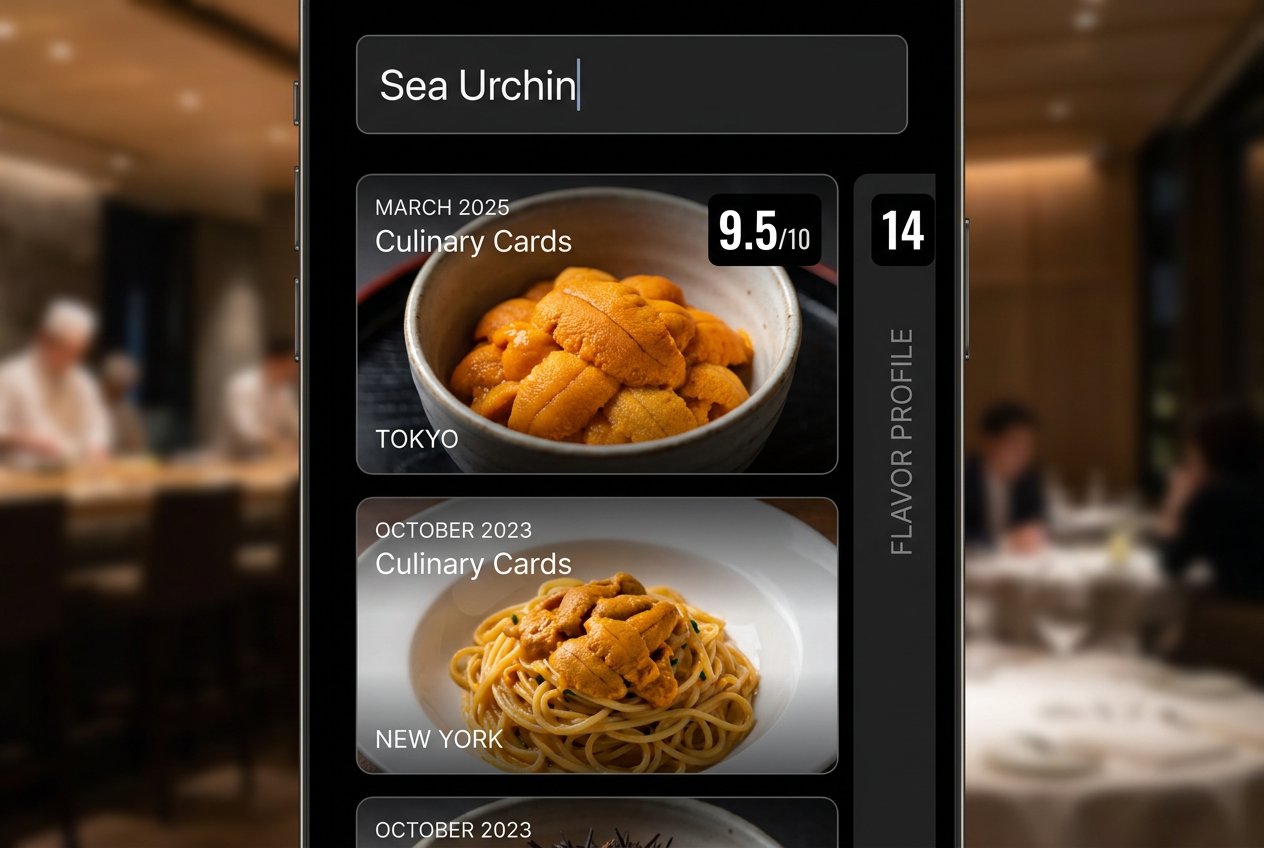
The ultimate test of a personal feedback tool is its ability to recall specific ingredients and flavor profiles across years of dining history instantly.
The defining test of any restaurant feedback system is simple: can you find what you’re looking for in under five seconds? Not eventually, not with enough scrolling, not if you remember exactly when you ate it. Can you search for a specific ingredient - say, "sea urchin" - and instantly see every dish containing it across three years of dining history, organized with photos and context?
This is where most systems collapse. Your camera roll can’t do this. Your notes app can’t do this. Even some specialized food apps can’t do this, because they don’t treat ingredient-level data as first-class searchable information.
The sea urchin test reveals three critical capabilities:
Ingredient Tagging at the Dish Level: You need software that lets you tag individual ingredients, not just cuisine categories or restaurant types. When you search for "sea urchin," you should see every uni toast, every uni pasta, every sea urchin nigiri you’ve documented, regardless of which restaurant served it or what country you were in. This requires the discipline to tag ingredients consistently, but the payoff is a personal database that actually functions like a database.
Cross-Reference Display: Results should show you patterns instantly. How many times have you eaten sea urchin this year? Which months? Which cities? What were your ratings? Are there preparation methods you consistently prefer? This kind of cross-referential view transforms raw documentation into actual knowledge. You’re not just remembering meals - you’re understanding your own palate evolution.
Contextual Recall: Each search result needs enough context to jog your full memory of the meal. A photo thumbnail alone doesn’t cut it. You need the date, location, restaurant name, and your contemporaneous notes visible without additional clicks. This is why specialized food documentation tools outperform general-purpose photo apps: they display the metadata that makes memories retrievable.
Test this with your current system right now. Pick a specific ingredient you’ve eaten in multiple dishes over the past year - black truffle, bone marrow, yuzu, whatever. Can you find every instance of it in under five seconds? If not, you don’t have a functional food documentation system. You have a digital junk drawer that happens to contain food photos. For those tracking meals across multiple restaurants, the ability to remember every dish you’ve ever eaten becomes the difference between casual snapshots and a true culinary archive.
The serious foodie’s relationship with restaurant feedback software isn’t about broadcasting opinions to strangers or gaming review algorithms. It’s about building a personal knowledge system that captures the most transient and meaningful part of your daily life: what you ate, how it tasted, why it mattered. Your camera roll will never do this. Your notes app will never do this. You need software designed for the specific problem of culinary memory - tools that treat food documentation as knowledge management, not social performance.
Choose the system that matches your documentation style. If you’re a visual thinker who remembers meals by when and where they happened, Yummi’s calendar and map interface will feel intuitive. If you’re a detail-oriented analyst who wants maximum control over rating criteria, Memolli’s custom fields and privacy-first approach fits your needs. If you value expert curation and trusted networks over personal archiving, World of Mouth’s community-driven model offers something no solo documentation system can match.
The investment isn’t just the time to learn new software - it’s the commitment to consistent documentation. The most sophisticated food app becomes worthless if you only log meals occasionally. The real question isn’t which tool is objectively best. It’s which tool you’ll actually use every time you eat something worth remembering. That’s the only feedback that matters.
Frequently Asked Questions
What is restaurant feedback software for personal use?
Restaurant feedback software for personal use is a digital tool designed to help you document, organize, and recall your dining experiences with precision. Unlike business-facing feedback systems that collect customer opinions for restaurant management, personal feedback software treats your meal history as private, searchable data. Think of it as a specialized database where you log dishes, rate specific elements like flavor profiles and presentation, tag ingredients, and attach photos with automatic location and date metadata. The goal isn’t to influence other diners through public reviews - it’s to build a personal culinary archive you can search years later when you’re trying to remember that incredible pasta dish or find every meal where you rated the service as exceptional.
How is this different from just using Yelp or Google Maps reviews?
The fundamental difference is intent and audience. Yelp and Google Maps are designed for public broadcasting - you’re writing for strangers who might visit the same restaurant. Personal restaurant feedback software is designed for private documentation - you’re writing for your future self. This changes everything about how you document meals. On public platforms, you’re incentivized to write generalized opinions that apply to any potential visitor. In private software, you capture specific, granular details that only matter to you: which server recommended the dish, what the exact flavor progression tasted like, how this version compared to the one you had in Rome last year. Public reviews become performative. Private documentation stays analytical. The second major difference is searchability. Public platforms organize by restaurant ratings and categories. Personal feedback software organizes by the variables you actually use when recalling meals: specific ingredients, dates, neighborhoods, dish types, or custom tags like "perfect for rainy days" or "brought a date here."
Can I export my food data if I switch apps?
This depends entirely on which app you choose, which is why data portability should be a non-negotiable feature in your evaluation. The best restaurant feedback software offers full export functionality - every photo, every note, every rating, every piece of metadata - in standard formats like CSV, JSON, or PDF. This means your years of culinary documentation aren’t held hostage by a single company’s platform. Before committing to any food documentation system, test the export function. Some apps export only text notes without photos. Others export in proprietary formats that can’t be imported elsewhere. A few truly user-respecting platforms export complete, machine-readable archives that include all relationships between meals, tags, locations, and ratings. This isn’t just about switching apps - it’s about long-term data stewardship. Your food documentation might span decades. The company behind your app might not. You need the ability to maintain your culinary archive independent of any specific platform’s survival.
Do these apps work offline during international travel?
Offline functionality separates serious food documentation tools from casual social apps that assume constant connectivity. The best restaurant feedback software is designed specifically for the reality of international dining: basement izakayas with no signal, flights where you’re documenting meals over the Pacific, rural areas where connectivity is spotty. These apps store everything locally first, then sync to the cloud when connection returns. You can photograph meals, write detailed notes, add ratings, and tag ingredients entirely offline. When you reconnect hours or days later, everything uploads automatically without data loss. This matters enormously for accuracy. Documenting a meal while you’re eating it - when flavors are immediate and details are fresh - produces fundamentally better records than trying to reconstruct the experience from memory hours later in your hotel room. If an app requires internet access to function, it’s not built for serious food documentation. It’s built for social sharing first, with documentation as an afterthought.
How detailed should my meal documentation be?
The level of detail depends on your goals and personality, but the general rule is: capture enough that your future self can reconstruct the experience without seeing the photo. A minimalist approach might include dish name, restaurant, date, photo, and a one-sentence impression. This takes thirty seconds and provides basic recall. An intermediate approach adds ingredient tags, preparation method, one or two specific flavor notes, and a rating. This takes two minutes and enables meaningful search and comparison. A maximalist approach documents everything a professional critic would note: visual presentation, aroma, initial taste, flavor progression, texture, temperature, ingredient quality, technique execution, service interaction, ambience, value analysis, and how this version compares to canonical examples you’ve had elsewhere. This takes five to ten minutes and produces a permanent record that functions as research. Most people find their natural equilibrium somewhere between intermediate and maximalist, adjusting detail level based on meal significance. A casual weeknight dinner gets basic documentation. A once-in-a-lifetime tasting menu gets the full treatment. The key is consistency at whatever level you choose. Sporadic, high-detail documentation is less valuable than consistent, moderate-detail documentation.
Should I tag ingredients in every dish?
Yes, if you want your documentation system to function as an actual database rather than a glorified photo album. Ingredient tagging is the single most powerful search dimension for serious food documentation. It lets you answer questions your camera roll will never answer: How many times have I eaten bone marrow? Which preparations did I rate highest? Which restaurants use it most creatively? Do I consistently prefer it roasted or braised? The effort is minimal - usually three to five tags per dish for key ingredients - but the long-term value is enormous. After a year of consistent tagging, you have a searchable ingredient index of your entire culinary life. You can track your relationship with specific flavors over time, notice patterns in your preferences, and make more informed decisions about what to order. The discipline matters more than the granularity. You don’t need to tag every single ingredient in a complex dish. Tag the stars - the elements that define the dish or that you specifically want to track. Black truffle, yes. Salt, probably not. If you’re documenting a dish primarily because of a specific ingredient (the Hokkaido uni in that pasta), that ingredient absolutely needs a tag.
What’s the best way to organize food photos?
The best organization system combines automatic metadata with minimal manual categorization. Let your app do the heavy lifting - it should capture date, time, and location automatically when you photograph a dish. This handles 80% of organization without any effort from you. For the remaining 20%, use a two-tier tagging system: broad categories (cuisine type, meal type, city) and specific attributes (ingredients, preparation methods, occasions). Avoid over-categorization. If you create fifty tags, you’ll forget which ones you have and documentation becomes a chore. Most people function best with twenty to thirty tags total, split between practical search categories and personal meaning categories. The key organizational principle is searchability, not aesthetics. Your food photos don’t need to be sorted into beautifully nested albums. They need to be instantly findable when you search for relevant criteria. This is why specialized feedback software outperforms general photo management apps - it’s designed around the specific ways you’ll want to retrieve food memories years later. One advanced technique: use consistent naming conventions for dishes. Instead of just "pasta," specify "cacio e pepe" or "uni spaghetti." Your future self will thank you when searching for specific preparations across multiple restaurants and cities.
How do I remember to document every meal consistently?
Consistency is the hardest part of food documentation, which is why the best systems minimize friction. The fastest path to consistency is making documentation a natural part of your existing meal ritual. If you already photograph food before eating, extend that moment by thirty seconds to add basic information. If you don’t typically photograph meals, start with an even simpler trigger: document only meals that genuinely surprise you or exceed expectations. This builds the habit without demanding documentation of mediocre Tuesday lunches you won’t care about recalling. Another approach is batch documentation. Some people prefer to log meals in real-time. Others find it disruptive and document everything at the end of the day during a five-minute review ritual. Neither is objectively better - choose whichever you’ll actually maintain. Technology helps. The best apps make quick capture genuinely quick: photo, automatic location capture, voice-to-text notes, done. If documentation requires five steps and three screens, you won’t do it consistently. The final technique is reviewing your archive regularly. Spend ten minutes weekly browsing your recent meals. This reinforces the value of the documentation system by showing you it actually works - you can find things, patterns emerge, memories resurface. Seeing the value of the system makes you more likely to maintain it.